
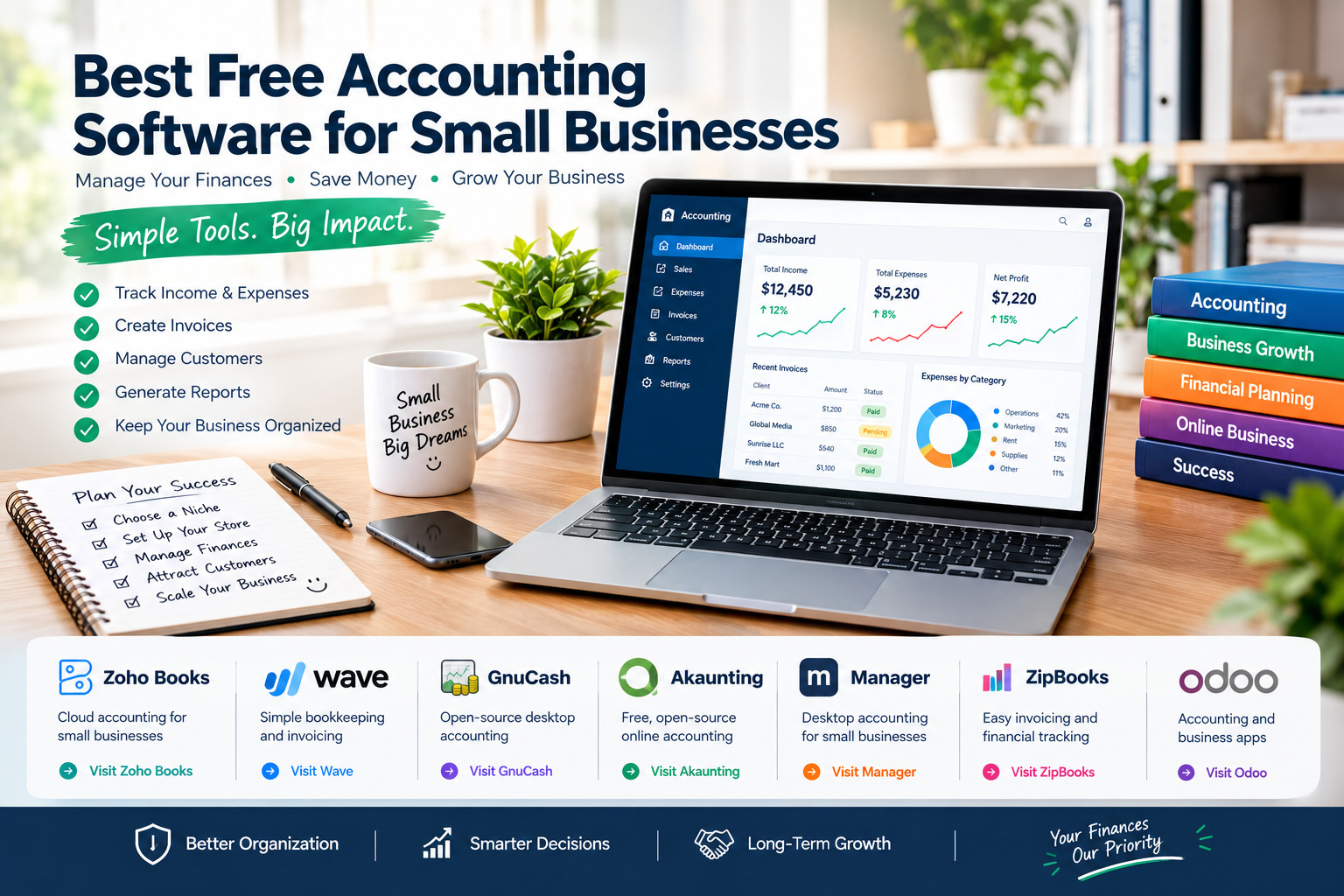
Best Free Accounting Software for Small Businesses
Managing business finances is essential for keeping a small company organized, controlling expenses, tracking income, and making informed decisions. However, hiring a bookkeeper or paying for expensive accounting software may not be practical for freelancers, startups, and small business owners with limited budgets.
Free accounting software can help businesses create invoices, record expenses, monitor cash flow, and prepare financial reports without committing to a costly subscription. The available features vary significantly, though. Some programs offer free cloud-based plans with usage limits, while others are completely free desktop applications or open-source tools that require more technical knowledge.
This guide compares some of the best free accounting software options for small businesses, explaining their main features, advantages, limitations, and the types of businesses they suit best.
1. Zoho Books: Best for Small Businesses That Need Online Accounting
Zoho Books is an online accounting platform designed to help small businesses manage everyday financial tasks. Its free plan can be a useful starting point for eligible businesses that need basic accounting tools without an immediate subscription expense.
Main Features
Zoho Books supports invoicing, estimates, expense recording, financial reports, customer management, and transaction organization. Depending on the country and plan, additional features may include bank reconciliation, recurring invoices, payment reminders, and integrations with other business applications.
The cloud-based interface allows users to access financial information through a web browser, making it convenient for businesses that do not want to maintain accounting software on a single computer.
Strengths
- A free plan is available in eligible markets under specific conditions.
- Professional-looking invoices and estimates.
- Organized expense tracking and financial reporting.
- Integration opportunities with other Zoho business tools.
- A clear upgrade path as accounting needs become more complex.
Weaknesses
- The free plan has eligibility requirements and feature limits.
- User counts and invoice limits may restrict growing businesses.
- Advanced inventory, tax, automation, and reporting capabilities may require a paid plan.
- Features and tax compliance options vary by country.
Best For
Zoho Books is a strong option for eligible freelancers, consultants, and small service businesses that want online accounting with structured financial records. Before signing up, check the free plan’s revenue threshold, invoice allowance, supported currency, and local tax features.
Official website: Zoho Books Free Accounting Software
2. Wave: Best for Simple Invoicing and Bookkeeping
Wave is an accounting platform aimed primarily at freelancers, independent professionals, and small businesses that want a straightforward way to manage financial records. Its free Starter offering can provide a convenient entry point for eligible users, although certain advanced features and services require payment.
Main Features
Wave supports core bookkeeping tasks, including income and expense tracking, invoicing, and basic financial reporting. Businesses can use it to organize transactions, create customer invoices, and monitor their finances without building a complicated accounting workflow.
Optional paid services may include payment processing, payroll, and enhanced accounting capabilities. The exact availability of these services depends on the user’s location and current plan.
Strengths
- Accessible interface for everyday bookkeeping.
- Useful invoicing tools for freelancers and small service providers.
- Core accounting functions available through a free offering.
- Helps organize income and expenses in one place.
- Optional paid services for businesses that need additional functionality.
Weaknesses
- Some features, including advanced automation and banking tools, may be restricted to paid plans.
- Payment processing and payroll can add operating costs.
- Availability and supported services differ by region.
- Businesses with complex accounting requirements may outgrow the free option.
Best For
Wave is worth considering if you run a small service business and primarily need invoicing, expense tracking, and basic financial organization. Check whether Wave supports businesses in your country before relying on it, especially if you need local bank connections, tax reporting, or payroll.
Official website: Wave Accounting
3. GnuCash: Best Completely Free Desktop Accounting Software
GnuCash is a free, open-source accounting application for people who prefer managing their financial records on their own computers. It is available for major desktop operating systems and supports formal double-entry bookkeeping.
Unlike many cloud accounting services, GnuCash does not require a monthly subscription for its core software. It can be particularly useful for users who want detailed control over their accounting records and do not need a fully hosted online platform.
Main Features
GnuCash supports double-entry accounting, income and expense tracking, accounts payable and receivable workflows, scheduled transactions, budgeting, and financial reports. It also supports multiple currencies and can import certain bank transaction file formats.
Its accounting structure provides a more rigorous way to organize transactions than a simple income-and-expense spreadsheet, although new users may need time to understand the interface and bookkeeping concepts.
Strengths
- Free and open-source software.
- No recurring subscription for the core desktop application.
- Detailed accounting records and double-entry bookkeeping.
- Supports multiple currencies and a range of financial reports.
- Data can be maintained locally on your computer.
Weaknesses
- The interface may feel less modern than cloud-based alternatives.
- Beginners may face a learning curve.
- Automatic bank synchronization and collaboration are not as straightforward as in many hosted services.
- Users are responsible for backups, updates, and protecting their accounting files.
Best For
GnuCash is a good choice for freelancers and small businesses that want a capable desktop accounting system without subscription fees. It is especially suitable for people comfortable with accounting concepts or willing to learn them. Businesses that need simple collaboration between several employees may prefer a cloud-based tool.
Official website: GnuCash
4. Akaunting: Best Open-Source Option for Online Accounting
Akaunting is an open-source accounting platform built for small businesses and freelancers. It offers tools for managing invoices, expenses, transactions, and cash flow, with an option to run the software on your own server.
Its self-hosted model gives businesses more control over their environment and financial data, but it also means that technical setup, hosting, updates, and security need to be considered.
Main Features
Akaunting provides invoicing, expense tracking, transaction categorization, financial summaries, and online access through a web interface. Its open-source approach makes it attractive to businesses that want to examine or customize the software rather than depend entirely on a closed platform.
The free self-hosted edition and hosted services should be evaluated separately because hosting, add-ons, or additional functionality may introduce costs.
Strengths
- Open-source accounting software.
- Core invoicing and expense management capabilities.
- Potential for greater control through self-hosting.
- Web-based access when configured appropriately.
- Can be adapted to some business workflows through available extensions.
Weaknesses
- Self-hosting requires technical knowledge or assistance.
- Hosting, maintenance, backups, and security may create indirect costs.
- Some integrations and additional features may be paid.
- The initial setup may be more complicated than registering for a standard cloud service.
Best For
Akaunting is suitable for small businesses that value open-source software, online access, and control over their accounting environment. It is especially attractive when the business has access to reliable technical support. Owners who want a completely managed experience should compare the costs of hosted services before choosing.
Official website: Akaunting Free Accounting Software
5. Manager: Best Free Desktop Accounting for Small Businesses
Manager is accounting software that offers a free desktop edition for users who want to manage business finances without a recurring subscription. It is designed to cover a broad range of accounting tasks while keeping the core desktop application separate from paid hosting options.
Main Features
Manager supports financial records, invoices, customer and supplier accounts, expense tracking, bank reconciliation workflows, and financial statements. Its available accounting modules can help small businesses maintain organized books and review their financial position.
Because the desktop edition operates locally, businesses can work with their records without depending on a continuous cloud connection. Online collaboration and hosted access should be assessed separately.
Strengths
- Free desktop edition for business accounting.
- Supports invoices, expenses, and financial reports.
- Suitable for more structured bookkeeping than a basic spreadsheet.
- Local data management without a mandatory monthly cloud subscription.
- Useful for businesses that prefer desktop applications.
Weaknesses
- Cloud access and collaboration may require a different edition or service.
- Users need to manage backups and protect local accounting data.
- New users may need time to configure accounts and learn the interface.
- Some integrations and workflows may not be as convenient as those offered by hosted platforms.
Best For
Manager is worth considering for small businesses that need a broad accounting feature set on a desktop and want to avoid recurring software costs. Review the official edition comparison to confirm which features are included in the version you intend to use.
Official website: Manager Accounting Software
6. ZipBooks: Best for Straightforward Invoicing and Financial Tracking
ZipBooks offers accounting tools intended to help small businesses manage invoices, transactions, and financial information. Its free plan can be useful for businesses that want to get started with basic accounting without immediately paying for advanced features.
Main Features
ZipBooks includes invoicing and bookkeeping capabilities, with additional tools and reporting options available depending on the selected plan. It is designed to make common financial tasks more accessible to small business owners who may not have an accounting department.
The free tier should be reviewed carefully to understand its limits on users, banking integrations, reporting, and other features before the business adopts it as its main accounting system.
Strengths
- A free entry-level plan is available.
- Useful tools for creating and managing invoices.
- Designed with small businesses and service providers in mind.
- Provides a route to additional features if accounting requirements grow.
- Can help consolidate basic financial information.
Weaknesses
- Some advanced functions may require a paid subscription.
- Plan limits may become restrictive as the business expands.
- Regional availability and integrations should be checked.
- Businesses with complex inventory or compliance requirements may need a more specialized solution.
Best For
ZipBooks may suit freelancers and small service providers who want a simple accounting workflow with invoicing at its center. Compare the current free-plan limits with your expected invoice volume, reporting needs, and number of users.
Official website: ZipBooks
7. Odoo: Best for Businesses That Want Accounting and Other Business Tools
Odoo is a business software suite that includes accounting alongside applications for sales, inventory, customer relationship management, and other operations. Its available free options depend on the edition and hosting model, so it is important to distinguish a free single-application offer from paid multi-application plans or hosting services.
Main Features
Odoo’s accounting application can help businesses organize invoices, vendor bills, payments, and financial reporting. When combined with other applications, it can connect financial processes with sales orders, stock movements, and wider business workflows.
This integrated approach can reduce the need to manage separate tools, but it may require more configuration than a simple bookkeeping application.
Strengths
- Accounting can connect with broader business processes.
- Suitable for businesses that expect to add inventory or sales management.
- Modular application structure.
- Potential to reduce manual work between connected systems.
- Open-source options are available for businesses with suitable technical resources.
Weaknesses
- Free access depends on the selected edition and application arrangement.
- Additional applications, hosting, implementation, or support may incur costs.
- Setup can be complex for users who only need basic bookkeeping.
- Businesses may need professional assistance for advanced configuration.
Best For
Odoo is worth exploring if you expect your business to need accounting alongside inventory, sales, purchasing, or customer management. If you only need invoices and expense tracking, a simpler accounting tool may be easier to maintain.
Official website: Odoo Accounting
Comparison of Free Accounting Software
The following comparison summarizes the main differences between these options. Actual free-plan features, hosting arrangements, and regional availability can change, so verify the details with each provider before making a decision.
| Software | Best suited for | Main advantage | Main limitation |
|---|---|---|---|
| Zoho Books | Small service businesses | Online accounting and organized reports | Eligibility and free-plan limits |
| Wave | Freelancers and small service businesses | Accessible invoicing and basic bookkeeping | Some features and services cost extra |
| GnuCash | Desktop users | Free, open-source double-entry accounting | Learning curve and limited built-in collaboration |
| Akaunting | Businesses seeking open-source online accounting | Self-hosting and data control | Technical maintenance may be required |
| Manager | Small businesses preferring desktop software | Broad accounting functionality without a desktop subscription | Cloud collaboration may require another edition |
| ZipBooks | Invoice-focused businesses | Simple bookkeeping workflow | Limits on advanced features |
| Odoo | Businesses with broader operational needs | Accounting can connect with other business applications | More complex setup and edition differences |
How to Choose the Right Free Accounting Software
Identify Your Essential Accounting Tasks
Start by listing the tasks you need to perform regularly. These might include creating invoices, recording expenses, reconciling bank transactions, tracking unpaid bills, managing customers, or producing profit-and-loss reports.
Choose a program that handles your essential tasks reliably rather than selecting one based only on the number of advertised features.
Check the Free-Plan Restrictions
Some software is completely free, while other products offer a free tier with limits on revenue, invoices, users, integrations, or available reports. A free trial is different from an ongoing free plan.
Read the provider’s pricing and plan documentation before importing your financial records. This helps you avoid unexpected subscription costs or discovering that a critical feature is unavailable.
Confirm Local Tax and Currency Support
Accounting requirements differ across countries. Before choosing software, confirm that it supports your business currency, relevant tax rules, required invoice details, and any local reporting or electronic invoicing obligations that apply to you.
Do not assume that a program designed for one country will automatically satisfy the requirements of another. When necessary, consult a qualified local accountant.
Consider Data Security and Backups
Accounting records contain sensitive information about your business, customers, and suppliers. Review the provider’s security practices, account permissions, data export options, and backup arrangements.
For desktop or self-hosted software, establish a reliable backup routine and restrict access to authorized people. For cloud software, understand how to export your data if you later move to another platform.
Choose Software That Can Grow With Your Business
A program that works well for a solo freelancer may become restrictive when the business hires employees, adds inventory, sells internationally, or needs an accountant to access the records.
Think about the next stage of your business and compare upgrade costs, user limits, integrations, and migration options. The best free accounting software is one that meets your current needs without creating unnecessary problems later.
Final Thoughts
Free accounting software can help small businesses improve financial organization without adding another subscription to their monthly expenses. Zoho Books and Wave are worth considering for eligible businesses that want cloud-based accounting, while GnuCash and Manager offer desktop alternatives. Akaunting may appeal to businesses seeking open-source control, ZipBooks focuses on straightforward invoicing and bookkeeping, and Odoo can suit companies that want accounting connected to wider business operations.
There is no single best option for every business. Your decision should depend on the accounting tasks you need, your country, the number of users, your technical experience, and the limitations of the free plan.
Before committing to a platform, test its core features, confirm that it supports your local requirements, and make sure you can export and back up your records. Good accounting software helps you understand your finances, but accurate recordkeeping and appropriate professional advice remain essential for running a healthy business.


