
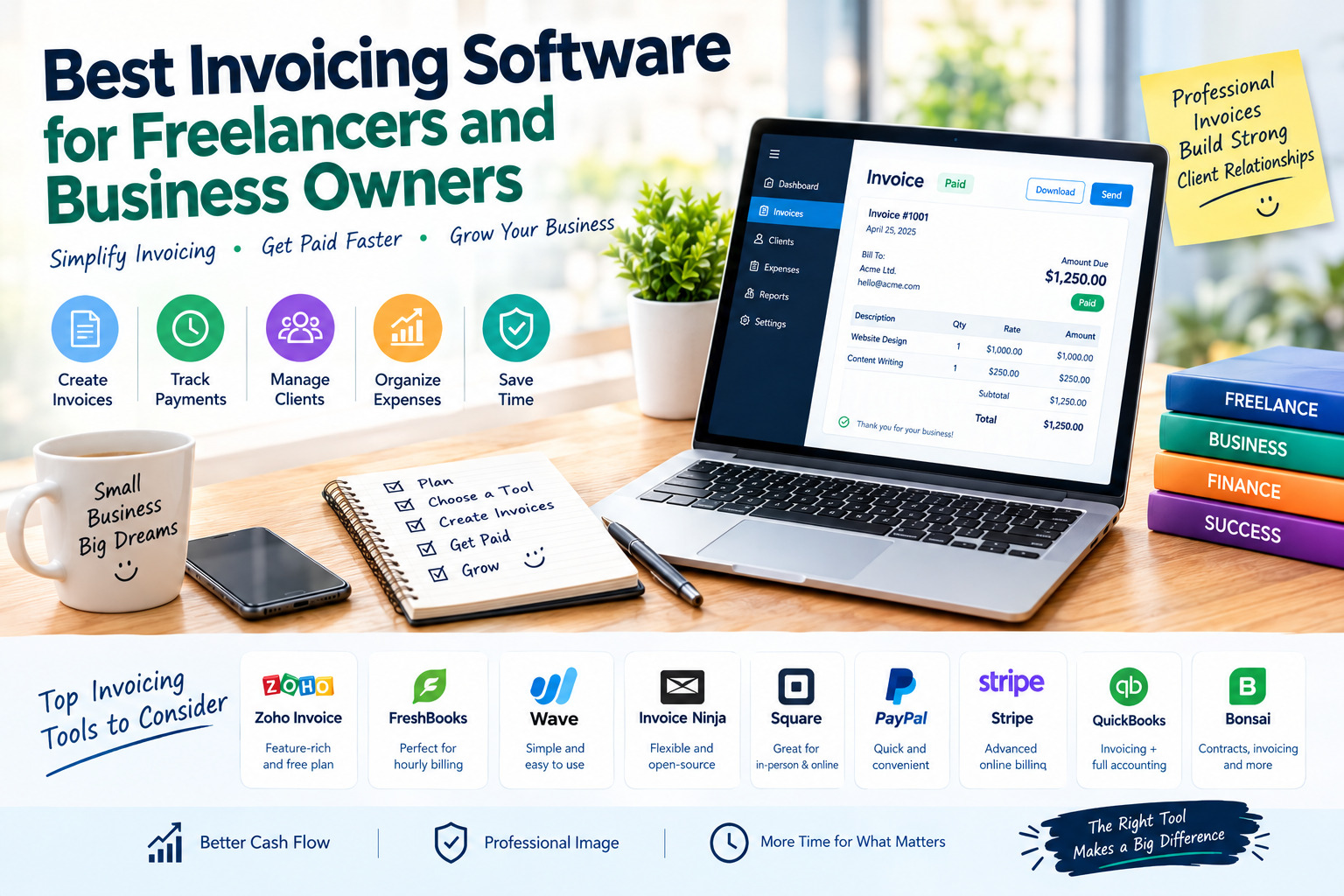
Best Invoicing Software for Freelancers and Business Owners
Creating professional invoices is an essential part of running a successful freelance business or small company. Whether you work as a graphic designer, consultant, developer, writer, online seller, or service provider, reliable invoicing software can help you organize payments, manage clients, reduce administrative work, and maintain a clear record of your income.
The best invoicing software allows you to create professional invoices, track payment statuses, send automatic reminders, manage recurring bills, and offer convenient payment options. Some platforms also include expense tracking, time management, project tools, and accounting features.
However, not every solution is suitable for every business. Freelancers may prioritize simplicity and affordability, while growing businesses may need advanced reporting, team collaboration, and integrations with other financial tools.
This guide explores some of the best invoicing tools for freelancers and business owners, highlighting their main features, advantages, disadvantages, and ideal use cases.
1. Zoho Invoice — Best Free Invoicing Software
Zoho Invoice is a popular invoicing solution for freelancers, consultants, and small businesses that want to create professional invoices without paying a monthly subscription for the core invoicing service. It offers a straightforward interface and a collection of tools designed to simplify billing and payment tracking.
Key Features
- Create and customize professional invoices.
- Generate estimates and convert them into invoices.
- Schedule recurring invoices for regular clients.
- Send automatic payment reminders.
- Track expenses and billable hours.
- Monitor outstanding payments and generate reports.
- Manage clients through a customer portal.
- Support multiple currencies and languages, depending on the selected features and region.
Advantages
One of Zoho Invoice’s biggest strengths is its range of invoicing features at no subscription cost. Freelancers can use it to organize client billing, while service businesses can manage projects, track time, and automate repetitive tasks. Its reporting tools also help users understand which invoices have been paid and which still require attention.
Disadvantages
Zoho Invoice focuses primarily on invoicing rather than providing a complete accounting and payroll system. Businesses that need inventory management, advanced bookkeeping, or more extensive financial operations may need additional software. Users should also check the current plan limits and available payment gateways in their country.
Best for: Freelancers, consultants, and small service businesses looking for a feature-rich invoicing solution with a free plan.
Official website: https://www.zoho.com/invoice/
2. FreshBooks — Best for Freelancers Who Bill by the Hour
FreshBooks is designed for freelancers and service-based businesses that want invoicing, time tracking, and financial organization in one platform. It is particularly useful for professionals who charge clients by the hour or manage several projects simultaneously.
Key Features
- Create branded invoices with customizable details.
- Track working hours and convert billable time into invoices.
- Record expenses and organize receipts.
- Create estimates and proposals.
- Schedule recurring invoices and payment reminders.
- Accept online payments through supported payment methods.
- Review financial reports and monitor business performance.
- Connect with selected business applications.
Advantages
FreshBooks makes it easier to connect the work completed for a client with the amount billed. Its time-tracking tools can reduce manual calculations, while expense management helps freelancers keep business costs organized. The interface is designed to make everyday billing tasks accessible even to users without an accounting background.
Disadvantages
FreshBooks is a paid product after its trial period, and available features depend on the subscription plan. Some plans restrict the number of billable clients, while advanced capabilities and additional team members may increase the cost. It may be more expensive than necessary for freelancers who only need to create occasional invoices.
Best for: Consultants, designers, developers, writers, and service providers who bill by the hour or need invoicing alongside expense tracking.
Official website: https://www.freshbooks.com/
3. Wave — Best for Freelancers Who Need Invoicing and Basic Accounting
Wave combines invoicing with bookkeeping tools, making it attractive to freelancers and small business owners who want to manage more than customer bills. It can help users organize income and expenses while keeping track of invoices and payments in one place.
Key Features
- Create and send professional invoices.
- Track invoice status and outstanding balances.
- Set up recurring invoices and payment reminders.
- Manage estimates and customer information.
- Record income and expenses.
- Access bookkeeping and financial reporting features.
- Accept online payments through supported services.
Advantages
Wave is appealing to small businesses that want to keep monthly software expenses low. Its combination of invoicing and basic accounting can reduce the need to switch between separate applications. For eligible users, its free core offering provides a useful starting point for organizing everyday financial tasks.
Disadvantages
Feature availability, payment processing, and subscription options vary by country. Some advanced capabilities require a paid plan or additional fees, and online payment processing is not necessarily free. Businesses with complex inventory, payroll, or international accounting requirements may need a more comprehensive platform.
Best for: Solo professionals and small businesses that want invoicing and basic bookkeeping in a single system, particularly where Wave’s services are supported.
Official website: https://www.waveapps.com/
4. Invoice Ninja — Best for Customization and Open-Source Flexibility
Invoice Ninja is an invoicing platform that gives freelancers and businesses substantial control over their billing workflow. It supports online invoicing and payment management, while its open-source option appeals to users who prefer greater flexibility over how their software is hosted and configured.
Key Features
- Create and customize invoices.
- Send estimates and manage client records.
- Set up recurring billing.
- Track payments and overdue invoices.
- Send automated reminders.
- Track time and expenses for billable work.
- Connect supported payment gateways.
- Use hosted plans or explore self-hosting options.
Advantages
Invoice Ninja is suitable for freelancers who want more control over their invoicing process. Recurring billing and time tracking can save time for agencies and consultants, while the open-source option can offer greater customization for technically experienced users. A free tier is available, although its client limits and other restrictions should be checked before choosing it.
Disadvantages
The interface and setup may feel more complex than simpler invoicing tools. Self-hosting requires technical knowledge and responsibility for maintenance, security, and backups. Hosted plans may restrict certain features or the number of clients, so users should compare the current plan details before committing.
Best for: Freelancers, small agencies, and technically confident business owners who value customization or self-hosting.
Official website: https://invoiceninja.com/
5. Square Invoices — Best for Service Businesses and In-Person Payments
Square Invoices is designed for businesses that want to create invoices and collect payments through a connected payment system. It can be especially useful for service providers, contractors, and businesses that also accept payments in person through Square.
Key Features
- Create and send digital invoices.
- Prepare estimates and manage customer details.
- Schedule recurring invoices.
- Track invoice status and payment progress.
- Send payment reminders.
- Accept supported online payment methods.
- Connect invoicing with other Square business tools.
Advantages
Square provides a convenient billing workflow for businesses that already use its payment services. Users can manage invoices and customer payments without relying on a separate invoicing application. Its integration with other Square products may also be useful for businesses combining online billing with in-person sales.
Disadvantages
Availability and features depend on the country and the Square services offered there. Payment processing fees apply to eligible transactions, even when the invoicing plan itself has no monthly subscription cost. Businesses outside supported markets should consider alternatives before building their workflow around Square.
Best for: Local service providers, contractors, and small businesses that already use Square to collect payments.
Official website: https://squareup.com/us/en/invoices
6. PayPal Invoicing — Best for Simple Online Payments
PayPal Invoicing allows freelancers and business owners to create and send invoices through PayPal’s payment ecosystem. It can be convenient for professionals who already receive money through PayPal or work with clients who prefer paying online.
Key Features
- Create and send invoices digitally.
- Customize invoice details and descriptions.
- Send reminders for unpaid invoices.
- Track invoice status.
- Request partial payments where supported.
- Set up recurring invoices where available.
- Accept eligible payments through supported PayPal methods.
Advantages
PayPal Invoicing is relatively straightforward to use and does not generally require a separate monthly invoicing subscription just to create and send an invoice. Clients may have convenient payment options, and freelancers can manage billing through an account they already use for online transactions.
Disadvantages
Transaction fees may apply when payments are received, and the exact rates depend on the country, payment method, and transaction type. PayPal is not a complete accounting platform, so users who need detailed bookkeeping, project management, or advanced financial reports may need another tool.
Best for: Freelancers, independent professionals, and small businesses that already use PayPal to receive payments.
Official website: https://www.paypal.com/invoice
7. Stripe Invoicing — Best for Online Businesses and Automated Billing
Stripe Invoicing is a billing solution for businesses that need to collect payments online and automate parts of their payment workflow. It is particularly useful for digital services, subscription businesses, software companies, and businesses that already use Stripe to process payments.
Key Features
- Create and send online invoices.
- Manage one-time and recurring billing.
- Automate payment collection for supported workflows.
- Send reminders and track invoice status.
- Support multiple payment methods and currencies where available.
- Integrate invoicing into websites and applications.
- Connect billing information with payment and reporting tools.
Advantages
Stripe is a strong option for businesses that need more than manually created invoices. Its integrations and automation capabilities can support recurring revenue models and online customer payments. Developers can also use its APIs to build customized billing experiences into their products or services.
Disadvantages
Stripe offers more functionality than many freelancers need for basic invoicing. Fees can apply to invoicing and payment processing, depending on the product and transaction. Initial setup may also be more involved for users who want advanced automation or custom integrations.
Best for: SaaS businesses, online service providers, digital entrepreneurs, and companies that need automated or integrated billing.
Official website: https://stripe.com/invoicing
8. QuickBooks Online — Best for Invoicing and Comprehensive Accounting
QuickBooks Online is an accounting platform that includes invoicing alongside a wider range of financial management features. It is suitable for businesses that want to connect customer billing with expenses, financial reports, and broader bookkeeping workflows.
Key Features
- Create and send customized invoices.
- Track outstanding payments and customer balances.
- Send payment reminders.
- Record and categorize business expenses.
- Connect supported bank accounts.
- Generate financial reports.
- Manage selected tax and accounting workflows.
- Integrate with compatible business applications.
Advantages
QuickBooks Online can help businesses bring invoicing and accounting records together. Instead of managing customer bills separately from other financial information, users can build a more connected view of business performance. Its broader feature set can be valuable as a business grows and its reporting requirements become more complex.
Disadvantages
QuickBooks Online is a paid accounting service, and costs depend on the subscription and current offers. Its wide range of features may be unnecessary for freelancers who only need to send invoices. Certain functions, integrations, and tax-related capabilities also vary by plan and region.
Best for: Small businesses and independent professionals who need invoicing combined with more extensive accounting and financial reporting.
Official website: https://quickbooks.intuit.com/
9. Bonsai — Best for Freelancers Who Need Contracts and Invoicing
Bonsai is a business management platform built with freelancers and independent service providers in mind. It brings invoicing together with other parts of freelance work, including proposals, contracts, and project organization.
Key Features
- Create and send professional invoices.
- Prepare proposals and client contracts.
- Organize client and project information.
- Track payments and outstanding invoices.
- Manage recurring billing where supported.
- Connect billing workflows with freelance business administration.
- Access selected expense and financial management tools depending on the plan.
Advantages
Bonsai can reduce the need to manage client documents across several separate applications. Freelancers who prepare proposals, sign contracts, deliver projects, and send invoices may appreciate having these activities organized within one platform. This can create a more consistent experience from agreeing on a project to collecting payment.
Disadvantages
Bonsai is primarily a paid platform, so its cost may not be justified for someone who only creates a few invoices each month. Features depend on the subscription and availability in the user’s region. Freelancers who already use separate contract or project management tools may find some of its features redundant.
Best for: Freelancers, consultants, and creative professionals who want invoicing alongside proposals, contracts, and client management.
Official website: https://www.hellobonsai.com/
Quick Comparison of the Best Invoicing Software
| Software | Main Strength | Free Option | Best Use Case |
|---|---|---|---|
| Zoho Invoice | Feature-rich invoicing | Yes | Freelancers and small service businesses |
| FreshBooks | Time tracking and expenses | Free trial | Hourly billing and service work |
| Wave | Invoicing and bookkeeping | Free core option in supported markets | Small businesses on a budget |
| Invoice Ninja | Customization and flexibility | Yes, with plan limits | Agencies and technical users |
| Square Invoices | Integrated payment collection | Free plan in supported markets | Local services and in-person businesses |
| PayPal Invoicing | Convenient online payment requests | No separate invoicing subscription in many cases | Freelancers receiving PayPal payments |
| Stripe Invoicing | Online and recurring billing | Fees may apply | Digital businesses and subscription services |
| QuickBooks Online | Full accounting workflows | Generally paid, with offers varying | Businesses needing broader financial management |
| Bonsai | Contracts and client workflows | Plan-dependent | Freelancers managing the complete client process |
Free-plan availability, payment processing, client limits, and included features can change. Check each provider’s current terms and regional availability before selecting a platform.
How to Choose the Right Invoicing Software
The best invoicing software is the one that fits your business’s actual workflow, rather than the one with the longest feature list. Before signing up, consider the following factors.
1. Ease of Use
Choose a platform that makes it easy to create an invoice, add client details, set payment terms, and send the document. A simple interface is especially important if you prepare invoices frequently or do not have accounting experience.
2. Pricing and Payment Fees
Compare subscription charges with transaction fees. A free invoicing plan can still involve payment processing costs, while a paid plan may offer features that save time as your business grows. Review the total cost rather than focusing only on the advertised monthly price.
3. Automation and Recurring Invoices
If you charge clients regularly, recurring invoices and automated reminders can reduce administrative work. These features are especially useful for consultants, agencies, maintenance providers, and subscription-based services.
4. Client and Expense Management
Some professionals only need a tool to send invoices, while others need client records, time tracking, expense management, or project reports. Select a platform that matches your requirements without making the process unnecessarily complicated.
5. Payment Methods and Regional Availability
Confirm that the software supports the payment methods your clients use and that its payment services operate in your country. This is particularly important for freelancers who work with international clients or receive payments in multiple currencies.
6. Accounting and Tax Requirements
An invoice generator does not automatically guarantee compliance with local tax rules. Check whether your chosen solution supports the required invoice fields, tax calculations, currency settings, and electronic invoicing regulations in your jurisdiction. Consult a qualified accountant when necessary.
Final Thoughts
Choosing the right invoicing software can make freelance work and small business administration more organized, efficient, and professional.
Zoho Invoice is a strong starting point for freelancers who want a capable free invoicing tool. FreshBooks is worth considering for professionals who bill by the hour, while Wave can suit businesses looking to combine invoicing with basic bookkeeping in supported markets. Invoice Ninja offers flexibility for users who want customization, and Square Invoices or PayPal Invoicing may be convenient for businesses that already use those payment services.
For businesses that need more advanced automation, Stripe Invoicing offers integrated online billing, QuickBooks Online connects invoices with broader accounting workflows, and Bonsai brings billing together with contracts and client management.
Before making a final decision, compare the current features, subscription terms, payment fees, and country-specific availability of your preferred tools. Starting with the simplest platform that meets your needs can help you spend less time on administration and more time serving clients and growing your business.


