
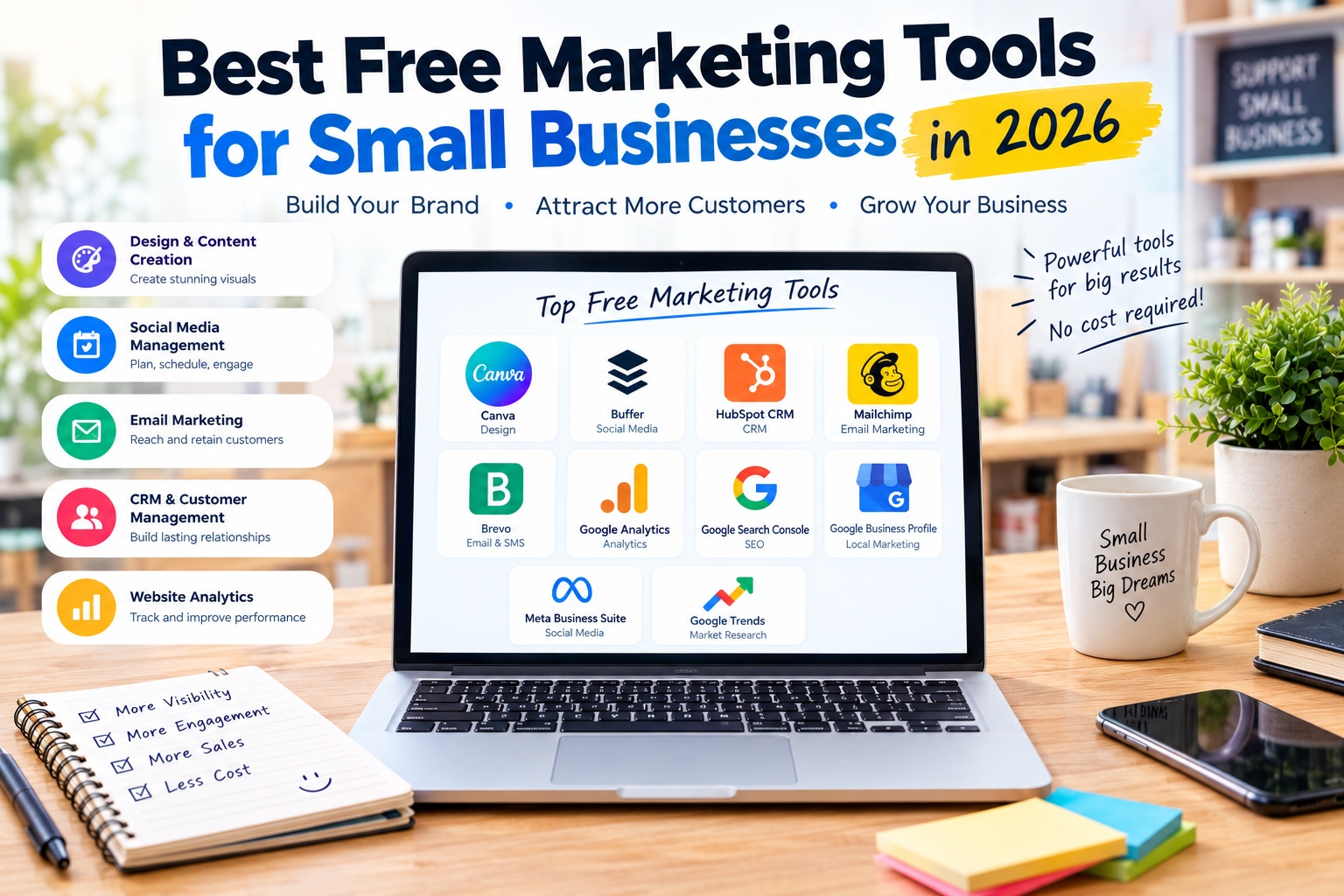
Best Free Marketing Tools for Small Businesses in 2026
Marketing is essential for small businesses that want to attract customers, build brand awareness, and increase sales. However, hiring a marketing agency or paying for multiple software subscriptions can be difficult when a business has a limited budget. Fortunately, many powerful marketing tools offer free versions that help business owners promote their products, manage social media, reach potential customers, and measure results.
The best free marketing tools for small businesses can support different activities, including email marketing, graphic design, search engine optimization, social media management, customer relationship management, and website analytics. Using the right combination of tools can help you build a professional marketing strategy without spending heavily on software.
In this guide, we explore some of the best free marketing tools for small businesses in 2026, including their key features, advantages, limitations, and the types of businesses that can benefit most from them.
1. Canva: Best Free Tool for Marketing Design
Canva is a graphic design platform that helps small businesses create professional marketing materials without requiring advanced design skills. It is useful for entrepreneurs who need attractive visuals for social media, websites, advertisements, presentations, flyers, and promotional campaigns.
Key Features
Canva provides a drag-and-drop editor, customizable templates, design elements, photos, graphics, and tools for creating content in different formats. Businesses can design Instagram posts, Facebook graphics, promotional banners, product announcements, business cards, and simple marketing presentations.
The free plan includes a large selection of templates and design resources, along with cloud storage. Some premium templates, stock assets, advanced editing features, and AI capabilities require a paid subscription.
Advantages
- Easy to use, even for beginners.
- Helps create consistent marketing visuals.
- Offers templates for many social media platforms.
- Reduces the need to hire a designer for simple promotional materials.
- Supports downloadable graphics suitable for websites and marketing campaigns.
Disadvantages
- Some templates, images, and advanced features are paid.
- Popular templates can make a brand look similar to competitors.
- Professional brand management and some advanced AI tools may require an upgrade.
- Creating attractive designs still requires attention to typography, layout, and brand consistency.
Best For
Canva is ideal for small businesses, online stores, freelancers, restaurants, and local service providers that need professional-looking marketing content on a limited budget.
Official website: Canva
2. Buffer: Best Free Tool for Social Media Scheduling
Buffer helps small businesses plan and schedule social media content from a central dashboard. Instead of manually publishing every post, business owners can prepare content in advance and organize their publishing schedule.
Key Features
Buffer supports several social platforms, including Instagram, Facebook, LinkedIn, TikTok, Pinterest, and other supported channels. Its free plan allows users to connect up to three social channels and schedule up to ten posts per channel at a time.
The platform also provides content planning tools, post ideas, an AI assistant, and basic insights. These features help small businesses maintain a more consistent posting routine and review how their content performs.
Advantages
- Simplifies social media planning.
- Saves time by scheduling posts in advance.
- Supports multiple social platforms from one dashboard.
- Offers a free plan suitable for small-scale marketing.
- Helps organize content ideas and publishing schedules.
Disadvantages
- The free plan limits the number of connected channels and scheduled posts.
- Advanced analytics and some collaboration features require paid plans.
- Social networks may restrict how certain post types can be published automatically.
- Businesses with several brands or a large marketing team may need a paid subscription.
Best For
Buffer is a good choice for small businesses that publish regularly on a few social media platforms and want a simple way to organize their content calendar.
Official website: Buffer
3. HubSpot CRM: Best Free Tool for Customer Management
HubSpot CRM helps small businesses organize contacts, track potential customers, and manage interactions throughout the sales process. It is particularly useful for businesses that receive inquiries through their websites, email, social channels, or sales conversations.
Key Features
HubSpot’s free CRM includes contact management, deal pipelines, task tracking, reporting dashboards, and tools that help businesses organize customer information. Depending on the current free offering and account configuration, users can also access selected marketing features such as forms, landing pages, live chat, and email tools.
Keeping customer information in one place can make it easier to follow up with leads, understand customer needs, and avoid losing track of sales opportunities. HubSpot also supports integrations with a variety of business applications.
Advantages
- Organizes customer information in a central database.
- Helps track leads and sales opportunities.
- Reduces reliance on scattered spreadsheets.
- Connects with other business applications.
- Offers a free entry point for businesses building their marketing process.
Disadvantages
- Advanced marketing automation and reporting features are generally part of paid plans.
- The platform can feel complex if a business only needs a basic contact list.
- Some free features have usage or functionality limits.
- Businesses may need time to configure pipelines and maintain accurate customer records.
Best For
HubSpot CRM is well suited to small service businesses, consultants, B2B companies, and online businesses that need a structured way to manage leads and customer relationships.
Official website: HubSpot Free CRM
4. Mailchimp: Best Free Tool for Email Marketing
Mailchimp helps businesses communicate with customers through email campaigns. Email marketing can be useful for announcing new products, sharing updates, promoting special offers, and maintaining relationships with people who have chosen to receive communications from a business.
Key Features
Mailchimp provides an email campaign builder, audience management, email templates, and basic reporting. Small businesses can use these tools to create newsletters, send promotional messages, and review campaign performance.
Its free plan is intended for small audiences. The published free offering includes up to 250 contacts and 500 email sends per month, with a daily sending limit. These limits make it more suitable for testing email marketing or maintaining a small subscriber list than running large campaigns.
Advantages
- Provides tools for creating email campaigns without advanced technical skills.
- Helps organize subscribers into an audience.
- Offers campaign reporting to review engagement.
- Includes templates that simplify email design.
- Can support a gradual introduction to email marketing.
Disadvantages
- The free plan has strict contact and sending limits.
- Advanced automation, segmentation, and reporting may require a paid plan.
- Costs can increase as the subscriber list grows.
- Businesses must follow applicable email marketing and privacy requirements.
Best For
Mailchimp is suitable for small businesses that want to start email marketing, build a newsletter, or communicate with a limited number of subscribers.
Official website: Mailchimp
5. Brevo: Best Free Tool for Email and Customer Communication
Brevo is a marketing and customer communication platform that combines email campaigns with selected SMS, CRM, and sales features. It can be useful for businesses that want to manage customer communication without immediately paying for a full marketing automation platform.
Key Features
Brevo’s free plan includes email campaign tools, a drag-and-drop editor, custom email templates, basic reporting, and storage for a large number of contacts. The published free plan allows up to 300 email sends per day, although unused daily sends do not roll over.
The platform also provides selected sales tools and customer management capabilities. Additional automation, advanced reporting, and higher sending volumes depend on the plan and applicable feature limits.
Advantages
- Offers a free entry point for email marketing.
- Supports customer communication and selected sales workflows.
- Provides email templates and a visual editor.
- Allows businesses to store many contacts without paying solely for a large contact database.
- Can be useful for combining email campaigns with basic customer management.
Disadvantages
- The daily sending limit may be restrictive for larger campaigns.
- Some advanced automation and reporting capabilities require paid plans.
- Certain features depend on plan eligibility and usage limits.
- Businesses should review sending rules and deliverability practices before launching campaigns.
Best For
Brevo is a practical option for small businesses that want to send newsletters, promotional emails, and customer updates while keeping software expenses low.
Official website: Brevo
6. Google Analytics: Best Free Tool for Website Performance
Google Analytics helps businesses understand how people use their websites and which marketing channels bring visitors. It is especially valuable for online stores, service businesses, publishers, and companies investing time in content marketing.
Key Features
Google Analytics 4 provides reports about website traffic, visitor behavior, traffic sources, engagement, and configured conversion events. With appropriate setup, businesses can measure actions such as product purchases, form submissions, and other important interactions.
These reports can help identify which pages attract visitors, where users leave the website, and which channels contribute to business goals. To obtain useful data, the website’s measurement tag and relevant events must be configured correctly.
Advantages
- Available at no cost for standard Google Analytics use.
- Helps measure traffic from search, social media, email, and other sources.
- Provides insights into user engagement and website performance.
- Supports conversion tracking when events are configured.
- Helps businesses make more informed marketing decisions.
Disadvantages
- Initial setup and event configuration can be confusing for beginners.
- Data interpretation requires some analytical knowledge.
- Incorrect tracking can produce misleading reports.
- Businesses must configure analytics in accordance with applicable privacy and consent requirements.
Best For
Google Analytics is ideal for businesses that own a website and want to understand whether their marketing activities are attracting relevant visitors and generating meaningful actions.
Official website: Google Analytics
7. Google Search Console: Best Free Tool for SEO Monitoring
Google Search Console helps website owners monitor their site’s performance in Google Search. It is an essential free resource for small businesses that want to increase organic traffic without relying entirely on paid advertising.
Key Features
Search Console provides reports about search queries, impressions, clicks, and average search position. It also includes URL inspection, sitemap submission, indexing information, and reports that can help identify certain technical issues affecting a website’s visibility.
Businesses can use these insights to discover which pages receive search impressions, understand how users find their content, and identify pages that may need improvement. Search Console does not guarantee higher rankings, but it provides useful information for improving search visibility.
Advantages
- Free to use for website owners.
- Shows how a website performs in Google Search.
- Helps identify search queries that bring visitors.
- Provides indexing and technical visibility reports.
- Complements content optimization and broader SEO work.
Disadvantages
- Focuses on Google Search rather than every search engine.
- Does not directly create or optimize website content.
- Some reports require sufficient data before useful patterns become clear.
- Changes to rankings and traffic may take time and depend on many factors.
Best For
Google Search Console is particularly useful for small businesses with websites, blogs, service pages, and online stores that want to improve their visibility in organic search results.
Official website: Google Search Console
8. Google Business Profile: Best Free Tool for Local Marketing
Google Business Profile helps eligible businesses appear in Google Search and Google Maps. It is particularly important for companies that serve customers in a specific geographic area, including restaurants, salons, repair services, retail shops, and local professionals.
Key Features
Businesses can manage their address or service area, opening hours, contact information, photos, services, and other relevant details. Depending on the business category and available features, they can also publish updates, respond to customer reviews, and review performance insights.
A complete and accurate profile helps potential customers find essential information before visiting or contacting a business. Keeping details up to date is especially important when opening hours, services, or contact information change.
Advantages
- Free business listing for eligible businesses.
- Improves visibility on Google Search and Maps.
- Helps customers find contact details and opening hours.
- Supports review management and customer engagement.
- Provides insights into how people discover and interact with a listing.
Disadvantages
- Primarily benefits eligible businesses that interact with customers in person or within a service area.
- Business information must follow Google’s eligibility and representation policies.
- Local visibility depends on relevance, distance, prominence, and other factors.
- Businesses must monitor reviews and keep their profile information accurate.
Best For
Google Business Profile is an excellent choice for local businesses that want to attract nearby customers without paying for a basic listing.
Official website: Google Business Profile
9. Meta Business Suite: Best Free Tool for Facebook and Instagram Marketing
Meta Business Suite helps businesses manage their Facebook Pages and Instagram professional accounts. It provides a central place for organizing content, reviewing engagement, and handling customer communications across supported Meta platforms.
Key Features
Depending on the account and available features, businesses can create and schedule posts, manage messages and comments, view notifications, and review content insights. This can reduce the need to switch repeatedly between separate applications while managing social media activity.
Small businesses can use the platform to publish product updates, announce promotions, respond to customer questions, and review which posts attract engagement. Paid advertising tools are also available through Meta’s broader business ecosystem, but advertising spend is not free.
Advantages
- Helps manage Facebook and Instagram business activity in one place.
- Supports content planning and scheduling for eligible accounts.
- Centralizes selected messages and comments.
- Provides performance insights for published content.
- Useful for businesses whose customers spend time on Meta platforms.
Disadvantages
- Some features depend on account type, permissions, and platform availability.
- The interface and publishing options can change as Meta updates its services.
- Organic reach and engagement are not guaranteed.
- Running paid advertisements still requires an advertising budget.
Best For
Meta Business Suite is suitable for small businesses that rely on Facebook and Instagram to promote products, communicate with customers, and build a community around their brand.
Official website: Meta Business Suite
10. Google Trends: Best Free Tool for Marketing Research
Google Trends helps businesses explore changes in search interest over time. It can support content planning, seasonal marketing, product research, and the discovery of topics that people are increasingly interested in.
Key Features
Users can compare search terms, explore interest by geographic region, examine historical patterns, and review related topics and queries. A small business can use these insights to investigate customer interests and decide which subjects deserve further research.
For example, a retailer may compare interest in different product categories before preparing a seasonal campaign. A content marketer can compare topic variations to identify relevant themes for future articles.
Advantages
- Free and accessible through a web browser.
- Helps identify seasonal changes and rising interest.
- Supports comparisons between related topics.
- Useful for planning content and promotional campaigns.
- Can complement SEO research and customer feedback.
Disadvantages
- Shows relative search interest rather than exact search volumes or sales.
- Results may be limited for very specific or low-volume queries.
- A rising trend does not prove that a product or campaign will be profitable.
- It does not replace keyword research, competitor analysis, or customer validation.
Best For
Google Trends is useful for small businesses that want to understand customer interests, plan timely content, and investigate market demand before committing marketing resources.
Official website: Google Trends
How to Choose the Right Free Marketing Tools
The most effective marketing toolkit is not necessarily the one with the largest number of applications. It is the combination that supports your business goals without creating unnecessary complexity.
A local shop may benefit most from Google Business Profile, Canva, and Meta Business Suite. An online store may prioritize Google Analytics, Google Search Console, email marketing, and social media scheduling. A service business that receives regular inquiries may find HubSpot CRM particularly useful for organizing leads and following up with potential customers.
Before choosing a platform, review its free-plan limits, supported integrations, data export options, and upgrade costs. A tool that is free today may become expensive when your contact list, number of social accounts, or reporting requirements grow.
It is also important to select tools that work together. For example, Canva can help create social media visuals, Buffer can organize publishing, and Google Analytics can measure website traffic from marketing campaigns. Using a connected workflow makes it easier to understand what is working and where improvements are needed.
How to Build a Free Marketing Strategy for a Small Business
Start by identifying one or two clear business goals, such as increasing website visits, generating inquiries, attracting local customers, or growing an email subscriber list. Your goals should guide which tools you choose and which metrics you monitor.
Next, establish a consistent content schedule. Use Canva to create promotional visuals, Buffer or Meta Business Suite to organize social posts, and Google Business Profile to keep local business information current if your business is eligible.
For website growth, use Google Search Console to monitor organic search performance and Google Analytics to understand visitor behavior. If your business relies on customer follow-ups, use a CRM or email marketing platform to organize contacts and communicate with subscribers appropriately.
Review your results regularly rather than judging success by likes or follower counts alone. Track meaningful outcomes such as qualified leads, website conversions, email engagement, inquiries, and sales. Keep the tools that help you reach your goals, improve the processes that are underperforming, and upgrade only when the additional features justify the cost.
Common Mistakes to Avoid When Using Free Marketing Tools
One common mistake is signing up for too many platforms before defining a marketing strategy. This can create duplicate work, scattered customer data, and inconsistent reporting. Start with a small number of tools and add more only when a clear need arises.
Another mistake is assuming that a free tool will automatically generate customers. Design software can improve the appearance of your content, but it cannot replace a strong offer, a clear message, or an understanding of your audience. Similarly, analytics tools provide information, but business owners must interpret the data and take action.
Small businesses should also pay attention to free-plan restrictions, privacy requirements, account security, and ownership of customer data. Keep important business records backed up, use appropriate account permissions, and review subscription limits before building a process around a particular feature.
Finally, do not measure marketing performance using a single metric. Social engagement, website visits, email opens, and search impressions can be useful indicators, but they should be evaluated alongside leads, conversions, revenue, and the cost of acquiring customers.
Conclusion
The best free marketing tools for small businesses in 2026 make it easier to create content, manage social media, reach potential customers, improve search visibility, and understand marketing performance without committing to expensive software at the beginning.
Canva is a strong option for marketing design, Buffer and Meta Business Suite help organize social media activity, Mailchimp and Brevo support email communication, and HubSpot CRM helps manage customer relationships. Google Analytics, Google Search Console, Google Business Profile, and Google Trends provide valuable insights and visibility tools for businesses that want to grow online or attract local customers.
You do not need every tool on this list to build an effective marketing strategy. Start with the platforms that match your business goals, learn how to use them consistently, and measure the results. As your business grows, you can expand your toolkit based on real needs rather than paying for features you may never use.


