
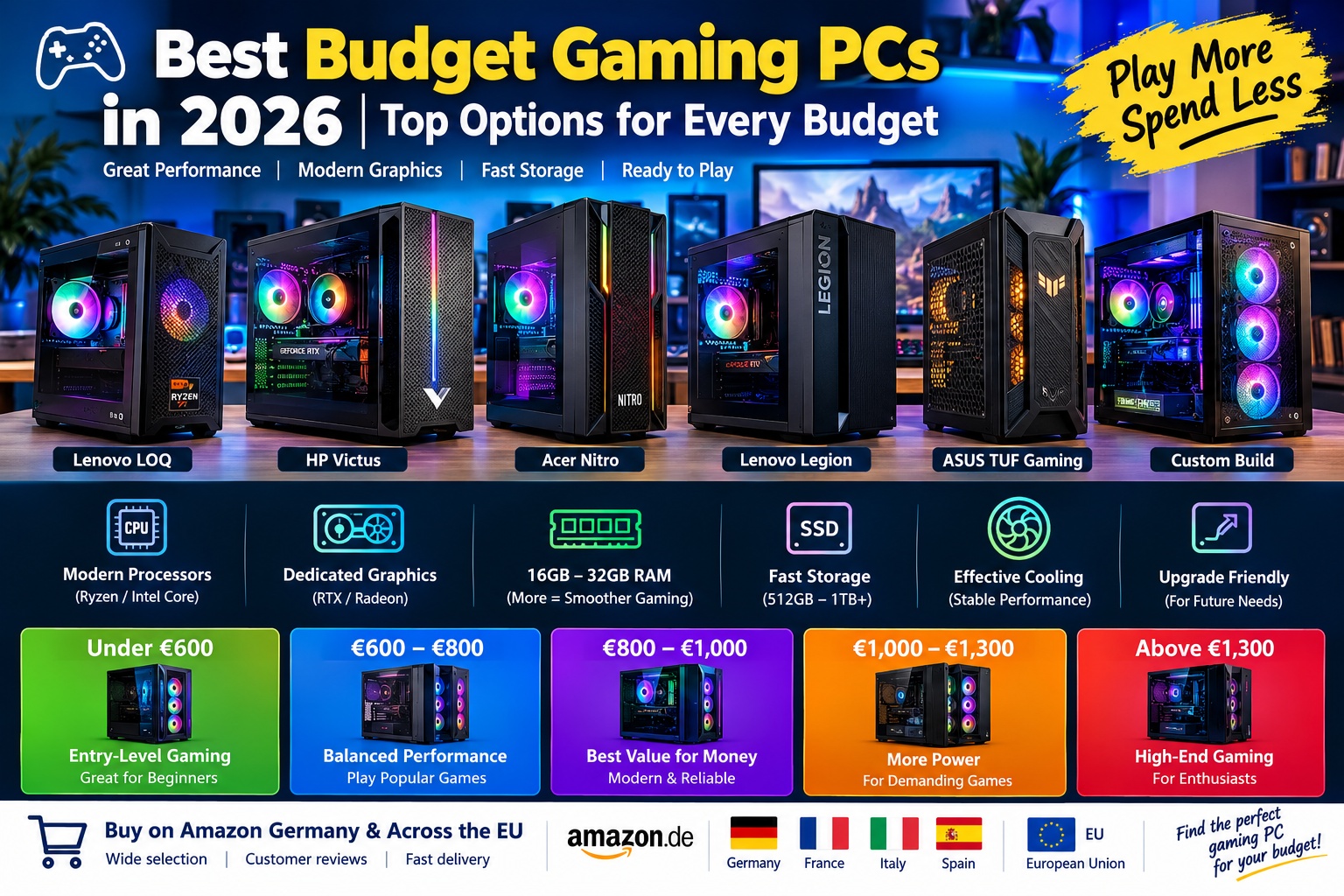
Best Budget Gaming PCs in 2026: Top Options for Every Budget
Finding the Best Budget Gaming PC in 2026
Finding the best budget gaming PCs in 2026 does not mean sacrificing performance or choosing outdated hardware. Modern affordable desktops can deliver smooth gameplay, fast loading times, and reliable performance in popular games without the high price of premium gaming systems. Whether you enjoy competitive games such as Fortnite, Counter-Strike 2, and Valorant or want to play demanding titles with detailed graphics, there are options for different budgets.
The best choice depends on your preferred games, monitor resolution, and future upgrade plans. For many players, a desktop with a modern AMD Ryzen 5 or Intel Core i5 processor, 16GB of RAM, an SSD, and a dedicated graphics card provides a practical starting point. If your budget allows, 32GB of RAM and a graphics card such as the NVIDIA GeForce RTX 5060 can offer a more comfortable setup for modern gaming. Current German listings include RTX 5060 systems in several configurations, so comparing the full specifications is essential before purchasing.
1. Best Budget Gaming PC Under €600: Affordable Entry-Level Gaming
For beginners, a gaming PC under €600 can be a sensible starting point, especially when playing esports titles, indie games, and older releases. At this price, buyers should compare refurbished systems, carefully selected entry-level prebuilt desktops, and budget configurations with a dedicated graphics card. Prices and availability vary, so it is important to evaluate the hardware rather than relying on the product name alone.
A suitable configuration may include an AMD Ryzen 5 processor or a comparable Intel Core i5, 16GB of RAM, and a 500GB SSD. A dedicated GPU such as an NVIDIA GeForce RTX 3050 can be worth considering when available within budget. This class of system is best suited to 1080p gaming with adjusted graphics settings, although performance varies considerably between games.
The main advantage of an entry-level gaming desktop is its relatively low upfront cost. It can also serve as a general-purpose computer for school, work, browsing, streaming, and everyday applications. However, avoid buying a PC with an old processor, an extremely small SSD, or an unspecified power supply simply because it advertises a gaming design.
Key features to look for:
- AMD Ryzen 5 or Intel Core i5 processor.
- 16GB RAM where possible.
- At least a 500GB SSD.
- A dedicated graphics card with clearly stated specifications.
- A reliable power supply and adequate case ventilation.
- A standard desktop case that supports future upgrades.
Amazon Germany: Search budget gaming PCs under €600 on Amazon Germany
Amazon France: Search affordable gaming PCs on Amazon France
Amazon Italy: Search affordable gaming PCs on Amazon Italy
Amazon Spain: Search affordable gaming PCs on Amazon Spain
2. Best Gaming PC Between €600 and €800: A Balanced Choice for Beginners
A budget of €600 to €800 offers more flexibility when choosing a gaming desktop. Buyers may find systems with stronger processors, better cooling, larger SSDs, or more capable graphics cards than those available in the entry-level category. This range is worth considering for players who want a computer that can handle everyday tasks and popular games without spending too much.
Look for a recent AMD Ryzen 5 or Intel Core i5 processor, 16GB of RAM, and a dedicated graphics card suitable for 1080p gaming. The NVIDIA GeForce RTX 3050 and comparable graphics cards may appear in some configurations, depending on local pricing and stock. If you find a system with a more powerful GPU at a similar price, compare its processor, memory, storage, and warranty before deciding.
One of the main benefits of this price range is flexibility. A balanced system can provide good performance in competitive games while remaining capable of running many visually demanding titles with adjusted settings. An SSD also helps Windows start quickly and reduces game loading times compared with a traditional hard drive.
Before buying, check whether the PC includes Windows, Wi-Fi, Bluetooth, and the necessary power cables. Some inexpensive desktops arrive without an operating system or wireless connectivity, which may add to the final cost.
Key features to look for:
- A modern six-core processor where possible.
- 16GB RAM, preferably with room for expansion.
- A 1TB SSD if available at a competitive price.
- A dedicated GPU with sufficient video memory for your games.
- Effective cooling and clearly documented components.
- A warranty and accessible customer support.
Amazon Germany: Search gaming PCs between €600 and €800 on Amazon Germany
Amazon France: Search gaming desktops on Amazon France
Amazon Italy: Search gaming desktops on Amazon Italy
Amazon Spain: Search gaming desktops on Amazon Spain
3. Best Gaming PC Between €800 and €1,000: The Value Sweet Spot
For many buyers, the €800–€1,000 category is a particularly attractive place to start comparing prebuilt gaming PCs. It can provide a stronger balance between graphics performance, processing power, storage, and upgrade potential. Depending on the retailer and available offers, you may find a desktop with an AMD Ryzen 5 or Ryzen 7 processor, an Intel Core i5 processor, 16GB or 32GB of RAM, and a dedicated graphics card.
The NVIDIA GeForce RTX 5060 is one GPU worth checking in this category. German price-comparison listings include RTX 5060 desktop systems with different combinations of processors, memory, and storage, although prices can vary and some configurations exceed this budget. Always check the complete specification and current price before purchasing.
An RTX 5060-based desktop may be suitable for players targeting 1080p gaming with modern graphics features, although actual frame rates depend on the game, settings, processor, and system cooling. It can also be a useful option for players who want access to supported NVIDIA technologies, including DLSS in compatible games.
A 1TB SSD is preferable for a gaming library containing several large modern titles. If the PC comes with 16GB of RAM, check whether it can be upgraded to 32GB later. A balanced system is generally a better investment than a machine with a powerful graphics card paired with an outdated processor or poor-quality supporting components.
Key features to look for:
- AMD Ryzen 5, Ryzen 7, or Intel Core i5 processor.
- NVIDIA GeForce RTX 5060 or a similarly capable graphics card, depending on price.
- 16GB RAM as a practical minimum; 32GB is preferable when affordable.
- A 1TB NVMe SSD.
- A reputable power supply and adequate airflow.
- Windows 11 included if you need a ready-to-use PC.
Amazon Germany: Search RTX 5060 gaming PCs on Amazon Germany
Amazon France: Search RTX 5060 gaming PCs on Amazon France
Amazon Italy: Search RTX 5060 gaming PCs on Amazon Italy
Amazon Spain: Search RTX 5060 gaming PCs on Amazon Spain
4. Best Gaming PC Between €1,000 and €1,300: More Performance and Longer-Term Value
If you can spend between €1,000 and €1,300, you can compare more capable prebuilt gaming desktops with stronger cooling, more memory, larger SSDs, and improved graphics performance. This price range can be particularly appealing to players who want a PC for current games and expect to keep it for several years.
A well-balanced system may include an AMD Ryzen 5 or Ryzen 7 processor, an Intel Core i5 or comparable chip, 32GB of RAM, a 1TB SSD, and a dedicated GPU such as the RTX 5060 or a stronger alternative if an offer makes it affordable. The ideal configuration depends on the games you play and whether you prioritize high frame rates, graphical detail, or streaming and content creation.
The advantage of spending more is not simply a higher frame rate. A desktop with better cooling, sufficient memory, and a larger SSD can also provide a smoother everyday experience and more room for future upgrades. Look for a motherboard with available memory slots, extra M.2 storage support, and enough physical space for a future graphics card.
However, do not assume that a more expensive PC is automatically better. Compare the graphics card, processor, power supply, memory configuration, and warranty. A system with a stronger GPU and a sensible supporting configuration is often more useful for gaming than a machine that spends too much of its budget on decorative features.
Key features to look for:
- A modern AMD Ryzen 5 or Ryzen 7, or Intel Core i5 processor.
- A dedicated GPU appropriate for your target resolution.
- 32GB RAM for comfortable multitasking and demanding games.
- A 1TB NVMe SSD or more.
- A case with good airflow and upgrade space.
- A reliable power supply with sufficient capacity for future upgrades.
Amazon Germany: Search gaming PCs between €1,000 and €1,300 on Amazon Germany
Amazon France: Search gaming PCs between €1,000 and €1,300 on Amazon France
Amazon Italy: Search gaming PCs between €1,000 and €1,300 on Amazon Italy
Amazon Spain: Search gaming PCs between €1,000 and €1,300 on Amazon Spain
5. Best Gaming PC Above €1,300: A Budget-Conscious Option for Enthusiasts
A budget gaming PC does not have to mean the cheapest available computer. For players who can spend more than €1,300 but still want good value, it is worth comparing desktops with stronger GPUs, more powerful processors, and better cooling instead of automatically choosing a premium-priced flagship model.
Depending on current offers, this category may include desktops with an RTX 5060 Ti or a higher-tier graphics card, an AMD Ryzen 7 processor, or a capable Intel Core i5 or Core i7 chip. The graphics card should remain the main priority if your goal is higher frame rates or better graphics quality in demanding games. If you also edit videos, stream gameplay, or run intensive applications, a stronger processor and 32GB of RAM may be worthwhile.
These systems can be more suitable for high-refresh-rate 1080p gaming and selected 1440p gaming workloads, depending on the GPU and game. Nevertheless, performance is not guaranteed by the price alone. Always look for independent benchmarks of the graphics card and processor combination you are considering.
A good desktop in this category should also have a dependable power supply, sufficient cooling, a well-designed case, and a motherboard that supports useful future upgrades. Avoid paying extra for excessive RGB lighting or liquid cooling if those features do not improve the performance or functionality you need.
Key features to look for:
- A strong dedicated GPU matched to your gaming resolution.
- AMD Ryzen 7 or Intel Core i5/i7-class processing performance.
- 32GB RAM, with upgrade options if needed.
- A 1TB or 2TB NVMe SSD.
- A quality power supply and effective cooling.
- A clear warranty and a reputable system builder.
Amazon Germany: Search performance gaming PCs on Amazon Germany
Amazon France: Search performance gaming PCs on Amazon France
Amazon Italy: Search performance gaming PCs on Amazon Italy
Amazon Spain: Search performance gaming PCs on Amazon Spain
6. Best Gaming PC Brands to Compare in 2026
Several established manufacturers offer gaming desktop families worth comparing, but the specific configuration is more important than the brand name alone. Availability, prices, and hardware can differ between countries and product generations, so treat the following brands as starting points for your research rather than guarantees of the best deal.
Lenovo Legion and LOQ Desktops
Lenovo’s gaming desktops are worth comparing if you want a ready-made system from an established manufacturer. Depending on the model, a desktop may offer a modern processor, a dedicated NVIDIA graphics card, SSD storage, and a coordinated case and cooling design. Compare the graphics card and power supply carefully, and check whether the case and motherboard support future upgrades.
HP Victus Desktops
HP Victus systems target players who want gaming performance without paying for every premium feature. Depending on the configuration, a Victus desktop can be suitable for entry-level or mid-range gaming. Before buying, confirm the installed RAM, SSD capacity, graphics card, operating system, and available upgrade options.
Acer Nitro Desktops
Acer Nitro desktops are another range to consider when comparing gaming PCs for different budgets. Look for a model with a dedicated GPU, sufficient memory, and a processor that complements the graphics card. Cooling and internal upgrade space should also be part of your decision.
ASUS TUF Gaming Desktops
ASUS TUF Gaming desktops may appeal to buyers who value gaming-focused hardware and a distinctive design. Specifications differ by model, so check the exact graphics card, memory, storage, cooling system, and included operating system. Do not pay more simply for the TUF branding if another PC offers stronger hardware at a similar price.
Custom-Built and System-Integrator Gaming PCs
Custom-built desktops and systems assembled by specialist PC retailers can offer strong value because you can compare individual components more directly. They may also provide more flexible upgrade options than some compact prebuilt systems. However, inspect the reputation of the seller, warranty terms, power supply model, motherboard details, and return policy before ordering.
7. The Most Important Specifications for a Budget Gaming PC
Choosing the right specifications is one of the most effective ways to get good gaming performance without overspending. A well-balanced PC usually offers better value than a system that advertises one impressive component but compromises on everything else.
Graphics Card: The Main Gaming Priority
The graphics processing unit, or GPU, is often the most important component for gaming performance. It determines how well a PC renders detailed graphics and maintains frame rates at a chosen resolution. For a budget gaming PC in 2026, compare available dedicated graphics cards by reviewing independent game benchmarks rather than relying on model names alone.
The NVIDIA GeForce RTX 5060 is worth considering for a modern mid-range system, while lower-cost cards may suit players with more modest requirements. If you play competitive games at 1080p, you may not need the same GPU as someone targeting high visual quality at 1440p. Also check video memory capacity and whether the card supports the features you want.
Processor: Choose a Balanced CPU
A capable processor helps maintain consistent frame rates, particularly in competitive games, simulation titles, and games with many characters or complex environments. AMD Ryzen 5 and Intel Core i5 processors are useful starting points for many budget gaming builds. Higher-tier CPUs can be beneficial for demanding multitasking, streaming, and certain processor-intensive games, but they should not come at the expense of an adequate GPU.
RAM: 16GB or 32GB?
For a new budget gaming PC, 16GB of RAM is a practical minimum for many users, while 32GB can provide more headroom for modern games, multitasking, and applications running in the background. If you buy a 16GB system, check whether the memory can be upgraded easily. Also check whether the system uses one or two memory modules, because the configuration can affect performance on some platforms.
Storage: Prefer an SSD
An SSD makes Windows boot faster, improves general responsiveness, and reduces loading times in many games. A 500GB SSD may be sufficient for a small game library, but a 1TB NVMe SSD is a more comfortable option if you regularly install large games. Check whether the motherboard has additional M.2 slots or whether another drive can be added later.
Cooling and Power Supply
Cooling affects how consistently the CPU and GPU can perform during long gaming sessions. Look for a case with sensible ventilation and enough fans to move air through the system. The power supply should be from a reputable manufacturer and have adequate capacity for the installed components and possible upgrades. Avoid systems that fail to identify the power supply model or provide very limited technical details.
Connectivity and Operating System
Before ordering, confirm that the PC includes the operating system you need. Some desktops ship with Windows installed, while others arrive without an operating system. Check for Wi-Fi, Bluetooth, Ethernet, USB ports, audio connections, and monitor outputs. If you use a wired internet connection, Ethernet is particularly useful for stable online gaming.
8. Prebuilt Gaming PC vs. Building Your Own
Buying a prebuilt gaming PC is convenient because the computer arrives assembled, and many systems include a warranty covering the complete machine. This can be an excellent choice for beginners who want to start gaming quickly without selecting compatible components or troubleshooting assembly issues.
Building your own gaming PC can offer greater control over component selection and upgrade paths. You can choose the exact graphics card, power supply, case, motherboard, and cooling system, potentially avoiding unnecessary extras. However, you must check compatibility, assemble the computer correctly, install the operating system, and handle troubleshooting if something does not work.
The best option depends on your experience, budget, and the prices of individual components. Compare the total cost of a DIY build with the price of a comparable prebuilt desktop, including the operating system, shipping, and any tools or accessories you need. Do not assume that building is always cheaper or that a prebuilt PC is always more expensive.
9. How to Get the Best Deal on Amazon Germany and the EU
Amazon Germany is a useful starting point for comparing gaming desktops, but it is not the only option for European buyers. Amazon France, Italy, and Spain may list different configurations or promotions. Searching across regional stores can help you discover more options, but availability, delivery costs, and warranty conditions can differ.
Use precise search terms such as “RTX 5060 gaming PC,” “Ryzen 5 gaming desktop,” “gaming PC 32GB RAM 1TB SSD,” or “budget gaming PC under €1000.” Read the full product description to confirm the exact GPU, processor, RAM, storage, and power supply. Product photos can be generic, so do not assume that every pictured component is included.
Compare the final price rather than the headline discount. Check whether the seller is Amazon or a third-party marketplace seller, read recent customer reviews, and confirm the return policy and warranty. If the computer is sold without Windows, include the cost of a legitimate operating system in your budget.
Prices and stock change frequently, so use the links in this guide as search starting points rather than fixed offers. Before ordering from another EU country, confirm delivery to your address and check whether the keyboard layout or power cable matters for your setup.
10. Frequently Asked Questions About Budget Gaming PCs
What Is the Best Budget for a Gaming PC in 2026?
The ideal budget depends on your games and performance expectations. Under €600, you may need to accept lower graphics settings or consider refurbished hardware. Between €800 and €1,000, it is worth looking for a balanced configuration with a dedicated GPU, 16GB or more of RAM, and an SSD. Higher budgets provide more room for stronger graphics cards, 32GB RAM, and larger storage.
Is 16GB of RAM Enough for Gaming in 2026?
16GB remains a reasonable starting point for many games, particularly on a budget. However, 32GB can be more comfortable for demanding modern titles, multitasking, streaming, and keeping several applications open. If you buy a 16GB system, check whether it supports a straightforward upgrade.
Is an RTX 5060 a Good Choice for a Budget Gaming PC?
An RTX 5060 can be a useful choice for a modern mid-range gaming desktop, particularly for players targeting 1080p gaming. Its real-world performance depends on the game, processor, settings, and system configuration. Compare current prices and independent benchmarks before choosing it over an alternative GPU.
Should I Buy a Gaming PC With a 500GB or 1TB SSD?
A 500GB SSD can work if you install only a few games at a time. A 1TB SSD is generally more convenient because modern games can occupy substantial storage space. If the computer has additional storage slots, you may be able to add another drive later.
Are Prebuilt Gaming PCs Worth Buying?
Yes. A good prebuilt gaming PC can be a practical option if you want an assembled computer, a straightforward setup process, and support from the seller or manufacturer. Compare its hardware and warranty with those of similar systems before purchasing.
Can a Budget Gaming PC Run Modern Games?
Many budget gaming PCs can run modern games, but the experience varies according to the graphics card, processor, memory, and game requirements. Entry-level systems may need lower graphics settings, while systems with stronger dedicated GPUs can deliver better visual quality and frame rates. Check benchmarks for the games you play most often.
Conclusion: Choosing the Best Budget Gaming PC in 2026
The best budget gaming PC in 2026 is the one that delivers the performance you need without wasting money on features you will rarely use. For a tight budget, focus on a dedicated graphics card, a capable processor, 16GB of RAM, and SSD storage. If your budget allows, look for 32GB of RAM, a 1TB SSD, stronger graphics performance, and a case designed for future upgrades.
Compare complete specifications rather than choosing a PC based only on its brand, appearance, or advertised discount. Use Amazon Germany and other EU stores to compare current listings, confirm seller details, and review warranty and delivery conditions before placing an order. With careful research, you can find an affordable gaming desktop that suits your favorite games, fits your budget, and provides a reliable foundation for future upgrades.


