
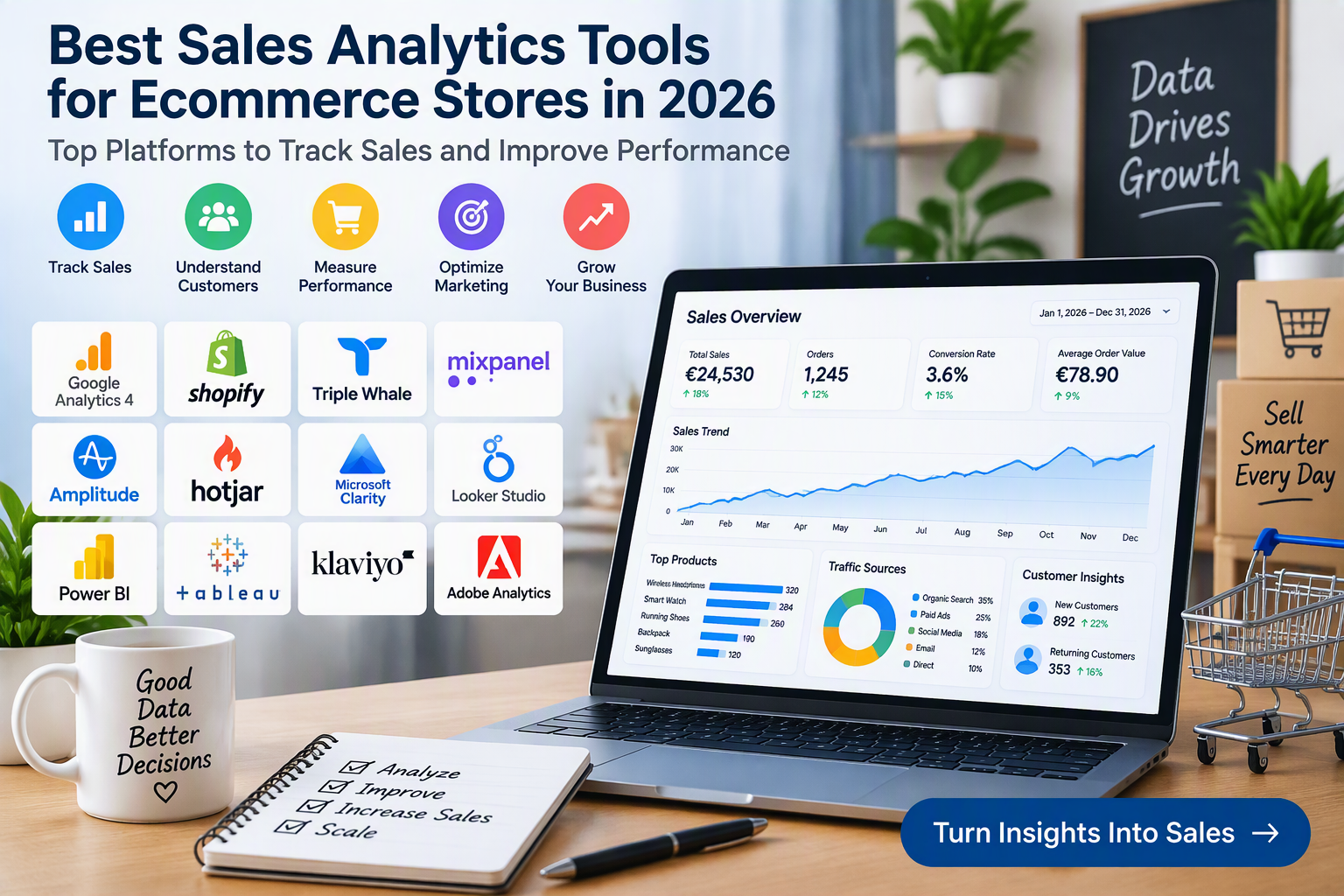
Best Sales Analytics Tools for Ecommerce Stores in 2026: Top Platforms to Track Sales and Improve Performance
Choosing the best sales analytics tools for ecommerce stores is essential for understanding customer behavior, measuring revenue, and improving business performance. Online retailers need more than a record of completed orders. They also need to understand where customers come from, which products attract attention, why shoppers abandon their carts, and which marketing activities contribute to sales.
Sales analytics software helps businesses collect, organize, and interpret information about orders, website traffic, customer journeys, product performance, and marketing campaigns. These insights can help store owners identify popular products, evaluate conversion rates, monitor average order value, and make more informed decisions about advertising and inventory.
In 2026, ecommerce businesses can choose from free analytics platforms, built-in store reporting systems, customer behavior tools, marketing attribution software, and advanced business intelligence solutions. Some tools are designed for small online shops, while others are intended for larger retailers managing multiple sales channels.
This guide explores the best sales analytics tools for ecommerce stores, including their features, benefits, limitations, and ideal uses. It also includes official software websites and Amazon Germany and European marketplace links for equipment that can support sales reporting and business analysis.
1. Google Analytics 4: Best Free Tool for Ecommerce Sales Tracking
Google Analytics 4 (GA4) is a website and app analytics platform that helps businesses understand how visitors interact with their online stores. It is a useful starting point for ecommerce sales analytics because it can track customer activity from the first website visit through product browsing and purchase completion when configured correctly.
For online retailers, GA4 supports ecommerce measurement for activities such as viewing products, adding items to carts, beginning checkout, and completing purchases. These events help businesses understand how shoppers move through the buying process and identify stages where visitors leave without completing an order.
Another important feature is traffic source analysis. Store owners can examine whether visitors arrive through organic search, paid advertising, social media, email campaigns, or other channels. When ecommerce events and campaign tracking are implemented correctly, businesses can compare traffic with purchase activity and evaluate marketing performance.
GA4 can also help retailers analyze product engagement, conversion paths, and customer interactions across supported digital properties. Its core version is available without a standard subscription fee, making it an attractive option for small businesses.
Key Features and Benefits:
- Website and app traffic analysis.
- Ecommerce event and purchase tracking.
- Product view and add-to-cart measurement.
- Checkout and conversion funnel analysis.
- Traffic source and campaign reporting.
- Audience and engagement reports.
- Custom events and reporting options.
- Integration with selected Google marketing products.
Potential Limitation: GA4 requires accurate implementation to provide useful ecommerce reports. Some data may be unavailable because of consent settings, tracking restrictions, or configuration problems. Businesses should verify their reporting setup before making major decisions.
Official Website: Google Analytics
2. Shopify Analytics: Best for Shopify Store Owners
Shopify Analytics provides reporting features for merchants who operate their stores using Shopify. It allows business owners to review important information about sales, orders, customers, products, and store performance from within their ecommerce administration system.
Depending on the Shopify plan and available reports, merchants can examine total sales, sales over time, average order value, customer activity, conversion performance, and product trends. These reports help store owners understand how the business is performing without immediately adopting a separate analytics platform.
One major advantage is the connection between sales reporting and everyday store management. Merchants can review product and order information alongside their wider business operations, making it easier to investigate changes in sales and identify products that deserve closer attention.
Shopify Analytics is particularly useful for businesses that want a convenient starting point for sales reporting. Retailers with complex advertising attribution needs or data spread across several platforms may eventually require additional tools.
Key Features and Benefits:
- Sales and order reporting.
- Product performance analysis.
- Customer and sales trend reports.
- Average order value monitoring.
- Conversion reporting, depending on the plan.
- Store performance dashboards.
- Integration with the Shopify ecosystem.
- Centralized access to ecommerce business information.
Potential Limitation: Available reports and analytical capabilities vary by plan. Merchants should compare the built-in reporting features with their needs before purchasing additional applications.
Official Website: Shopify
3. Triple Whale: Best for Ecommerce Marketing Attribution and Profit Analysis
Triple Whale is an ecommerce analytics platform designed to help online brands understand sales performance, marketing attribution, customer behavior, and profitability. It is especially relevant to direct-to-consumer businesses that want to bring information from multiple marketing and commerce sources into a more centralized reporting environment.
Its analytics capabilities can help retailers investigate how advertising campaigns relate to purchases, examine customer journeys, and review performance across supported integrations. Businesses may also use its dashboards to monitor revenue-related metrics, analyze customer retention, and evaluate marketing efficiency.
For stores that spend money on advertising across multiple channels, connecting sales and campaign information can help identify which activities appear to generate valuable customers. However, attribution results are estimates based on the platform’s measurement methods and available data; they should not be treated as a perfect representation of every customer’s journey.
Triple Whale is most suitable for ecommerce brands that need more specialized reporting than their store platform provides. Smaller businesses should compare subscription costs with the expected value of the additional insights.
Key Features and Benefits:
- Ecommerce performance dashboards.
- Marketing attribution tools.
- Advertising and sales data integration.
- Conversion funnel analysis.
- Customer retention and repeat-purchase insights.
- Revenue and profitability reporting features.
- Product and customer performance analysis.
- Reporting designed for ecommerce operations.
Potential Limitation: Features, integrations, and pricing depend on the current plan and business requirements. Results can differ from those reported by advertising platforms because attribution methods and data collection vary.
Official Website: Triple Whale
4. Mixpanel: Best for Customer Journey and Conversion Analysis
Mixpanel is an event-based analytics platform that helps businesses understand how users interact with websites and applications. For ecommerce stores, it can be useful for analyzing shopping behavior, conversion funnels, customer engagement, and repeat activity.
Retailers can configure events to track actions such as product searches, product views, cart additions, checkout starts, and completed purchases. Funnel reports help identify the stages where users stop progressing toward a purchase, while segmentation tools allow teams to compare behavior across different customer groups.
For example, an online store might investigate whether mobile visitors abandon checkout more frequently than desktop users. The findings can help the business prioritize improvements to mobile navigation, payment options, or page usability.
Mixpanel is particularly useful for teams that want to understand how shoppers interact with digital experiences rather than simply reviewing total revenue. Effective implementation requires a consistent event structure and reliable data collection.
Key Features and Benefits:
- Event-based customer behavior analytics.
- Conversion funnel reporting.
- Customer segmentation.
- Retention and repeat-activity analysis.
- Interactive reporting dashboards.
- Product and feature usage analysis.
- Cohort analysis.
- Integration options for supported data sources.
Potential Limitation: Ecommerce reporting depends on the events and business data that are configured. Businesses seeking comprehensive profit and advertising attribution may need additional integrations or a specialized platform.
Official Website: Mixpanel
5. Amplitude: Best for Advanced Ecommerce Behavior Analytics
Amplitude is a digital analytics platform that helps businesses analyze customer journeys, conversion funnels, retention, and engagement. It can support ecommerce teams that want to understand not only how many sales occur, but also how shoppers behave before and after making purchases.
With appropriate event tracking, retailers can examine product discovery, search activity, cart behavior, checkout progression, and repeat purchasing. Funnel reports can reveal where users drop out of the buying process, while cohort analysis can help compare customer groups over time.
Amplitude can be particularly valuable for businesses that want to understand customer behavior across multiple interactions. For example, a retailer might compare the shopping patterns of first-time buyers with those of returning customers and use the results to improve product discovery or customer retention strategies.
The platform also offers additional analytics capabilities, depending on the product and subscription. Businesses should choose the features that match their requirements rather than paying for advanced functionality they do not need.
Key Features and Benefits:
- Customer journey analysis.
- Ecommerce conversion funnels.
- Cohort and retention reporting.
- Behavioral segmentation.
- Event-based analytics.
- Engagement measurement.
- Dashboard and reporting tools.
- Additional experimentation capabilities in eligible products.
Potential Limitation: Useful results depend on consistent event tracking and data quality. Advanced features and usage limits vary by plan, so businesses should review current pricing and implementation requirements.
Official Website: Amplitude
6. Hotjar: Best for Understanding Why Customers Leave
Hotjar is a website behavior and user feedback platform that helps businesses understand how visitors interact with website pages. While sales dashboards show what happened, behavior analytics can provide clues about why shoppers struggle to complete a purchase.
Its tools include heatmaps, session recordings, and feedback features, depending on the available plan. Heatmaps help retailers understand where visitors click and how far they scroll. Session recordings allow teams to review selected browsing sessions, while feedback tools can collect opinions about website usability.
For ecommerce businesses, these features can help investigate confusing product pages, unclear purchase buttons, difficult navigation, and checkout friction. A store may discover that important delivery information is difficult to find or that shoppers repeatedly click an element that does not respond as expected.
Hotjar works best as a complement to sales and conversion reporting. It can reveal potential usability problems, but retailers should combine those observations with reliable sales data before deciding which changes to make.
Key Features and Benefits:
- Website heatmaps.
- Session recordings.
- Click and scrolling analysis.
- Visitor feedback tools.
- Survey features, depending on the plan.
- Visual investigation of usability issues.
- Integration options for supported platforms.
- Support for conversion improvement projects.
Potential Limitation: Hotjar does not replace a complete sales accounting or revenue reporting system. Businesses should also configure privacy controls carefully and avoid collecting unnecessary personal information.
Official Website: Hotjar
7. Microsoft Clarity: Best Free Tool for Visual Customer Behavior Insights
Microsoft Clarity is a behavior analytics tool that helps website owners understand how visitors interact with their pages. It offers heatmaps and session recordings that can highlight navigation problems and other potential obstacles in the shopping journey.
Retailers can use heatmaps to see which parts of a page receive clicks and how visitors move through content. Session recordings can help identify repeated interactions, confusing layouts, and possible problems with product selection or checkout interfaces.
For example, a business might discover that visitors repeatedly click a product image expecting it to open a gallery, or that mobile shoppers struggle to use a menu. These observations can guide usability improvements that may support better conversion performance.
Clarity is particularly appealing to smaller businesses because its core features are available free of charge. However, it is primarily designed for behavioral analysis rather than complete financial reporting or advanced advertising attribution.
Key Features and Benefits:
- Click and scroll heatmaps.
- Session recordings.
- Website interaction analysis.
- Filters for investigating selected sessions.
- Identification of certain usability patterns.
- Support for analyzing desktop and mobile experiences.
- Integration options for supported websites.
- Free access to core features.
Potential Limitation: Clarity does not independently provide a complete picture of sales, costs, and profit. Businesses should combine behavioral insights with their ecommerce platform and analytics reports.
Official Website: Microsoft Clarity
8. Looker Studio: Best for Custom Sales Dashboards
Looker Studio is a reporting and data visualization platform that allows businesses to create dashboards from supported data sources. It can be useful for ecommerce teams that want to bring sales, website analytics, and marketing performance indicators into a single reporting view.
Businesses can build reports containing charts, tables, scorecards, and time-based comparisons. Depending on the connectors and data sources used, a dashboard may combine website traffic, advertising metrics, product sales, and other business information.
A custom dashboard can make routine reporting easier by presenting key indicators in one place. For example, a store owner might create a weekly report showing revenue, order count, conversion rate, average order value, and advertising spend.
Looker Studio is useful for businesses that want flexible reporting without building a custom application. However, the accuracy of a dashboard depends on the underlying data, connector quality, and report configuration.
Key Features and Benefits:
- Custom reporting dashboards.
- Charts, tables, and scorecards.
- Connections to supported data sources.
- Date-range comparisons.
- Marketing and sales performance visualization.
- Sharing options for reports.
- Custom calculated fields.
- Options for combining selected data sources.
Potential Limitation: Some data sources require third-party connectors that may involve additional costs. Businesses should verify the accuracy and refresh frequency of each connection.
Official Website: Looker Studio
9. Microsoft Power BI: Best for Sales Reporting and Business Intelligence
Microsoft Power BI is a business intelligence platform that helps organizations connect, analyze, and visualize data. It can support ecommerce businesses that need to combine sales information with inventory, marketing costs, customer records, and financial data.
With suitable data sources and a well-designed data model, Power BI can create reports showing sales by product, category, region, sales channel, or time period. Businesses can also compare revenue with expenses and other indicators to understand performance more comprehensively.
For example, an online retailer could build a dashboard comparing sales revenue, advertising expenditure, inventory levels, and product margins. This information may help managers identify strong product categories, investigate declining performance, and plan purchasing decisions.
Power BI is particularly suitable for businesses that need customized reporting or already use Microsoft business applications. Setting up reliable reports may require data preparation and some technical knowledge.
Key Features and Benefits:
- Interactive sales dashboards.
- Data visualization and reporting.
- Connections to supported business data sources.
- Product and category performance analysis.
- Time-based sales comparisons.
- Custom calculations and business metrics.
- Scheduled data refresh options, depending on the configuration.
- Sharing and collaboration features under eligible licensing arrangements.
Potential Limitation: Some collaboration, sharing, and data refresh features require paid licenses or specific configurations. Businesses should consider implementation and maintenance requirements when estimating total costs.
Official Website: Microsoft Power BI
10. Tableau: Best for Advanced Sales Data Visualization
Tableau is a data visualization and business intelligence platform designed to help organizations explore information and present findings through interactive dashboards. It can be useful for larger ecommerce businesses that manage substantial amounts of sales and customer data.
Retailers can use Tableau to visualize revenue trends, compare product categories, analyze regional sales, and examine performance across multiple channels when the necessary data sources are connected. Interactive filters allow users to explore different segments and time periods without creating a separate report for every question.
For businesses with dedicated analytics teams, Tableau can support more advanced reporting and exploration. It may help decision-makers identify seasonal patterns, changes in product demand, and differences in performance between customer segments.
However, the platform is generally more appropriate for organizations that need advanced data visualization than for small stores seeking a simple sales dashboard.
Key Features and Benefits:
- Interactive business intelligence dashboards.
- Sales trend visualization.
- Product and category comparisons.
- Data connections for supported sources.
- Filtering and drill-down analysis.
- Custom reporting.
- Collaboration and sharing features in eligible products.
- Support for complex business data analysis.
Potential Limitation: Licensing, setup, and data preparation may create additional costs. Smaller retailers may find simpler analytics tools easier to maintain.
Official Website: Tableau
11. Klaviyo: Best for Email Marketing Sales Performance
Klaviyo is a customer communication and marketing platform designed to help businesses use customer and ecommerce data for email and SMS campaigns. It is especially relevant to online retailers that want to understand how marketing messages contribute to customer engagement and sales.
Depending on the store integration and selected features, Klaviyo can help businesses segment audiences, automate messages, and analyze campaign performance. Retailers can use these capabilities to evaluate welcome emails, product announcements, post-purchase communication, and other customer journeys.
The platform can also help businesses compare engagement across customer groups and examine reported revenue associated with marketing campaigns. These insights may support better decisions about campaign timing, audience selection, and message relevance.
Klaviyo is most useful when a business wants to connect customer communication with ecommerce activity. Its reports should be interpreted carefully because campaign attribution can differ from the results shown by other analytics systems.
Key Features and Benefits:
- Email marketing campaigns.
- SMS marketing features where supported.
- Customer segmentation.
- Automated customer journeys.
- Ecommerce integrations.
- Campaign performance reporting.
- Customer lifecycle analysis.
- Tools for personalizing customer communication.
Potential Limitation: Pricing and usage limits depend on contact volume, message activity, and the selected plan. Businesses should review consent requirements and regional availability before using email or SMS marketing.
Official Website: Klaviyo
12. Adobe Analytics: Best for Large Ecommerce Businesses
Adobe Analytics is an advanced digital analytics platform designed for organizations that need detailed reporting, segmentation, and analysis across complex digital customer journeys.
For large ecommerce businesses, it can help analyze customer interactions, marketing channels, conversion behavior, and other digital performance indicators. With appropriate implementation and data connections, organizations can build reporting processes tailored to their products, customers, and business objectives.
Its advanced segmentation and analytical capabilities can be valuable for retailers with large amounts of data, multiple brands, or complex marketing operations. Businesses may use it to compare customer groups, investigate campaign performance, and better understand interactions across digital touchpoints.
Adobe Analytics is generally more appropriate for larger organizations with analytics expertise and dedicated implementation resources than for small online shops.
Key Features and Benefits:
- Advanced digital analytics.
- Detailed customer segmentation.
- Marketing channel analysis.
- Conversion and journey reporting.
- Custom metrics and reporting.
- Support for complex data environments.
- Integration with selected Adobe Experience Cloud products.
- Enterprise-oriented analytics workflows.
Potential Limitation: Pricing and implementation are tailored to business requirements. Smaller retailers may find the platform more complex and expensive than necessary.
Official Website: Adobe Analytics
Comparison of the Best Sales Analytics Tools for Ecommerce Stores
The best sales analytics tool depends on the questions a business needs to answer and the complexity of its operations.
Google Analytics 4 is a strong starting point for website traffic and ecommerce conversion measurement. Shopify Analytics is convenient for merchants who want to review sales information within their store administration system. Triple Whale focuses on ecommerce reporting, marketing attribution, and profitability-related insights.
Mixpanel and Amplitude are useful for detailed customer journey, funnel, and retention analysis. Hotjar and Microsoft Clarity help investigate how shoppers interact with pages, while Looker Studio, Power BI, and Tableau support custom dashboards and business intelligence reporting.
Klaviyo can help retailers analyze email and SMS campaign performance, while Adobe Analytics is designed for organizations with more advanced digital analytics requirements.
Many online stores do not need every tool in this list. A small business may begin with its store’s built-in reports and Google Analytics 4, then add a behavior analytics tool or dashboard platform when a specific need emerges.
Important Ecommerce Sales Metrics to Track
1. Total Sales Revenue
Total sales revenue measures the value of sales recorded during a selected period. Reviewing revenue by day, week, month, product category, or sales channel can help businesses identify growth patterns and periods of weaker performance.
It is important to define how revenue is calculated. Depending on the report, figures may differ because of discounts, refunds, taxes, shipping charges, or the timing of order adjustments.
2. Conversion Rate
Conversion rate measures the percentage of visitors or sessions that result in a defined action, such as a purchase. The calculation should specify whether it uses users, sessions, or another denominator because different definitions can produce different results.
Monitoring conversion rate can help retailers investigate changes in website performance. A decline may be associated with traffic quality, product pricing, website usability, delivery costs, or checkout issues.
3. Average Order Value
Average order value, or AOV, measures the average value of orders during a selected period. It is commonly calculated by dividing the relevant sales amount by the number of orders, using a consistent revenue definition.
Retailers can use AOV to evaluate product bundles, cross-selling, promotions, and pricing strategies. However, a higher AOV does not automatically mean higher profit if discounts, shipping costs, or product costs also increase.
4. Cart Abandonment Rate
Cart abandonment rate estimates how often shoppers add products to their carts but do not complete a purchase. The exact calculation depends on how cart activity and completed orders are defined and measured.
A high abandonment rate may indicate unexpected costs, complicated checkout steps, limited payment options, delivery concerns, or technical problems. Businesses should investigate these possible causes instead of assuming that every abandoned cart represents a lost sale that can be recovered.
5. Customer Acquisition Cost
Customer acquisition cost, or CAC, estimates how much a business spends to acquire a customer over a defined period. The calculation should specify which marketing and sales expenses are included and how new customers are counted.
CAC can help retailers assess whether customer acquisition strategies are sustainable. It is most useful when considered alongside customer retention, revenue, margins, and the time required to recover acquisition costs.
6. Customer Lifetime Value
Customer lifetime value, often abbreviated as CLV or LTV, estimates the value a customer generates over the relationship with a business. Different methods use historical spending, purchase frequency, margin, or predictive models.
This metric can help retailers compare customer groups and evaluate retention strategies. Predictions should be treated as estimates because future purchasing behavior can change.
7. Return on Advertising Spend
Return on advertising spend, or ROAS, compares attributed revenue with advertising expenditure. It is often calculated by dividing the revenue attributed to an advertising campaign by the amount spent on that campaign.
ROAS can help compare advertising performance, but it is not the same as profit. Product costs, refunds, fulfillment, taxes, and other expenses may substantially affect the financial result.
8. Product Performance
Product performance analysis helps businesses compare items by revenue, order volume, conversion, returns, and other relevant indicators. It can reveal which products attract customers and which may require improved descriptions, pricing, promotion, or inventory planning.
Use consistent product identifiers and account for variations such as size, color, and product bundles when comparing results.
How to Choose the Right Ecommerce Sales Analytics Software
Define Your Business Goals
Begin by identifying the decisions you want your analytics tools to support. You may want to increase conversion rates, understand marketing performance, reduce cart abandonment, compare product categories, or improve repeat purchases.
A clear objective helps you choose tools that answer practical business questions rather than collecting data without a defined purpose.
Check Compatibility With Your Store
Make sure the platform supports your ecommerce system, such as Shopify, WooCommerce, or a custom-built store. Review available integrations with payment providers, advertising platforms, email marketing services, and inventory systems.
Confirm how data is transferred and whether additional applications or subscription fees are required.
Compare Costs and Reporting Limits
Some analytics tools offer free plans, while others charge according to usage, data volume, users, features, or business size. Enterprise platforms may use customized pricing.
Review the current pricing information and consider setup, integration, training, and ongoing maintenance costs. Choose a plan that meets your needs without paying for unnecessary features.
Prioritize Accurate Data
Analytics reports are only useful when the underlying data is reliable. Test purchase events, order values, currency settings, refunds, and campaign tracking before relying on reports for important decisions.
Compare analytics figures with your ecommerce platform and financial records. Differences can occur because systems use different attribution methods, time zones, filters, consent settings, or order definitions.
Choose Clear and Useful Dashboards
A useful dashboard should make important indicators easy to understand. Start with a small set of metrics, such as revenue, order count, conversion rate, average order value, and marketing expenditure.
Add more detailed reports when they support specific decisions. Avoid overcrowding dashboards with metrics that are rarely reviewed or do not relate to business goals.
Consider Privacy and Data Protection
Analytics systems may process browsing activity, device information, purchase records, and other customer data. Businesses operating in Germany and the European Union should review applicable GDPR obligations, consent requirements for relevant tracking technologies, data retention practices, and the terms of their analytics providers.
Configure tracking to collect only the information necessary for legitimate business purposes. Check whether sensitive information could be captured in session recordings or event parameters, and use suitable masking and access controls where available.
Installing analytics software does not automatically guarantee legal compliance. Businesses should review their own implementation and seek qualified advice when necessary.
Common Mistakes to Avoid When Analyzing Ecommerce Sales
One common mistake is focusing only on revenue. Revenue can increase while profitability declines because of higher advertising costs, discounts, returns, shipping expenses, or product costs. Whenever possible, review sales alongside margin and operating expenses.
Another mistake is relying on a single analytics platform as the unquestioned source of truth for every metric. Different systems may use different attribution windows, definitions, and data collection methods. Understand those differences before comparing reports.
Businesses should also avoid making major decisions based on short-term fluctuations. Seasonal demand, promotions, inventory changes, and traffic mix can affect results. Compare appropriate periods and investigate unusual changes before altering the strategy.
Poor tracking configuration can create inaccurate reports. Test ecommerce events regularly and ensure that purchases, refunds, currencies, and order values are recorded consistently.
Finally, avoid collecting unnecessary personal information. Use analytics to answer relevant business questions while respecting customer privacy and applicable legal requirements.
Where to Buy Sales Analytics Equipment on Amazon Germany and in the European Union
Most sales analytics platforms are digital services that businesses access through the provider’s official website. They are generally purchased through subscriptions or service agreements rather than through physical product listings on Amazon.
However, ecommerce teams may need equipment for reviewing dashboards, managing reports, scanning paperwork, or maintaining a reliable workspace. Amazon’s European marketplaces offer products such as computer monitors, office computers, external storage drives, barcode scanners, and document scanners.
Amazon Germany:
- Computer monitors for sales dashboards: Amazon Germany – Computer Monitors
- Desktop computers for business reporting: Amazon Germany – Desktop Computers
- Barcode scanners for retail operations: Amazon Germany – Barcode Scanners
- Document scanners for business records: Amazon Germany – Document Scanners
- External storage drives for backups: Amazon Germany – External Storage Drives
Amazon France:
- Computer monitors: Amazon France – Computer Monitors
- Barcode scanners: Amazon France – Barcode Scanners
- Document scanners: Amazon France – Document Scanners
Amazon Italy:
- Computer monitors: Amazon Italy – Computer Monitors
- Barcode scanners: Amazon Italy – Barcode Scanners
- Document scanners: Amazon Italy – Document Scanners
Amazon Spain:
- Computer monitors: Amazon Spain – Computer Monitors
- Barcode scanners: Amazon Spain – Barcode Scanners
- Document scanners: Amazon Spain – Document Scanners
These links lead to marketplace search results, not guaranteed product listings. Availability, prices, shipping options, and seller terms may change. Check product specifications, compatibility, seller information, and return policies before purchasing. For software subscriptions, use the provider’s official website to review current features and terms.
Conclusion
The best sales analytics tools for ecommerce stores in 2026 help businesses understand revenue, customer behavior, product performance, and marketing effectiveness. Google Analytics 4 provides a useful foundation for ecommerce tracking, while Shopify Analytics gives Shopify merchants convenient access to store reports. Triple Whale focuses on ecommerce attribution and profitability-related insights, and Mixpanel and Amplitude offer deeper customer journey and conversion analysis.
Hotjar and Microsoft Clarity help retailers investigate website usability, while Looker Studio, Power BI, and Tableau support custom dashboards and broader business intelligence. Klaviyo can help measure marketing campaign performance, and Adobe Analytics offers advanced analytics for larger organizations.
The right combination depends on your store platform, budget, traffic volume, technical resources, and reporting requirements. Start with accurate tracking and a small set of useful metrics, then add specialized tools when they answer a clear business question. By reviewing reliable data and making informed improvements, ecommerce businesses can strengthen their understanding of sales performance and build a more effective online retail strategy.


