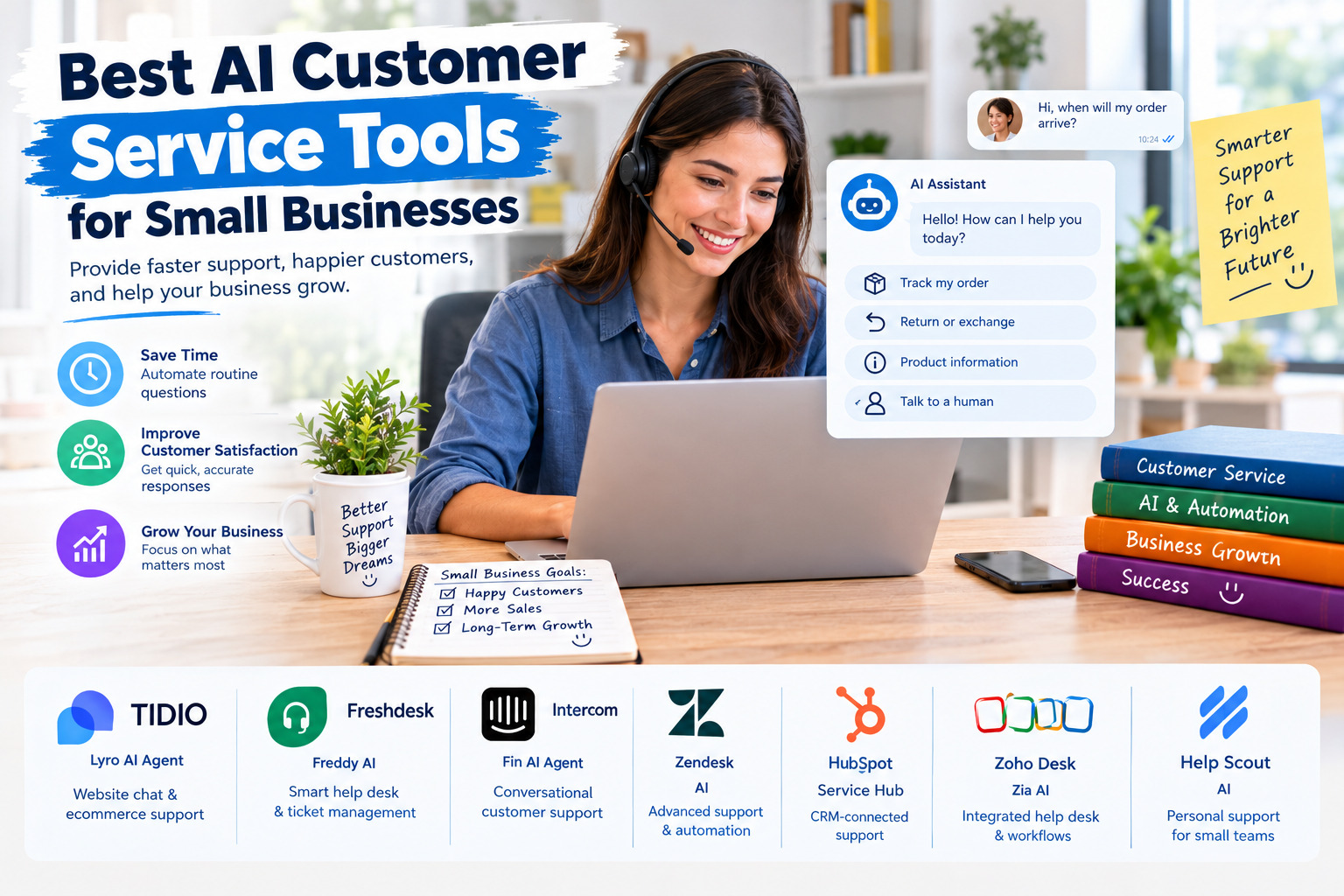
Best AI Customer Service Tools for Small Businesses
Why Small Businesses Need AI Customer Service Tools
Customer service plays an important role in customer satisfaction, repeat purchases, and long-term business growth. However, small businesses often have limited budgets and small support teams, making it difficult to answer every customer quickly across email, website chat, social media, and messaging platforms.
Artificial intelligence can help businesses handle repetitive questions, recommend relevant support articles, summarize conversations, organize customer requests, and provide assistance outside normal business hours. The right AI customer service tool can reduce manual work while allowing employees to focus on complex problems that require human judgment.
The best solution depends on the business model, support volume, existing software, and available budget. Some tools focus on website chat and ecommerce, while others provide a complete help desk with ticket management, customer records, reporting, and AI-powered automation.
1. Tidio Lyro AI Agent: Best for Website Chat and Ecommerce Support
Tidio is a customer service platform that combines live chat, customer conversations, and automation. Its Lyro AI Agent is designed to answer customer questions using the support information provided by the business. This makes it useful for small online stores that regularly receive questions about delivery, returns, product details, payment methods, and store policies.
Lyro can provide automated responses, assist customers at any time, and hand conversations over to a human agent when a question requires personal attention. Businesses can also configure its guidance and connect it with supported customer service systems. This approach allows a small team to automate routine inquiries without completely replacing human support.
Main advantages: Website chat, automated answers based on business information, customer service outside business hours, and human handoff options.
Potential limitations: Advanced capabilities and integrations may depend on the selected plan. Businesses should review conversation limits, automation costs, and the features included in their subscription before committing.
Best for: Small ecommerce businesses, online retailers, and service providers that receive frequent questions through their websites.
Explore the official Tidio Lyro AI Agent page for product features and available options.
2. Freshdesk Freddy AI: Best for Growing Support Teams
Freshdesk, developed by Freshworks, offers a customer service help desk with AI capabilities designed to support both customers and human agents. Its Freddy AI features can help automate routine inquiries, summarize conversations, suggest responses, classify incoming tickets, and assist agents in managing customer requests more efficiently.
For a small business that receives support requests through several channels, Freshdesk can provide a more organized alternative to managing every conversation separately in an email inbox. Support staff can track unresolved issues, review customer history, and use AI assistance to reduce repetitive administrative tasks.
One useful advantage is that businesses can introduce AI gradually. A company might begin by organizing incoming support tickets and assisting employees with replies, then evaluate customer-facing AI automation as its support operation grows.
Main advantages: Ticket management, AI-assisted replies, conversation summaries, automated classification, and support workflows.
Potential limitations: AI capabilities, automation limits, and advanced reporting may depend on the plan or add-ons. Businesses should check the current package details rather than assume every AI feature is included in the entry-level subscription.
Best for: Small and growing businesses that need a structured help desk and want to combine human support with AI automation.
Learn more on the official Freshdesk AI page.
3. Intercom Fin AI Agent: Best for Advanced Conversational Support
Intercom combines customer messaging, a shared support inbox, help center content, workflows, and AI-powered customer service. Its Fin AI Agent is designed to answer customer questions using a business’s support information and to handle conversations across supported channels.
For businesses with customers who expect quick, conversational responses, Fin can help reduce the number of routine questions that reach human agents. It can also be configured to escalate conversations when a customer needs specialist assistance. Intercom offers options for businesses that want to use its wider support platform or integrate Fin with an existing help desk.
This can be especially useful for software companies, subscription businesses, and online services where customers frequently ask about account access, product features, billing, or troubleshooting.
Main advantages: Conversational AI, support knowledge integration, multiple communication channels, workflow automation, and escalation to human agents.
Potential limitations: Costs can increase with team seats and AI usage, depending on the selected plan and billing model. Small businesses should estimate the total monthly cost using their expected conversation volume before choosing Intercom.
Best for: Growing businesses that need sophisticated conversational support and have enough customer interactions to justify a dedicated platform.
Explore Intercom Fin AI Agent and its customer service solutions for small businesses.
4. Zendesk AI: Best for Businesses Managing Complex Support Requests
Zendesk provides a customer service platform that brings support tickets, customer interactions, workflows, and AI assistance into one system. Its AI capabilities are designed to help businesses automate suitable customer requests, assist agents, and manage support across multiple channels.
A small business can benefit from Zendesk when customer inquiries become difficult to manage through basic chat tools or a shared email inbox. For example, a company selling products online may need to track delivery complaints, warranty requests, refund cases, technical issues, and follow-up messages without losing the history of each case.
Zendesk’s structured ticketing approach helps teams assign responsibility, monitor unresolved cases, and create consistent support processes. AI can assist with routine work, while employees retain control over sensitive decisions and unusual requests.
Main advantages: Organized ticket management, AI-assisted support, workflow automation, and tools for handling customer requests across channels.
Potential limitations: The range of features and total cost can be more than a very small business needs. Check which AI features are included in the chosen plan, whether additional usage charges apply, and how much configuration is required.
Best for: Small businesses with increasing ticket volumes, multiple support agents, or complex customer service workflows.
Visit the official Zendesk customer service platform to review its AI capabilities and current plans.
5. HubSpot Service Hub and Customer Agent: Best for Businesses Using a CRM
HubSpot combines customer relationship management with marketing, sales, and service tools. Its Service Hub provides ticket management and customer support features, while its AI Customer Agent can help answer customer questions, resolve suitable support requests, and hand conversations to employees when needed.
This combination is useful when customer service needs to be connected to sales and marketing information. For example, a small business may want its team to understand a customer’s previous interactions, purchase-related context, and outstanding support issues before replying. A shared customer record can reduce the need to switch between separate systems.
HubSpot is particularly worth considering when a business already uses its CRM or plans to manage customer relationships, sales follow-ups, and support from one platform. However, businesses should distinguish between the CRM’s basic features and the paid plans or usage-based AI capabilities they may need.
Main advantages: CRM-connected support, ticket management, customer context, AI-assisted responses, and connections between sales and service workflows.
Potential limitations: Advanced service features and AI usage may involve additional subscription or usage costs. The platform can also be more extensive than necessary for a business that only needs a simple website chatbot.
Best for: Small businesses that want customer service and customer relationship management to work together.
Review HubSpot Service Hub and the official HubSpot AI Customer Agent page.
6. Zoho Desk Zia: Best for Businesses Seeking an Integrated Help Desk
Zoho Desk is a customer service platform that includes Zia, Zoho’s AI assistant for support operations. Depending on the features available in the selected edition and region, Zia can help summarize ticket conversations, analyze customer sentiment, suggest responses, identify relevant knowledge base articles, and support the automation of repetitive tasks.
For a small business, these features can make it easier to organize customer requests and help employees respond consistently. A team can build a knowledge base containing answers about products, billing, returns, delivery, and troubleshooting, then use supported AI features to help customers or agents find relevant information.
Zoho Desk may be especially attractive to businesses already using other Zoho applications. Integrating support with the wider business software environment can reduce duplicated work and make customer information easier to manage.
Main advantages: AI-assisted ticket handling, response suggestions, knowledge base support, sentiment analysis, and integration with the wider Zoho ecosystem.
Potential limitations: AI capabilities and availability can vary by edition, data center, and feature. Businesses should confirm regional availability and the exact plan requirements before implementation.
Best for: Small businesses that want structured customer support and may benefit from using several Zoho business applications together.
Explore the official Zoho Desk Zia AI page for its current capabilities and availability information.
7. Help Scout: Best for Small Teams That Prefer Personal Support
Help Scout is a customer support platform designed around shared inboxes, customer conversations, and help center content. It is worth considering for small teams that want to keep customer communication personal while using software to organize requests and improve response efficiency.
Its AI features can help support staff draft replies, summarize conversations, and work with customer support content. Instead of immediately automating every customer interaction, a business can use AI to help employees respond faster while preserving a human approach.
This model can be a good fit for consultancies, professional services, smaller software companies, and businesses where customers expect personalized answers rather than a fully automated chatbot experience.
Main advantages: Shared inbox organization, customer conversation history, help center tools, and AI assistance for human agents.
Potential limitations: Businesses seeking a fully autonomous AI agent or extensive ecommerce-specific automation should compare its available capabilities with dedicated AI chatbot and help desk platforms. Features and usage limits should be checked against the current plan.
Best for: Small teams that prioritize clear communication and want AI to assist their employees rather than handle every interaction independently.
Explore the official Help Scout website to review its customer service platform and current AI features.
How to Choose the Right AI Customer Service Tool
Choosing an AI customer service tool should begin with the problems your business needs to solve. A store receiving dozens of repetitive delivery questions has different needs from a software company handling technical issues or a consultancy managing long-term client relationships.
First, identify the channels customers use most often. These may include website chat, email, social media, messaging applications, or phone support. Choose a platform that supports your important channels and keeps conversation history accessible to the people responsible for answering customers.
Second, evaluate the type of automation you need. Some businesses only need AI to draft replies and summarize conversations. Others need a chatbot that answers common questions independently, retrieves order information, or directs customers to the appropriate department. Confirm that the required actions are supported before selecting a tool.
Third, review the total cost. Consider the monthly subscription, the number of team members, AI usage charges, integration costs, and any limits on conversations or automated resolutions. A low starting price does not always mean the lowest total cost for your business.
Finally, test the platform using real examples from your support workload. Evaluate answer accuracy, response quality, the process for transferring a conversation to a human, and the ease of updating information when policies or products change.
Important Features to Look for in AI Customer Service Software
A useful AI customer service platform should provide more than a chatbot that produces fluent responses. It should help customers find accurate information and help the business maintain control over how support is delivered.
Knowledge base integration allows the AI to use approved information about products, policies, delivery, billing, and troubleshooting. Keeping this information updated reduces the risk of outdated answers.
Human handoff ensures that complicated, sensitive, or unresolved cases reach a real employee. Customers should have a clear path to human assistance when automated support is not sufficient.
Conversation history and ticket management help staff understand previous interactions, track outstanding issues, and avoid asking customers to repeat the same information.
Reporting and analytics make it possible to monitor response times, resolution rates, customer satisfaction, and the most common reasons people contact the business.
Privacy and access controls are essential when conversations contain names, addresses, order details, payment-related information, or other customer data. Review the provider’s data handling terms, retention policies, security controls, and applicable privacy requirements before connecting sensitive systems.
How to Implement AI Customer Service in a Small Business
Begin with a limited, low-risk use case instead of automating every customer interaction at once. Common questions about opening hours, shipping policies, product specifications, and return procedures are often good starting points because their answers can be documented clearly.
Create or update a reliable knowledge base before launching customer-facing automation. Include accurate policies, product information, instructions, and examples of appropriate responses. Define which topics the AI may handle independently and which must be transferred to a human agent.
Next, test the system using realistic customer questions, including ambiguous requests and situations where the business does not have enough information to provide an answer. Review the responses for accuracy, tone, and consistency. Correct gaps in the knowledge base and adjust escalation rules before making the tool widely available.
After launch, monitor performance regularly. Track how often customers receive useful answers, how many conversations require human intervention, whether response times improve, and whether customer satisfaction remains strong. Automation should be expanded only when it provides reliable service and measurable value.
Common Mistakes to Avoid When Using AI for Customer Service
One common mistake is allowing an AI system to answer questions using incomplete or outdated company information. An incorrect answer about delivery, refunds, warranties, or pricing can damage customer trust. Keep support content current and review the system’s responses regularly.
Another mistake is removing human support too quickly. AI is useful for repetitive tasks, but unusual complaints, sensitive situations, complicated refunds, and exceptions to company policies may require human judgment. Make the escalation process clear and easy to use.
Businesses should also avoid choosing a platform based only on advertised automation rates. Actual results depend on the quality of the knowledge base, the complexity of customer requests, available integrations, and the accuracy of the AI’s responses.
Finally, do not ignore the total cost or the privacy implications. Evaluate subscription fees and usage charges alongside the time saved, and ensure that customer information is handled according to the provider’s terms and the laws applicable to your business.
Final Thoughts
The best AI customer service tool for a small business is the one that solves its actual support problems without adding unnecessary complexity or cost. Tidio Lyro is worth considering for website chat and ecommerce questions, Freshdesk for organized support operations, Intercom for advanced conversational service, Zendesk for structured ticket management, HubSpot for CRM-connected support, Zoho Desk for integrated business workflows, and Help Scout for teams that prefer a human-centered shared inbox.
Before making a decision, compare current plans, test the tools with real customer questions, and measure the quality of their answers. Start with repetitive inquiries, keep human assistance available, and expand automation gradually as the business gains confidence in the results.
AI works best when it supports a clear customer service process. By combining accurate business information, appropriate automation, and human oversight, small businesses can respond more consistently, save time, and build stronger customer relationships.