
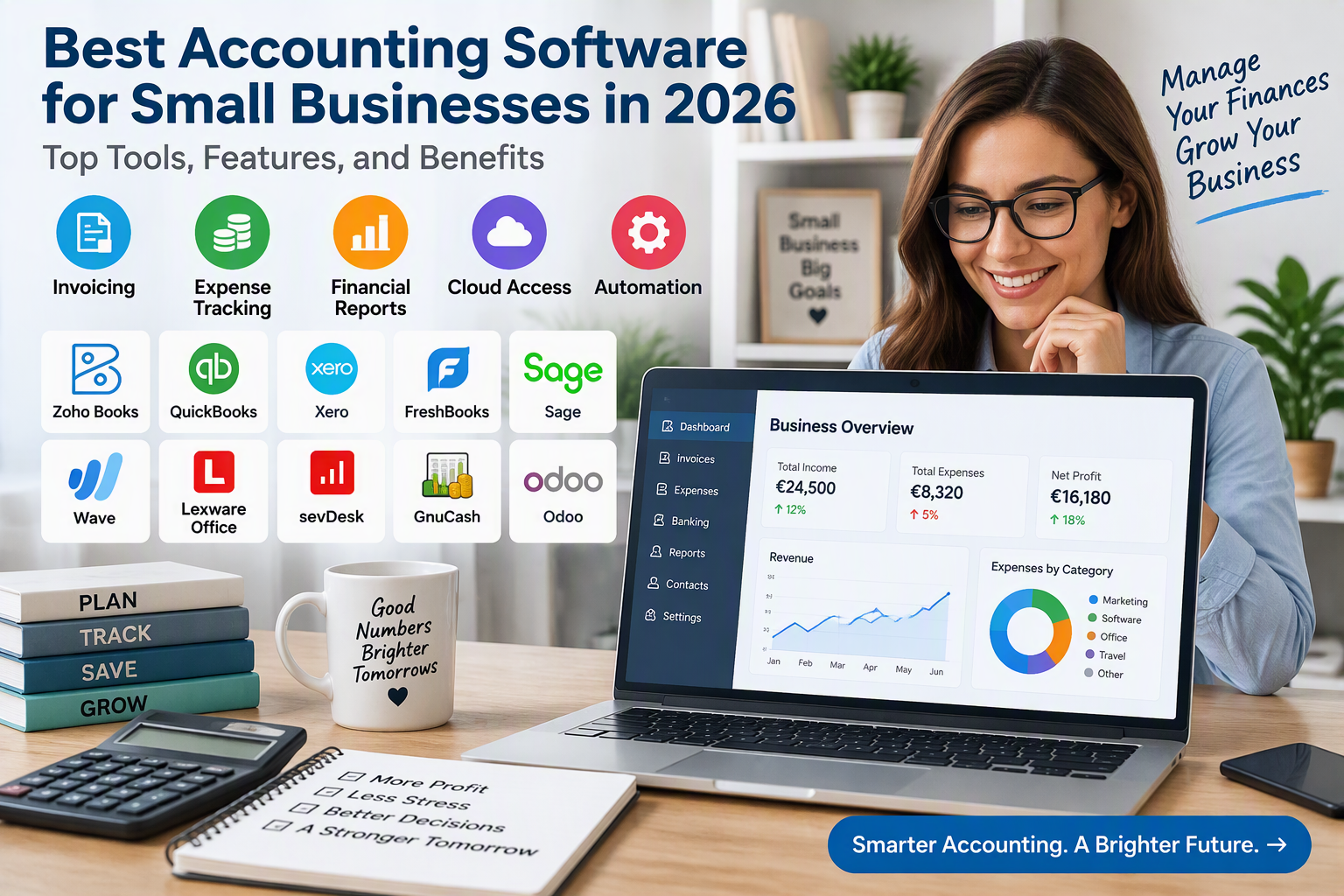
Best Accounting Software for Small Businesses in 2026: Top Tools, Features, and Benefits
Choosing the best accounting software for small businesses is an important step toward managing finances efficiently, reducing administrative work, and supporting long-term growth. Whether you run an online store, a consulting business, a retail shop, a startup, or a freelance service, reliable accounting software can help you track income, manage expenses, issue invoices, monitor cash flow, and prepare financial reports.
Many small businesses initially rely on spreadsheets or manual bookkeeping. Although these methods may work when transaction volumes are low, they can become difficult to manage as a business grows. Accounting software helps organize financial information in one place and can automate repetitive tasks such as invoice creation, payment reminders, expense categorization, and bank reconciliation.
In 2026, business owners can choose from cloud-based platforms, desktop accounting applications, and specialized invoicing solutions. Some tools focus on freelancers and service providers, while others offer inventory management, multi-currency accounting, team collaboration, and advanced reporting.
This guide explores some of the best accounting software for small businesses, including their key features, benefits, limitations, and suitability for different business models. It also explains what to consider before choosing an accounting solution for a business operating in Germany or elsewhere in the European Union.
1. Zoho Books: Best for Affordable Small Business Accounting
Zoho Books is an online accounting platform designed to help small businesses organize their financial operations. It offers features for invoicing, expense tracking, bank reconciliation, financial reporting, and customer management. Its different plans allow businesses to select a level of functionality that matches their size and requirements.
One of the main advantages of Zoho Books is its ability to centralize everyday accounting activities. Business owners can create estimates, issue invoices, record expenses, track payments, and review financial reports without maintaining separate systems for each task.
Depending on the selected plan and regional edition, Zoho Books can also support inventory tracking, purchase orders, project accounting, automated workflows, and multi-currency transactions. For businesses operating in Germany, the local edition advertises support for electronic invoicing formats such as XRechnung and ZUGFeRD, along with DATEV-compatible exports. Businesses should verify that their selected plan supports the features they need.
Key Features and Benefits:
- Create and manage customer invoices.
- Record business expenses and supplier bills.
- Reconcile bank transactions.
- Generate profit and loss statements and other financial reports.
- Automate selected payment reminders and accounting workflows.
- Manage projects and track profitability in eligible plans.
- Support inventory and multi-currency transactions in eligible plans.
- Access financial information through supported web and mobile applications.
- Integrate with other business applications.
Potential Limitation: Some advanced features require higher-tier subscriptions. Local tax settings, electronic invoicing capabilities, and integration availability should be checked for the country in which the business operates.
Official Website: https://www.zoho.com/books/
2. QuickBooks Online: Best for Comprehensive Financial Management
QuickBooks Online is a cloud-based accounting platform that helps small businesses manage their financial records, sales, expenses, and reports. It is widely used in markets such as the United States and offers a broad ecosystem of accounting and business integrations.
The platform can help business owners create invoices, track bills, categorize expenses, reconcile supported bank transactions, and monitor cash flow. Depending on the plan and regional availability, it may also support project tracking, inventory features, sales tax management, and more advanced reporting.
QuickBooks Online can be useful for businesses that want to automate routine bookkeeping tasks while maintaining a clearer view of financial performance. Its reporting tools can help owners evaluate revenue, expenses, outstanding invoices, and other important indicators.
Before selecting QuickBooks, businesses in Germany and other European countries should confirm that the specific version supports their local accounting requirements, electronic invoicing needs, tax workflows, and accountant integrations. Availability and functionality can differ by country.
Key Features and Benefits:
- Online bookkeeping and financial record management.
- Invoice creation and payment tracking.
- Income and expense categorization.
- Bank transaction imports and reconciliation where supported.
- Financial statements and customizable reports.
- Connections to selected payment and business applications.
- Mobile access to supported accounting functions.
- Additional inventory, project, and reporting features in eligible plans.
Potential Limitation: Subscription costs can increase as businesses require additional features or services. Country-specific accounting and tax support should be verified before committing to a plan.
Official Website: https://quickbooks.intuit.com/
3. Xero: Best for Growing Businesses and Team Collaboration
Xero is cloud accounting software designed for small and growing businesses. It provides tools for bookkeeping, invoicing, bank reconciliation, expense management, and financial reporting.
A notable advantage of Xero is its collaboration-oriented approach. Business owners can work with bookkeepers and accountants through online access, helping reduce the need to exchange accounting files manually. Its integration marketplace also enables businesses to connect supported applications for payments, ecommerce, inventory, and other workflows.
Xero can be particularly useful for companies expecting to expand their operations or work with a team. Its accounting reports help owners monitor financial performance, while bank reconciliation tools can simplify the process of matching transactions with accounting records.
Businesses with international customers or suppliers should investigate the available multi-currency features and country-specific support before choosing a plan.
Key Features and Benefits:
- Cloud-based accounting.
- Sales invoicing and payment monitoring.
- Bank reconciliation.
- Expense management.
- Financial reports and cash flow visibility.
- Collaboration with accountants and authorized users.
- Integration with supported business applications.
- Inventory and multi-currency features in eligible plans.
Potential Limitation: Features and transaction limits vary by subscription and country. Some businesses may need third-party applications to support specialized workflows.
Official Website: https://www.xero.com/
4. FreshBooks: Best for Freelancers and Service-Based Businesses
FreshBooks is accounting and invoicing software designed particularly for freelancers, consultants, agencies, and other service-based businesses. It focuses on making everyday financial tasks easier for people who may not have extensive accounting experience.
The platform helps users create professional invoices, track expenses, monitor payments, and organize client information. Depending on the plan, FreshBooks can also support time tracking, project management, estimates, recurring invoices, and expense reporting.
For consultants and service providers, the ability to connect billable hours with invoices can be especially valuable. It can reduce manual calculations and make it easier to understand how much time is being spent on individual projects.
FreshBooks may be a good choice for businesses that primarily sell services rather than manage large product inventories. Businesses that need extensive inventory accounting or complex regional tax features should compare its capabilities with more specialized alternatives.
Key Features and Benefits:
- Professional invoice creation.
- Expense tracking and categorization.
- Recurring invoices.
- Payment status monitoring.
- Time tracking for billable work.
- Estimates and project-related workflows.
- Financial summaries and reports.
- Mobile access to supported functions.
Potential Limitation: Features and client limits depend on the subscription. Businesses should verify whether the selected plan supports their reporting, tax, currency, and inventory requirements.
Official Website: https://www.freshbooks.com/
5. Sage Accounting: Best for Structured Business Bookkeeping
Sage offers accounting products for businesses of different sizes. Its small business accounting solutions can help owners manage transactions, invoices, expenses, and financial reporting, while other products offer more advanced business management capabilities.
For small companies that want structured financial records, Sage can provide tools for organizing sales, purchases, customer accounts, supplier information, and bank transactions. Depending on the product and country edition, additional capabilities may include VAT-related workflows, cash flow reporting, and connections to payroll or other business applications.
Sage may be suitable for businesses that want an established accounting provider and expect their bookkeeping needs to become more complex over time. However, the available features differ between Sage products, so it is important to compare the specific edition rather than assuming that every feature is included in every plan.
Key Features and Benefits:
- Sales and purchase transaction management.
- Invoice and expense tracking.
- Financial reporting.
- Bank reconciliation in supported products.
- Customer and supplier records.
- Tax-related accounting tools depending on the country edition.
- Integration options for selected business applications.
- Products suitable for different levels of business complexity.
Potential Limitation: The Sage product range can be complex to navigate, and pricing, features, and regional availability vary. Businesses should confirm the exact product and plan they are purchasing.
Official Website: https://www.sage.com/
6. Wave: Best for Basic Accounting on a Limited Budget
Wave provides financial management tools aimed at freelancers, self-employed professionals, and very small businesses. Its core offering has included bookkeeping and invoicing features, although availability, payment services, and other functions can vary by country.
For eligible users, Wave can help organize income and expenses, create invoices, monitor payments, and review basic financial reports. This can make it attractive to businesses that want to begin digitizing their bookkeeping without immediately investing in a more advanced platform.
Wave may be appropriate for a small operation with straightforward accounting needs and a limited budget. However, businesses should check current regional availability before choosing it, especially if they operate in Germany or elsewhere in the European Union.
Key Features and Benefits:
- Basic bookkeeping tools.
- Invoice creation.
- Income and expense tracking.
- Financial reporting.
- Payment processing options where supported.
- Accessible tools for freelancers and small businesses.
- Additional services available depending on eligibility and location.
Potential Limitation: Wave is not available with the same features in every country. Businesses that require local European tax workflows, compliant electronic invoicing, or specialized integrations should carefully evaluate regional suitability.
Official Website: https://www.waveapps.com/
7. Lexware Office: Best for Small Businesses in Germany
Lexware Office is a cloud-based business accounting and invoicing solution aimed at freelancers, self-employed professionals, and small businesses in Germany. Its German-focused features make it particularly relevant to companies that need accounting workflows aligned with local business practices.
Depending on the selected subscription, Lexware Office can support invoicing, expense management, financial records, bank connections, and tax-related workflows. It is designed to simplify the exchange of accounting information with tax advisers and help businesses organize the documents associated with daily transactions.
For German businesses, local functionality is an important consideration. Before choosing any accounting platform, owners should verify support for applicable electronic invoice formats, document retention requirements, VAT processes, and exports required by their tax adviser.
Key Features and Benefits:
- Digital invoicing and expense management.
- Organized financial records.
- Bank connection and transaction management where supported.
- Tax-related workflows for eligible plans.
- Document handling for everyday bookkeeping.
- Collaboration with tax advisers.
- Cloud-based access.
- Features tailored to German small businesses.
Potential Limitation: Lexware Office is designed primarily for the German market and may not be appropriate for businesses operating under another country’s tax rules. Subscription features and pricing should be reviewed before purchase.
Official Website: https://www.lexware.de/
8. sevDesk: Best for Digital Invoicing and Bookkeeping in Germany
sevDesk is an online accounting and invoicing platform designed for freelancers and small businesses, particularly in the German market. It helps users organize sales invoices, expenses, receipts, and other financial documents.
The platform aims to reduce manual bookkeeping by providing digital document management and accounting workflows. Depending on the plan, businesses may also access bank integrations, tax-related functions, and tools for working with accountants.
For small companies that handle many invoices and receipts, digitizing documents can make financial records easier to search, review, and share. However, the specific tax, export, and electronic invoicing capabilities should be verified against the business’s requirements.
Key Features and Benefits:
- Digital invoice creation.
- Expense and receipt management.
- Financial transaction organization.
- Bank connection features where supported.
- Accounting exports and accountant collaboration.
- Automation for selected bookkeeping tasks.
- Cloud-based access.
- Plans designed for different business requirements.
Potential Limitation: Some features require higher-tier plans or integrations. Businesses should confirm that the selected subscription supports their local compliance requirements and accounting workflow.
Official Website: https://sevdesk.com/
9. GnuCash: Best Free Desktop Accounting Software
GnuCash is free, open-source accounting software designed for personal finance and small business bookkeeping. Unlike many cloud platforms, it is primarily a desktop application, making it an option for users who prefer to manage financial records locally.
GnuCash supports double-entry accounting and includes tools for tracking accounts, income, expenses, customers, vendors, invoices, and financial reports. It can be useful for small businesses with straightforward requirements and users who are comfortable configuring their own bookkeeping system.
Because it is open-source software, users can review its published source code under its applicable licence and use the program without a standard monthly subscription fee. Businesses should still consider setup time, backups, security, and accountant compatibility.
Key Features and Benefits:
- Free, open-source software.
- Double-entry accounting.
- Income and expense tracking.
- Accounts receivable and payable features.
- Invoice and customer management.
- Financial reports.
- Desktop-based operation.
- No standard subscription fee for the software.
Potential Limitation: GnuCash may require more manual configuration than commercial cloud accounting platforms. Businesses should confirm whether its workflows and exports meet local tax and reporting requirements.
Official Website: https://www.gnucash.org/
10. Odoo Accounting: Best for Businesses That Need an Integrated Business System
Odoo is a business software suite with accounting and other applications that can be used together. Depending on the selected configuration and country localization, it can connect accounting with sales, purchasing, inventory, ecommerce, customer relationship management, and other business operations.
This integrated approach can be useful for businesses that want financial records connected to their day-to-day commercial activities. For example, a company selling products may want sales orders, inventory movements, customer invoices, and accounting entries to work within a coordinated system.
Odoo is available in different editions and configurations. Some businesses may use a limited set of applications, while others implement a broader system with professional support.
Key Features and Benefits:
- Accounting and financial transaction management.
- Customer invoicing and supplier bills.
- Integration with sales and purchasing applications.
- Inventory and ecommerce connections in supported configurations.
- Financial reporting.
- Business process automation.
- Modular application structure.
- Options for expanding functionality as the business grows.
Potential Limitation: Setup and customization may require technical assistance, particularly for businesses with complex workflows. Confirm that the relevant country localization supports the required tax and electronic invoicing processes.
Official Website: https://www.odoo.com/
Comparison of the Best Accounting Software for Small Businesses
The best accounting platform depends on the size of the business, its location, and the complexity of its financial operations.
Zoho Books is worth considering for businesses seeking a broad set of cloud accounting features with different plan levels. QuickBooks Online and Xero provide comprehensive accounting tools, but country-specific capabilities should be reviewed carefully.
FreshBooks is particularly relevant to freelancers and service businesses that focus on invoicing and project work. Sage offers a range of accounting products, while Wave may suit eligible users who need basic bookkeeping tools at a low cost.
For businesses in Germany, Lexware Office and sevDesk offer locally focused accounting workflows. GnuCash is an option for users who prefer free desktop software, while Odoo can suit companies that want to connect accounting with inventory, sales, and other business processes.
Before making a final decision, compare total subscription costs, user limits, integrations, data export options, customer support, and the requirements of your accountant.
Essential Features to Look for in Small Business Accounting Software
1. Invoicing and Payment Tracking
Reliable invoicing features allow businesses to create professional invoices, monitor payment status, and identify overdue accounts. Recurring invoices can save time for companies that bill customers regularly.
Look for customizable invoice templates, clear payment terms, automated reminders, and support for the currencies and languages your business uses.
2. Expense Management
Expense tracking helps business owners understand where money is being spent. Useful features include receipt storage, expense categorization, supplier records, and tools for matching transactions with supporting documents.
Some platforms can import transaction information or extract details from receipts, but automated recognition should always be reviewed for accuracy.
3. Bank Reconciliation
Bank reconciliation helps businesses compare accounting records with bank transactions. Supported bank connections can reduce manual data entry, while reconciliation tools help identify missing entries and discrepancies.
Check whether your business bank is supported and whether bank feeds are included in the chosen subscription.
4. Financial Reports
Financial reports provide insight into the performance and financial position of a business. Common reports include profit and loss statements, balance sheets, cash flow reports, and accounts receivable summaries.
Choose software that produces the reports your business and accountant require. A visually attractive dashboard is useful, but accurate underlying records are more important.
5. Tax and Electronic Invoicing Support
Tax and invoicing requirements vary by country. Businesses in Germany may need to investigate formats such as XRechnung and ZUGFeRD, while other European countries may have different electronic invoicing systems and implementation schedules.
Confirm that the exact software edition supports the relevant requirements. Do not assume that a platform is compliant merely because it offers invoicing or displays a general statement about tax support.
6. Inventory and Product Management
Retailers and ecommerce businesses may need inventory tracking, purchase orders, supplier management, and cost-of-goods reporting. Service businesses, on the other hand, may benefit more from project tracking and billable time.
Select a platform based on the activities your business performs rather than paying for features you are unlikely to use.
7. Integration and Data Export
Accounting software may need to exchange information with ecommerce platforms, payment providers, point-of-sale systems, payroll services, or customer management applications.
Before subscribing, check the available integrations and whether you can export your financial records in a usable format. Access to your data is especially important if you change software or work with a new accountant.
8. Security and Backup
Accounting records contain confidential financial information. Look for appropriate access controls, secure authentication, backup options, and clear information about how the provider stores and processes business data.
Limit access to authorized staff and establish a routine for reviewing user permissions and maintaining copies of essential records.
How to Choose the Right Accounting Software for Your Business
Start by identifying your most important accounting tasks. A freelancer who sends a small number of invoices each month may need simple invoicing, expense tracking, and basic reports. A retailer may require inventory management, supplier purchasing, and sales integrations. A growing company may need multiple users, approval workflows, and more advanced financial reporting.
Next, establish a realistic budget. Compare subscription costs with any additional charges for extra users, integrations, payment processing, receipt scanning, payroll, or advanced reporting. Consider the time saved through automation as well as the monthly fee.
Test the software before committing when a free trial or suitable demonstration is available. Enter sample invoices, record expenses, connect a supported bank account if appropriate, and generate the reports you expect to use regularly.
It is also important to involve your accountant in the selection process. A platform that looks simple may create extra work if it cannot export the required records or support the accountant’s workflow.
For businesses operating in Germany or another EU country, confirm local tax and electronic invoicing requirements before relying on the software for compliance. Software can assist with recordkeeping, but it does not replace professional advice or the responsibility to maintain accurate business records.
Where to Buy Accounting Software and Bookkeeping Equipment on Amazon Germany and the EU
Most modern accounting platforms are purchased directly from their software providers through subscriptions, online registration, or authorized resellers. Their official websites are generally the best place to check current plans, regional availability, trial options, and included features.
For related physical equipment used in bookkeeping and office administration, Amazon’s European marketplaces offer products such as receipt scanners, document scanners, desktop calculators, external storage drives, and office monitors. These products can help organize paperwork and support a more efficient bookkeeping workspace, but they do not replace accounting software.
Amazon Germany:
- Accounting software and bookkeeping products: https://www.amazon.de/s?k=accounting+software+small+business
- Receipt and document scanners: https://www.amazon.de/s?k=receipt+scanner
- Desktop calculators: https://www.amazon.de/s?k=desktop+calculator
- External storage drives: https://www.amazon.de/s?k=external+hard+drive
Amazon France:
- Accounting software and bookkeeping products: https://www.amazon.fr/s?k=accounting+software+small+business
- Receipt and document scanners: https://www.amazon.fr/s?k=document+scanner
- Desktop calculators: https://www.amazon.fr/s?k=desktop+calculator
Amazon Italy:
- Accounting software and bookkeeping products: https://www.amazon.it/s?k=accounting+software+small+business
- Receipt and document scanners: https://www.amazon.it/s?k=document+scanner
- Desktop calculators: https://www.amazon.it/s?k=desktop+calculator
Amazon Spain:
- Accounting software and bookkeeping products: https://www.amazon.es/s?k=accounting+software+small+business
- Receipt and document scanners: https://www.amazon.es/s?k=document+scanner
- Desktop calculators: https://www.amazon.es/s?k=desktop+calculator
Marketplace results, product availability, prices, and delivery conditions may change. Check the product details and seller information before purchasing. For subscriptions, use the provider’s official website to confirm the applicable country edition and current terms.
Conclusion
The best accounting software for small businesses in 2026 can help owners manage invoices, track expenses, reconcile bank transactions, prepare financial reports, and maintain organized financial records. Zoho Books, QuickBooks Online, Xero, FreshBooks, Sage, and Wave offer different combinations of features for general bookkeeping, freelancers, and growing companies.
For German businesses, Lexware Office and sevDesk are worth evaluating for their locally focused accounting workflows. GnuCash offers a free desktop alternative, while Odoo can connect accounting with inventory, sales, and other business operations.
The right solution depends on your business model, budget, technical requirements, and local accounting obligations. Compare the exact features available in your country, test the most relevant options, and consult your accountant before making a final decision. With the right accounting software, small businesses can reduce repetitive work, improve financial visibility, and make better-informed decisions as they grow.


