
What Are the Best AI Presentation Makers for Students?
1. Gamma: Best AI Presentation Maker for Students
Gamma is one of the most convenient AI presentation makers for students who want to transform a topic, outline, or collection of notes into a visually appealing presentation quickly. Its AI-powered workflow helps users organize information into structured sections and generate presentation content without designing every slide manually.
Students can begin with a simple prompt, provide an outline, or use supported source material to develop a presentation. Gamma then generates a structured draft with headings, text, images, and layouts that users can refine according to their academic requirements.
One of Gamma’s biggest advantages is its modern visual style. Its card-based presentation format makes it easy to create engaging educational content that can be shared online. Depending on the available plan and features, users can also export presentations into formats such as PowerPoint and PDF.
Gamma is particularly useful when students need to prepare presentations quickly and want a polished design without advanced graphic design skills. It can support subjects such as history, biology, geography, economics, literature, and computer science.
However, AI-generated content should always be reviewed for accuracy. Students should also check whether exported slides preserve their intended formatting before submitting an assignment.
Key Features of Gamma:
- AI-powered presentation generation from text prompts.
- Automatic organization of information into sections and slides.
- Modern layouts and visual themes.
- AI-assisted text editing and content refinement.
- Online presentation sharing.
- Export options that depend on the current plan.
Advantages: Gamma is easy to use, saves time, and produces visually attractive presentation drafts with minimal manual formatting.
Limitations: Some features and export options may require a paid subscription. Exported PowerPoint files may also need additional formatting.
Best For: Students who want to create attractive school or university presentations quickly.
Official website: https://gamma.app/
2. Canva: Best AI Presentation Tool for Creative School Projects
Canva is a popular visual design platform that combines presentation software, customizable templates, graphic design tools, and AI-powered features. It is particularly useful for students who want to create attractive presentations with greater control over colors, images, typography, and layouts.
With Canva’s AI presentation features, users can start with a text prompt and generate an initial presentation design. They can then customize the slides using a large library of templates, illustrations, photographs, icons, diagrams, and other visual elements.
Canva is especially useful for school assignments that benefit from strong visual communication. Students can create presentations about environmental science, literature, history, art, business, and many other subjects.
Another major advantage is its flexibility. Users can modify individual elements, add animations, include charts, and adjust the visual identity of their slides. Canva also supports collaborative workflows, allowing classmates to work on shared projects when the relevant collaboration features are available.
The platform offers a free plan, while certain premium design assets and advanced AI capabilities may require a paid subscription. Students and educators may also qualify for education-specific offerings, depending on their eligibility.
Key Features of Canva:
- AI-assisted presentation creation.
- Extensive presentation templates.
- Large library of images, icons, illustrations, and design elements.
- Customizable layouts, colors, and fonts.
- Charts, animations, and visual effects.
- Collaboration and sharing features.
- Presentation export options, including PowerPoint and PDF.
Advantages: Canva is versatile, beginner-friendly, and ideal for students who want creative freedom and professional-looking slides.
Limitations: Producing a high-quality presentation may still require manual editing. Some premium assets and features are not included in the free plan.
Best For: School students, university students, and anyone creating visually engaging academic presentations.
Official website: https://www.canva.com/
3. Microsoft PowerPoint with Copilot: Best for Academic Presentations
Microsoft PowerPoint remains one of the most widely used presentation applications in schools and universities. With Microsoft Copilot, eligible users can access AI-powered assistance for creating, organizing, and refining presentations.
Copilot can help turn a topic or supported document into a presentation draft. It can assist with structuring information, generating slide content, summarizing material, and improving the wording of individual slides, depending on the available license and version.
One of PowerPoint’s strongest advantages is its compatibility with traditional academic workflows. Many schools and universities already use Microsoft Office, making PowerPoint a convenient option for assignments that must be submitted as editable presentation files.
Students can also take advantage of PowerPoint’s established features, including charts, tables, diagrams, transitions, speaker notes, and presenter tools. These capabilities are particularly useful for university seminars, scientific presentations, research projects, and thesis defenses.
Copilot availability depends on the Microsoft 365 plan, account type, region, and institutional licensing arrangements. Students should check whether their university provides access before purchasing an additional subscription.
Key Features of PowerPoint with Copilot:
- AI-assisted presentation drafting.
- Help generating and refining slide content.
- Assistance with summarizing supported documents.
- Editable PowerPoint slides.
- Charts, tables, diagrams, and animations.
- Speaker notes and presenter tools.
- Integration with the Microsoft 365 ecosystem.
Advantages: PowerPoint offers extensive editing capabilities, broad compatibility, and a familiar format for academic submissions.
Limitations: Copilot features may require an eligible paid plan or license. AI-generated slides may need substantial editing to meet specific academic requirements.
Best For: University students, researchers, and anyone who needs editable PowerPoint presentations.
Official website: https://www.microsoft.com/microsoft-365/powerpoint
4. Beautiful.ai: Best AI Tool for Professional-Looking Presentations
Beautiful.ai is a presentation platform designed to help users create polished slides with less manual formatting. Its smart slide layouts automatically adjust elements as content changes, helping maintain consistent spacing, alignment, and visual balance.
For students, this can be particularly valuable when preparing presentations that will be evaluated on visual quality and clarity. Instead of spending time adjusting every text box or image, users can focus on the organization and presentation of their ideas.
Beautiful.ai offers AI-assisted presentation generation, reusable layouts, visual elements, and design controls that help create a consistent appearance across slides. It is especially suitable for business, economics, marketing, management, and project presentations.
The platform’s design system is useful for students who want a professional result without extensive graphic design experience. Its automatic formatting can also reduce common design problems, such as overcrowded slides and inconsistent spacing.
However, Beautiful.ai is more design-focused than some general-purpose AI assistants. Students should still review the content, add appropriate sources, and ensure that the presentation follows the teacher’s or university’s instructions.
Key Features of Beautiful.ai:
- AI-assisted presentation creation.
- Smart templates and automatic slide layouts.
- Consistent spacing and alignment.
- Visual elements and customizable themes.
- Presentation collaboration features on supported plans.
- Export options depending on the subscription.
Advantages: Beautiful.ai helps students create clean, consistent, and professional-looking presentations without advanced design skills.
Limitations: Design flexibility may be more limited than in a fully customizable editor, and paid access may be necessary for regular use.
Best For: Business students, university project teams, and students preparing formal academic presentations.
Official website: https://www.beautiful.ai/
5. Prezi: Best for Interactive and Engaging Presentations
Prezi offers an alternative to traditional slide-by-slide presentations through its distinctive zooming canvas and visual storytelling approach. Instead of moving only between separate slides, presenters can navigate between related ideas and zoom into specific details.
This format can be useful for educational presentations that involve relationships between concepts, historical timelines, scientific systems, or complex topics that benefit from a visual overview.
Prezi also offers AI-assisted presentation features that can help users develop content and create presentation drafts. The exact capabilities depend on the product and subscription plan.
For school students, Prezi can make presentations more engaging by emphasizing connections between ideas. University students can use it for lectures, project presentations, research overviews, and visual explanations of complicated subjects.
However, its distinctive presentation style is not suitable for every assignment. Some teachers and universities require conventional PowerPoint slides, and excessive zooming or movement can distract audiences if used poorly.
Key Features of Prezi:
- Zoom-based visual storytelling.
- Nonlinear presentation navigation.
- AI-assisted presentation creation on supported plans.
- Customizable visual layouts.
- Online sharing and presentation tools.
- Options for different presentation workflows.
Advantages: Prezi offers a distinctive way to explain interconnected ideas and create memorable presentations.
Limitations: Its visual style may require practice, and some audiences prefer traditional slides. Certain features may require a paid plan.
Best For: Students preparing interactive presentations, concept maps, and visually driven educational projects.
Official website: https://prezi.com/
6. SlidesAI: Best AI Presentation Tool for Google Slides Users
SlidesAI is an AI-powered presentation tool designed to help users generate slides from text. It is particularly useful for students who already use Google Slides and want to create presentations without moving to an entirely different platform.
Users can provide text or notes, and the tool helps transform that material into a presentation structure. This can save time when preparing classroom assignments, lecture summaries, research overviews, and group projects.
SlidesAI is useful when students have already written their content and need help distributing it across slides. Rather than manually copying paragraphs and arranging every section, they can use AI to create a first draft and then refine it.
The platform focuses on simplifying the process of moving from written information to a slide-based presentation. Users should still check whether the generated content is concise, accurate, and appropriate for the audience.
Available plans, usage limits, integrations, and export capabilities may change, so students should review the current details before choosing a subscription.
Key Features of SlidesAI:
- AI-powered conversion of text into slides.
- Integration with Google Slides.
- Automatic organization of presentation content.
- Customizable slide designs.
- Editing and refinement of generated presentations.
- Free and paid plans with different usage limits.
Advantages: SlidesAI is convenient for students who prefer working within Google Slides and want to turn written notes into a presentation draft.
Limitations: Generated layouts may require manual refinement, and some features are limited by the subscription plan.
Best For: Students who use Google Slides for assignments and want to speed up slide creation.
Official website: https://www.slidesai.io/
7. Pitch: Best AI Presentation Tool for University Group Projects
Pitch is a presentation platform that combines slide creation, design tools, collaboration features, and AI-assisted workflows. It is particularly useful for university students who work together on presentations and need a shared environment for preparing and reviewing slides.
Group assignments often involve multiple contributors, different writing styles, and repeated revisions. Pitch helps teams organize their work in a shared presentation workspace, making it easier to collaborate and maintain a consistent visual style.
Its presentation tools support modern slide layouts and reusable design elements. Depending on the current plan and available AI features, users can also receive assistance with developing presentation drafts and refining content.
Pitch is suitable for business presentations, entrepreneurship projects, marketing assignments, case studies, and collaborative research projects.
Students should review the available plans to understand which collaboration, AI, and export features are included. They should also agree on a consistent writing style and verify the accuracy of all information before submitting the final presentation.
Key Features of Pitch:
- Presentation creation and editing tools.
- AI-assisted workflows on supported plans.
- Shared workspaces for group projects.
- Collaboration and feedback features.
- Reusable slide layouts and visual themes.
- Sharing and export options depending on the plan.
Advantages: Pitch is useful for organizing group work and producing presentations with a consistent design.
Limitations: Some advanced features may require a paid plan, and students may need time to become familiar with the platform.
Best For: University students working on team assignments, business projects, and collaborative presentations.
Official website: https://pitch.com/
Comparison of the Best AI Presentation Tools in 2026
The best AI presentation maker depends on the type of assignment, the required output format, your design preferences, and your budget.
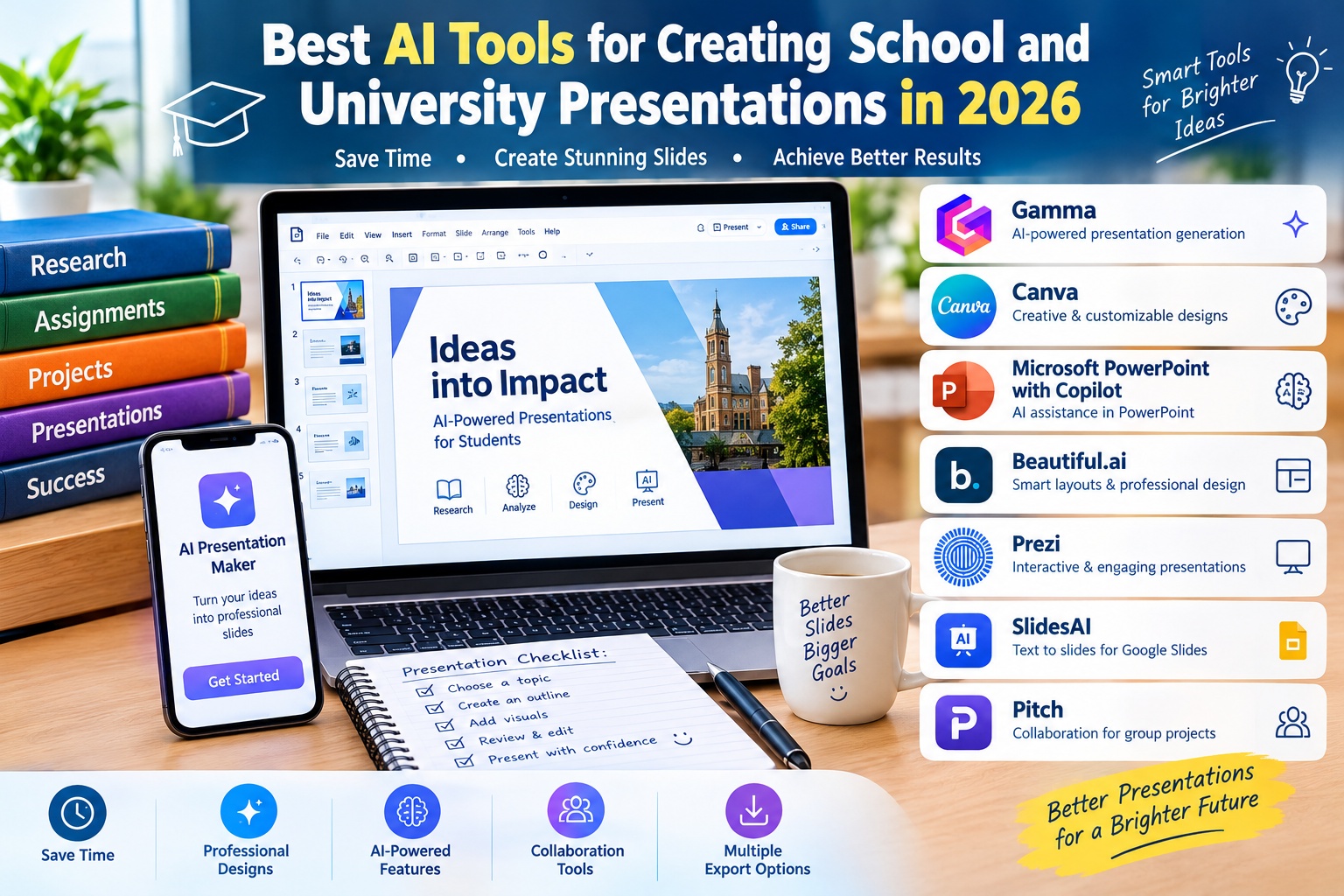
Gamma is a strong choice for students who want to generate a polished presentation draft quickly. Canva offers greater creative flexibility, while PowerPoint with Copilot is particularly useful when the final presentation must remain editable in Microsoft’s familiar slide format.
Beautiful.ai is suitable for students who prioritize clean, consistent design. Prezi is useful for visual storytelling, SlidesAI is convenient for Google Slides users, and Pitch provides collaborative tools for group projects.
For students who need a free or low-cost solution, it is worth comparing the free features of Gamma, Canva, Google Slides, and Pitch before purchasing a subscription. Students should also check whether their educational institution provides access to premium software.
The most effective choice is not necessarily the platform that generates the most slides. It is the tool that helps you create a clear, accurate, visually appealing presentation that meets your assignment requirements.
Best Presentation Accessories on Amazon Germany and the European Union
AI presentation makers are primarily software platforms, so their subscriptions are generally purchased through official websites or supported app stores rather than Amazon. However, students can complement these tools with presentation accessories, laptops, tablets, wireless presenters, and other educational equipment available through Amazon Germany and other European marketplaces.
1. Wireless Presentation Remotes
A wireless presentation remote allows students to move between slides while standing away from their computer. Many models include forward and backward controls, and some provide laser pointers or other presentation functions.
These devices can be useful for classroom presentations, university seminars, thesis defenses, and group projects. Before buying one, check its operating system compatibility, wireless connection type, battery requirements, and compatibility with your presentation software.
Amazon Germany: https://www.amazon.de/s?k=wireless+presentation+remote
Amazon France: https://www.amazon.fr/s?k=telecommande+presentation+sans+fil
Amazon Italy: https://www.amazon.it/s?k=telecomando+presentazioni+wireless
Amazon Spain: https://www.amazon.es/s?k=presentador+inalambrico
2. Laptops for Creating AI Presentations
A suitable laptop makes it easier to research topics, use browser-based AI presentation tools, edit slides, prepare speaker notes, and deliver presentations. Most online presentation generators work through a web browser, so students should consider their software requirements and internet access before choosing a device.
Important factors include memory, storage capacity, screen quality, battery life, keyboard comfort, portability, and compatibility with required educational software.
Amazon Germany: https://www.amazon.de/s?k=student+laptop
Amazon France: https://www.amazon.fr/s?k=ordinateur+portable+etudiant
Amazon Italy: https://www.amazon.it/s?k=portatile+per+studenti
Amazon Spain: https://www.amazon.es/s?k=portatil+para+estudiantes
3. Tablets for Reviewing and Presenting Slides
Tablets can be useful for reviewing presentation drafts, reading research materials, annotating documents, and displaying slides during study sessions. Some students also use them as secondary screens when preparing presentations on a laptop.
When choosing a tablet, consider screen size, battery life, storage, stylus support, keyboard compatibility, and the availability of the presentation applications you use.
Amazon Germany: https://www.amazon.de/s?k=tablet+for+students
Amazon France: https://www.amazon.fr/s?k=tablette+pour+etudiants
Amazon Italy: https://www.amazon.it/s?k=tablet+per+studenti
Amazon Spain: https://www.amazon.es/s?k=tablet+para+estudiantes
4. USB-C Hubs and HDMI Adapters
A USB-C hub or HDMI adapter can help students connect their laptops to classroom projectors, external displays, and other presentation equipment. This is particularly important when a university classroom uses an HDMI connection but the student’s laptop has only USB-C ports.
Before purchasing an adapter, check the laptop’s supported display output, connector type, resolution requirements, and whether the adapter supports the connection needed by the classroom equipment.
Amazon Germany: https://www.amazon.de/s?k=usb+c+to+hdmi+adapter
Amazon France: https://www.amazon.fr/s?k=adaptateur+usb+c+hdmi
Amazon Italy: https://www.amazon.it/s?k=adattatore+usb+c+hdmi
Amazon Spain: https://www.amazon.es/s?k=adaptador+usb+c+hdmi
Amazon availability, prices, shipping options, and product selection vary by marketplace. These links lead to relevant product search results rather than guaranteed listings for a specific product.
How to Choose the Best AI Presentation Maker for School or University
Choosing the right AI presentation tool starts with understanding your assignment. A short school presentation may require only a simple outline, a few images, and clear explanations. A university research presentation may require references, data visualizations, detailed speaker notes, and a more formal design.
If speed is your priority, Gamma can help you turn a topic or outline into a presentation draft quickly. If you want extensive design customization, Canva is a practical option. Students who need editable PowerPoint files should consider PowerPoint with Copilot or another tool that supports a suitable PowerPoint export workflow.
For collaborative assignments, look for features that allow several students to edit, review, and comment on the same presentation. Pitch and Canva may be useful options, depending on the collaboration features available in your plan.
Before paying for an AI presentation subscription, check the free plan, export formats, monthly usage limits, privacy terms, and compatibility with your school’s requirements. A tool that generates attractive slides but cannot export the required format may not be suitable for your assignment.
It is also important to confirm whether your school or university permits AI assistance and whether it requires disclosure. Following academic guidelines helps ensure that AI improves your workflow without replacing your own understanding and contribution.
Tips for Creating Better Presentations with AI
Start with a clear prompt that explains the topic, intended audience, number of slides, language, presentation length, and desired visual style. For example, you could ask an AI presentation maker to create a ten-slide university presentation about renewable energy, with a concise introduction, three main sections, relevant examples, a conclusion, and references.
Provide reliable source material whenever the tool supports it. Your own lecture notes, course readings, and verified research can help you create a presentation that is more closely aligned with your assignment than a generic topic prompt.
Keep each slide focused on one main idea. Long paragraphs are usually difficult to read during a presentation, so use concise bullet points, diagrams, charts, and relevant images where appropriate.
Review every AI-generated claim, statistic, quotation, and reference. AI tools can generate incorrect information or citations that do not lead to genuine sources. Academic presentations should rely on credible sources and follow the citation style required by the teacher or university.
Finally, practice presenting the slides aloud before your class or seminar. AI can help organize information, but your ability to explain the material clearly and answer questions remains essential.
Frequently Asked Questions About AI Presentation Makers
What Is the Best AI Presentation Tool for Students in 2026?
Gamma is a strong option for generating presentation drafts quickly, Canva is excellent for visual customization, and PowerPoint with Copilot is useful for students who need editable PowerPoint presentations. The best choice depends on your assignment, budget, and preferred workflow.
Can AI Create a Complete School Presentation Automatically?
Yes. Many AI presentation tools can generate an initial presentation from a topic, prompt, outline, or supported document. However, the result should be reviewed and edited to ensure that the information is accurate, relevant, and appropriate for the intended audience.
Which AI Presentation Maker Is Best for University Projects?
PowerPoint with Copilot is useful for formal presentations that require editable slides, while Gamma and Canva can help students create visually appealing presentations. For group assignments, platforms with collaboration features, such as Pitch and Canva, may be particularly useful.
Are There Free AI Tools for Creating Presentations?
Yes. Gamma, Canva, and Pitch offer free access to selected features, while Google Slides provides a presentation editor that can be used without a paid subscription. AI capabilities, export options, and usage limits vary by platform and plan.
Can AI Presentation Tools Generate PowerPoint Files?
Several tools provide PowerPoint export or workflows that support editable presentations. Availability and limitations vary, so check the current plan details and test the exported file before submitting your assignment.
Can I Buy AI Presentation Software on Amazon Germany?
Most AI presentation platforms sell subscriptions through their official websites or supported app stores rather than through Amazon. Amazon Germany is more useful for purchasing presentation remotes, laptops, tablets, adapters, and other accessories that support school and university presentations.
Conclusion: Which AI Presentation Maker Should You Choose?
The best AI tools for creating school and university presentations in 2026 can save time, improve slide design, and help students organize information more effectively. Gamma is a strong choice for rapid presentation generation, Canva offers extensive creative flexibility, and Microsoft PowerPoint with Copilot supports established academic presentation workflows.
Beautiful.ai is useful for polished layouts, Prezi provides an alternative approach to visual storytelling, SlidesAI helps transform written content into Google Slides presentations, and Pitch supports collaborative group projects.
Before choosing a platform, compare its features, free plan, export options, and compatibility with your academic requirements. Most importantly, verify the content, use reliable sources, and make sure you understand the subject well enough to explain it confidently.
Ultimately, the best AI presentation maker is the one that helps you communicate your ideas clearly, present accurate information, and create engaging slides while preserving your own learning and creativity.


