
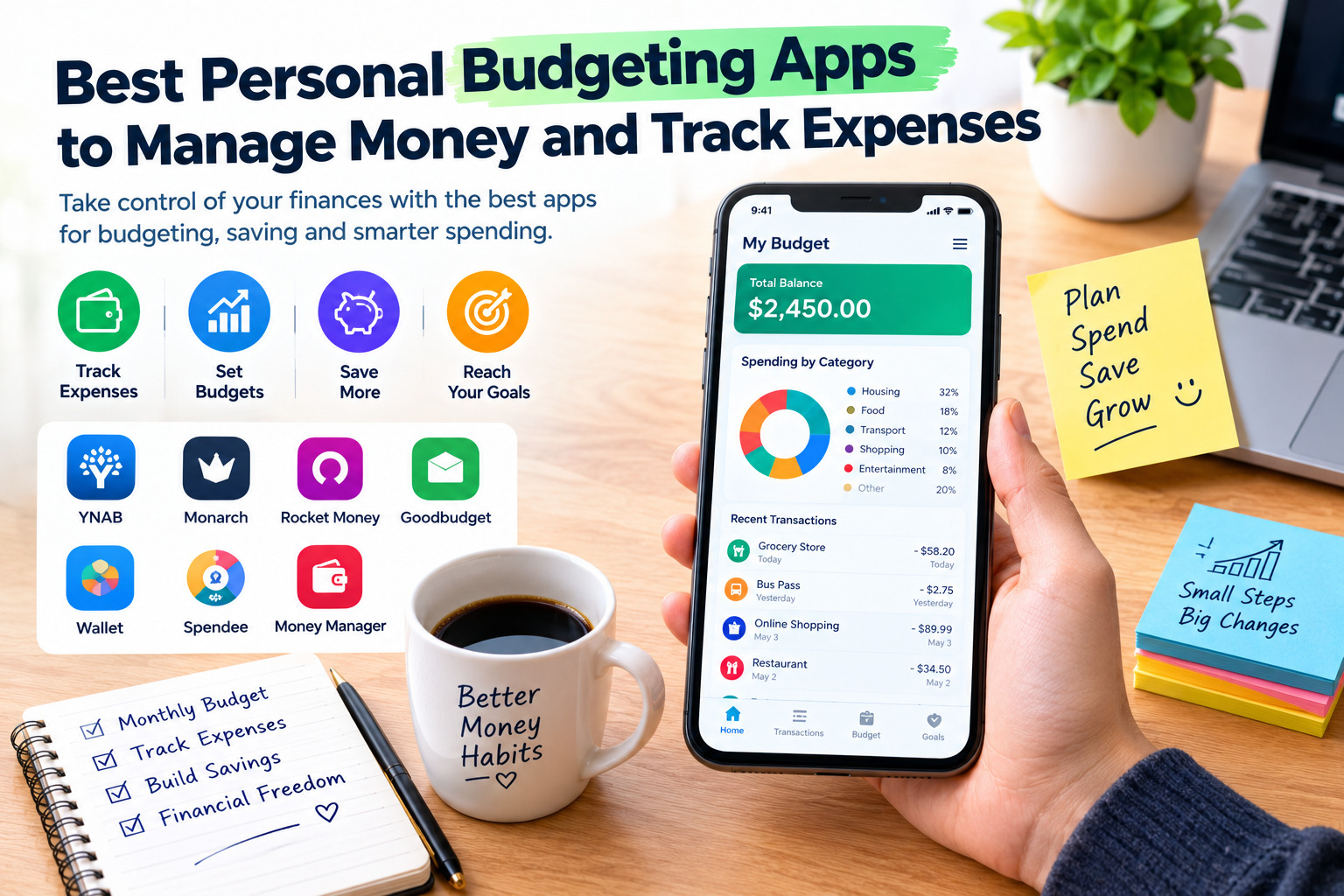
Best Personal Budgeting Apps to Manage Money and Track Expenses
Managing personal finances becomes much easier when you know exactly how much money you earn, where your money goes, and how much you can save each month. The best personal budgeting apps help you organize your income, track daily expenses, control unnecessary spending, plan monthly budgets, and work toward financial goals without relying on complicated spreadsheets.
Whether you are a student, employee, freelancer, parent, or business owner managing personal finances, a budgeting app can help you make better financial decisions. Some applications automatically import transactions from connected bank accounts, while others allow you to record cash expenses manually. The right choice depends on your preferred budgeting method, location, bank compatibility, privacy requirements, and budget.
This guide compares seven of the best personal budgeting apps and expense trackers, explaining how each one works, its main features, advantages, disadvantages, and the type of user who may benefit most from it.
1. YNAB (You Need a Budget)
Best for: People who want a structured budget and a clear plan for every dollar.
YNAB is a personal budgeting app built around a proactive approach to money management. Instead of simply showing how much you spent last month, it encourages you to decide what your available money should cover before spending it. This method can be useful for people who want to reduce financial stress, build savings, and become more intentional about their spending habits.
How to Use YNAB
Start by entering your available money and creating categories for essential expenses, such as rent, groceries, transportation, utilities, insurance, and debt payments. Next, assign money to each category according to your priorities. When you pay for something, record the transaction or import it from a supported bank account. Update your plan whenever your income or priorities change.
For example, if you receive a monthly income of $2,000, you can allocate specific amounts to housing, food, transportation, savings, and entertainment. When your grocery category reaches its limit, you can either reduce spending or move money from another category. This approach helps you make deliberate decisions rather than discovering that you have overspent at the end of the month.
Main Features
- Zero-based budgeting that assigns available money to specific purposes.
- Expense tracking through manual entry and supported bank imports.
- Savings goals and debt-management planning.
- Synchronization across supported devices.
- Educational resources that help users develop better financial habits.
- Shared budgeting for households and families.
Advantages
YNAB is particularly useful for people who want to change their spending behavior instead of merely reviewing transactions. Its category-based approach makes financial priorities visible and encourages regular budget reviews. It can also help couples coordinate spending and savings goals.
Disadvantages
YNAB is a paid service after its free trial, so the subscription may not be worthwhile for someone who only needs a basic expense tracker. The budgeting method also requires regular attention, especially during the first few weeks. Bank synchronization depends on supported institutions, so manual entry may be necessary for some users.
Pricing: YNAB offers a 34-day free trial, with its official pricing page listing monthly and annual subscriptions. Check the current price before subscribing.
Official website and pricing: https://www.ynab.com/pricing/
2. Monarch Money
Best for: Individuals and households who want a comprehensive view of their finances.
Monarch Money combines budgeting, expense tracking, savings goals, cash-flow analysis, and net-worth monitoring in one platform. Rather than focusing only on everyday spending, it helps users understand their overall financial position by bringing supported financial accounts into a single dashboard.
This makes Monarch a useful option for households with multiple bank accounts, savings accounts, investments, and financial goals. It also supports collaboration, allowing partners to manage shared finances while maintaining a clearer picture of their combined financial situation.
How to Use Monarch Money
After creating an account, connect supported financial institutions or enter information manually where available. Review imported transactions and correct any categories that are inaccurate. Then create a monthly budget, organize spending into categories, and set targets for goals such as an emergency fund, a holiday, a major purchase, or debt repayment.
Use the dashboard to compare actual spending with your budget. At the end of each month, review reports to identify categories that consistently exceed expectations. You can then adjust your spending limits or change how much you allocate to savings.
Main Features
- Budgeting by category and more flexible spending groups.
- Automatic transaction categorization with options for corrections.
- Cash-flow reports and spending trends.
- Savings and debt-payoff goals.
- Net-worth and investment tracking.
- Shared access for household budgeting.
- Web, mobile, and tablet access.
Advantages
Monarch is a strong option for people who want to manage several aspects of their finances in one place. Its reporting tools make it easier to review long-term trends, while shared access can help households coordinate their financial plans. It also offers more flexibility than a simple notebook-style expense tracker.
Disadvantages
Monarch is primarily a subscription-based product, and its cost may be difficult to justify if you only need to record daily purchases. Its connected-account features depend on supported financial institutions, and some advanced planning tools are available only in higher-priced plans. Users should confirm availability and pricing in their country before signing up.
Pricing: The official pricing page lists paid Core and Plus plans, with a trial available for eligible new users. Prices and promotions can change.
Official website and pricing: https://www.monarch.com/pricing
3. Rocket Money
Best for: People who want to control recurring expenses and manage subscriptions.
Rocket Money focuses on helping users understand their spending, monitor recurring bills, and identify subscriptions they may no longer need. It also includes budgeting and transaction-tracking tools, making it useful for people who frequently lose track of small monthly payments.
Recurring expenses can gradually consume a large part of a budget. Streaming services, app subscriptions, memberships, and other automatic payments may seem inexpensive individually, but reviewing them together can reveal opportunities to save money.
How to Use Rocket Money
Start by connecting a supported financial account and allowing the app to identify transactions and recurring payments. Review your subscriptions and upcoming bills, then create a budget for your major spending categories. Check the app regularly to identify unusual spending patterns or recurring charges that deserve attention.
If you discover an unwanted subscription, review the available cancellation options. Certain cancellation assistance and advanced budgeting features may require a paid membership. Always confirm the terms before using a service that negotiates or cancels bills on your behalf.
Main Features
- Recurring subscription tracking.
- Spending summaries and transaction categorization.
- Budgeting tools and bill reminders.
- Cash-flow monitoring.
- Additional financial insights through paid plans.
- Optional bill-negotiation services, subject to eligibility and fees.
Advantages
Rocket Money can help users identify recurring charges that might otherwise go unnoticed. Its subscription-monitoring features are particularly helpful for people who have several digital services or automatic payments. The free tier also provides a way to explore basic budgeting and tracking features before deciding whether to upgrade.
Disadvantages
Some advanced budgeting features and subscription-cancellation services require payment. Availability and account connectivity may vary by country, and certain services are primarily designed for eligible users in the United States. Bill negotiation can involve a fee if the service successfully saves money, so read the terms carefully.
Pricing: Rocket Money offers free and paid tiers. Premium pricing and available features can vary depending on the plan and signup method.
Official website and pricing information: https://www.rocketmoney.com/learn/personal-finance/how-much-does-rocket-money-cost
4. Goodbudget
Best for: Families and individuals who prefer the envelope budgeting method.
Goodbudget uses a digital version of envelope budgeting, a traditional method in which money is divided into separate categories before it is spent. Instead of placing cash in physical envelopes, users create digital envelopes for expenses such as groceries, transport, household bills, entertainment, and savings.
This approach is particularly useful for people who want to set spending limits in advance. It can also help families agree on how much money is available for each category and avoid spending the same money twice.
How to Use Goodbudget
Create envelopes for your regular expenses and assign a portion of your available income to each one. For example, you might create separate envelopes for food, transportation, electricity, personal purchases, and emergency savings. Whenever you spend money, record the transaction and subtract it from the appropriate envelope.
Check your remaining balances before making purchases. If the entertainment envelope is empty, you can postpone an optional purchase or deliberately reallocate money from another category. The important principle is to make the trade-off visible before spending.
Main Features
- Digital envelopes for different spending categories.
- Manual income and expense tracking.
- Budget sharing across supported devices.
- Savings and debt-tracking tools.
- Access through the web and mobile apps.
- Automatic bank synchronization in the paid plan for supported US banks.
Advantages
Goodbudget makes budgeting straightforward and encourages users to plan their spending in advance. Its envelope method is easy to understand and can be especially useful for households that want to coordinate expenses. Manual entry also makes it practical for users who pay mainly with cash or cannot connect their bank accounts.
Disadvantages
Recording transactions manually can take time, particularly for users with many daily purchases. Automatic bank synchronization is limited to supported US banks, which may make it less convenient for international users. The free plan also has limits on envelopes, accounts, devices, and transaction history.
Pricing: Goodbudget offers a free plan and a paid Premium plan. The official signup page lists the current subscription options.
Official website and pricing: https://goodbudget.com/signup/
5. Wallet by BudgetBakers
Best for: Users who want expense tracking, budgeting, and financial reports in one app.
Wallet by BudgetBakers is a personal finance application designed to help users organize income, track spending, create budgets, and monitor their financial progress. It supports automatic transaction synchronization with participating banks, as well as manual expense entry for users who prefer to record cash purchases themselves.
Its combination of spending categories, visual reports, planned payments, and budgeting tools makes it a practical choice for people who want more information about their financial habits without necessarily using a strict zero-based budgeting system.
How to Use Wallet
Begin by creating accounts for the money you want to track, such as checking accounts, savings accounts, cash, or credit cards. Where supported, connect your bank to import transactions automatically. Otherwise, enter purchases and income manually.
Next, establish budgets for categories such as groceries, fuel, transport, rent, and entertainment. Set spending limits based on your actual income and previous expenses. As transactions accumulate, use the reports to identify categories that consume more money than expected. You can also schedule recurring payments to keep track of upcoming bills.
Main Features
- Budget limits by category and time period.
- Automatic bank synchronization with supported institutions.
- Manual expense tracking.
- Automatic transaction categorization.
- Cash-flow reports and spending analysis.
- Planned payments and reminders.
- Financial reports and data export options.
- Mobile and web access.
Advantages
Wallet offers a flexible combination of manual tracking and automation. Its reports can help users identify spending patterns, while planned payments make it easier to prepare for recurring bills. It is also useful for people who want to track several accounts without relying on separate spreadsheets.
Disadvantages
Some advanced features, including bank synchronization and additional reporting capabilities, may require a paid plan. Bank coverage varies by country and institution, so users should verify whether their banks are supported. The number of features may also feel excessive for someone who only wants a simple daily expense log.
Pricing: Wallet has a free tier and paid Premium options. Confirm the current price and feature limits on the official website.
Official website: https://budgetbakers.com/en/products/wallet/
Download and platform information: https://budgetbakers.com/en/products/wallet/download/
6. Spendee
Best for: People who want visual expense tracking and flexible budgets.
Spendee is a personal finance app that helps users monitor income and expenses, organize transactions, and create budgets for everyday spending or specific financial goals. Its wallet-based system can be useful for separating different areas of life, such as household expenses, travel, personal spending, or a shared family budget.
The app supports manual tracking and automatic transaction imports from compatible financial institutions. Its visual summaries can help users understand where their money goes without having to analyze a large spreadsheet.
How to Use Spendee
Create a wallet for your main finances, then add separate wallets for specific purposes if needed. Record income and expenses manually or connect a supported account. Review the transaction categories to see how much you spend on food, shopping, transport, bills, and other activities.
Set a budget for the categories you want to control. Spendee can provide notifications when you approach your budget limit and show how much remains available during the budget period. For a holiday or large purchase, create a dedicated wallet or budget so that the associated spending stays separate from everyday expenses.
Main Features
- Income and expense tracking.
- Budget limits and spending notifications.
- Multiple wallets for different purposes.
- Automatic categorization for supported transactions.
- Bank and selected digital-wallet connections, depending on the plan and availability.
- Shared wallets for family or group expenses.
- Reports and visual spending summaries.
Advantages
Spendee has a visual approach that can make financial tracking easier to understand. Separate wallets are helpful for travel, household budgeting, and saving toward specific goals. Its free plan provides a starting point for people who want to try a budgeting app without immediately paying for a subscription.
Disadvantages
The free plan has limits on the number of wallets and budgets. Some of the most useful features, including additional budgets, shared wallets, and expanded account connections, require a paid plan. Bank synchronization depends on the supported institution and country, so automatic tracking may not be available to everyone.
Pricing: Spendee offers a free Basic plan and paid Plus and Premium plans. Its official pricing page lists current prices and included features.
Official website and pricing: https://www.spendee.com/pricing
7. Money Manager Expense & Budget
Best for: Users who prefer manual expense tracking and detailed financial records.
Money Manager Expense & Budget, developed by Realbyte, is designed for people who want to record transactions, set spending limits, and review their finances through charts and reports. It is particularly suitable for users who prefer to enter expenses themselves instead of connecting their bank accounts.
Manual tracking can be an advantage when you want more control over what is recorded, especially if you frequently use cash, have accounts that are not supported by financial apps, or want to keep a detailed personal spending record.
How to Use Money Manager
Start by entering your income and creating categories for your expenses. Each time you spend money, record the amount, date, account, and category. You can also record transfers between accounts so that moving money from checking to savings is not incorrectly treated as a new expense.
Create monthly budgets for important categories and review the statistics section to compare your income and spending. Use the calendar and charts to identify expensive periods, monitor recurring payments, and adjust your budget for the following month. You can also maintain records for savings, loans, and other assets where supported.
Main Features
- Manual income and expense recording.
- Monthly and category-based budgets.
- Daily, weekly, and monthly reports.
- Charts and financial statistics.
- Receipt photos and transaction notes.
- Account transfers and recurring transaction schedules.
- Support for tracking various assets and liabilities.
Advantages
Money Manager is a practical choice for users who want detailed records without depending on automatic bank connections. It can be useful for cash-based spending and for people who want to review their finances carefully. Its reporting features also make it easier to understand how spending changes over time.
Disadvantages
Manual entry requires consistency. If you forget to record purchases, your reports may become inaccurate. Users who want automatic synchronization across many bank accounts may prefer an app that specializes in connected-account tracking. Some additional features may also depend on the platform or paid edition.
Pricing: The app offers a free version and paid options for additional features, depending on the platform. Check the official website or your device’s app store for current details.
Official website: https://realbyteapps.com/moneymanager/
Comparison of the Best Personal Budgeting Apps
The following table summarizes the main strengths of each app to help you choose one that matches your financial habits.
| App | Best Use | Main Strength | Main Limitation |
|---|---|---|---|
| YNAB | Structured budgeting | Assigning money to specific purposes | Paid subscription and learning curve |
| Monarch Money | Household finances | Budgeting, reports, and net-worth tracking | Paid plans and regional limitations |
| Rocket Money | Recurring bills | Subscription tracking and bill management | Some services are paid and US-focused |
| Goodbudget | Envelope budgeting | Simple spending limits and planning | Manual entry and limited bank synchronization |
| Wallet | Everyday money management | Flexible budgets and detailed reports | Some features require Premium |
| Spendee | Visual expense tracking | Separate wallets and shared budgets | Limits on the free plan |
| Money Manager | Manual tracking | Detailed records and statistics | Requires consistent transaction entry |
Features, subscription prices, and bank connections can change. Always check the official website and confirm availability in your country before choosing a paid plan.
How to Choose the Right Budgeting App
The best app is not necessarily the one with the most features. It is the one you can use consistently and that supports the way you earn, spend, and save money.
Choose an App That Matches Your Budgeting Style
If you want to decide in advance how every part of your income will be used, YNAB is worth considering. If you prefer assigning amounts to digital envelopes, Goodbudget may be a better fit. For flexible budgets and detailed spending reports, compare Wallet, Spendee, and Monarch Money. If your main concern is recurring subscriptions and bills, Rocket Money may be more relevant.
Check Bank Compatibility Before Connecting Accounts
Automatic synchronization can save time, but it is not available for every bank or country. Before paying for a subscription, check the app’s list of supported financial institutions. If your bank is not supported, look for manual transaction entry, file imports, or other practical alternatives.
This is particularly important for users who rely on local banks or use multiple currencies. Do not assume that an app’s international marketing means every feature is available in your location.
Compare Free and Paid Features
A free app may be enough if you only need to record daily expenses and review monthly totals. Paid plans can be worthwhile if you regularly use automatic synchronization, shared budgets, advanced reports, or savings-planning tools.
Calculate the annual subscription cost and compare it with the value you expect to receive. An expensive application will not automatically improve your finances if you rarely open it or do not follow the budget it creates.
Consider Privacy and Security
Budgeting apps may contain sensitive information about your income, spending habits, and financial accounts. Before connecting an account, review the app’s privacy policy, security measures, data-sharing practices, and account deletion options.
Use a strong, unique password and enable multifactor authentication when available. Prefer secure, read-only bank connections where supported, and never share banking passwords through messages or with unofficial third parties.
Make Sure the App Supports Your Currency and Location
If you receive income or pay expenses in more than one currency, verify how the app handles currency conversion and reports. Also check whether its mobile application is available for your device and whether its bank connections, customer support, and subscription options are available in your country.
How to Use a Budgeting App to Improve Your Finances
Downloading a budgeting app is only the first step. To get meaningful results, use a simple routine that connects your spending records to real decisions.
Step 1: Record Your Income
Enter your salary, freelance earnings, business withdrawals, or other regular income. If your income changes from month to month, use a conservative estimate and update it when you receive the actual amount.
Step 2: Identify Essential Expenses
Start with housing, utilities, groceries, transportation, debt payments, insurance, and other necessary costs. These expenses should be planned before discretionary spending.
Step 3: Review Your Previous Spending
Use your app’s reports to estimate how much you spend in each category. Look for patterns rather than focusing on a single unusual purchase. Your previous spending provides a useful starting point for setting realistic limits.
Step 4: Set Practical Spending Limits
Create a budget for each category you want to control. Avoid setting limits so low that they are impossible to maintain. If your actual spending is consistently higher than your target, investigate why and adjust your plan instead of repeatedly ignoring it.
Step 5: Track Transactions Regularly
Check your transactions daily or several times a week. Correct categories when necessary and record cash purchases if your app does not import them automatically. Consistent records are essential for accurate reports.
Step 6: Review Your Progress Every Week
Look at how much you have spent, how much remains in each category, and which upcoming bills need attention. If one category is approaching its limit, decide whether to reduce spending or move money from a less important category.
Step 7: Review Your Budget at the End of Each Month
Compare planned spending with actual results. Identify categories where you overspent, expenses that can be reduced, and savings goals that need adjustment. Then prepare a more realistic plan for the following month.
Step 8: Build an Emergency Fund
Once you understand your expenses, set a savings target for unexpected costs. Begin with an amount you can manage regularly and increase it as your financial situation improves. A dedicated savings category or goal in your budgeting app can help you monitor progress.
Common Mistakes to Avoid When Managing Personal Expenses
Even a good budgeting app cannot compensate for unrealistic plans or incomplete records. Avoid these common mistakes:
- Ignoring cash expenses: Small cash purchases can add up and make your spending reports inaccurate.
- Creating unrealistic budgets: Spending limits should reflect your actual income and essential obligations.
- Forgetting irregular expenses: Annual insurance payments, repairs, school costs, and other occasional expenses should be planned in advance.
- Treating credit as income: Borrowed money does not increase your long-term financial resources. Track credit-card purchases and debt payments carefully.
- Using too many apps at once: Multiple overlapping trackers can create duplicate transactions and unnecessary complexity.
- Paying for features you do not use: Start with a free plan or trial when available and upgrade only when a specific feature provides enough value.
- Ignoring privacy settings: Review account permissions and avoid connecting financial accounts to services you do not trust.
- Checking reports without changing behavior: The goal is not just to collect numbers. Use the information to make better spending and saving decisions.
Final Verdict
The best personal budgeting app depends on what you want to improve. YNAB is a strong choice for people who want a structured budgeting method. Monarch Money suits households looking for a broader financial overview, while Rocket Money focuses on recurring subscriptions and bills. Goodbudget is ideal for envelope budgeting, Wallet offers flexible expense tracking and reports, Spendee provides visual budgeting and separate wallets, and Money Manager is a useful option for people who prefer detailed manual records.
Before choosing, confirm the app’s current price, supported currencies, bank compatibility, privacy policy, and free-plan limitations. Start with one app, enter your income and expenses consistently, and review your progress every week. Over time, this simple routine can help you control spending, prepare for upcoming bills, build savings, and make more confident financial decisions.


