
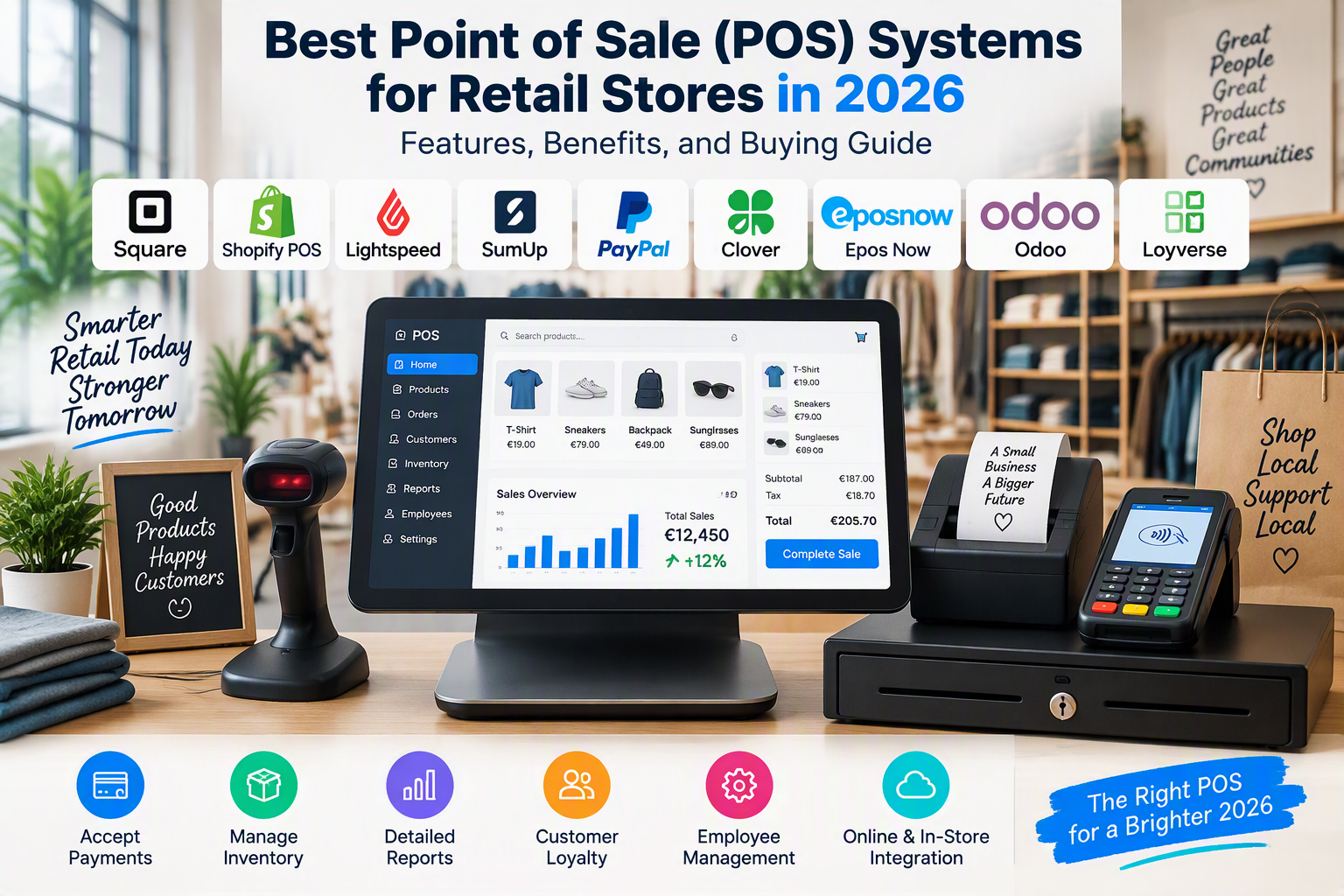
Best Point of Sale (POS) Systems for Retail Stores in 2026: Features, Benefits, and Buying Guide
Why Retail Stores Need Modern POS Systems in 2026
A point of sale (POS) system is an essential tool for modern retail businesses. It helps store owners process customer transactions, accept payments, manage inventory, track sales, and organize daily operations. Whether you operate a small convenience store, clothing boutique, supermarket, electronics shop, or growing retail business, choosing the right POS system can improve efficiency and customer satisfaction.
Traditional cash registers can handle basic transactions, but modern POS systems offer much more. They combine payment processing, product management, sales reporting, employee management, and customer information in a centralized platform.
In 2026, many retailers also need to connect their physical stores with online shops. Customers increasingly expect consistent product availability, flexible payment options, and convenient returns across different sales channels. A suitable POS system can help retailers coordinate these activities.
The best POS systems for retail stores vary according to business size, product range, budget, payment requirements, and technical needs. Some solutions focus on simple checkout and card payments, while others offer advanced inventory management, customer loyalty programs, and multi-location reporting.
This guide explores popular retail POS systems, their features and advantages, essential hardware, and the factors to consider before investing in a complete point of sale solution.
1. Square POS: A Practical Choice for Small Retail Stores
Square POS is a point of sale solution designed to help businesses manage in-person sales and related retail activities. It can be suitable for independent shops, boutiques, market sellers, and small retailers looking for an accessible checkout system.
The platform combines payment processing with tools for managing products, recording transactions, and reviewing business performance. Available features depend on the service plan, hardware, and country in which the business operates.
Main Features and Benefits
Square offers POS software, supported payment hardware, product management, sales reporting, and inventory-related features. Depending on the configuration, businesses can also access employee management, customer management, and integrations with other applications.
One advantage is its straightforward approach to checkout. Employees can select products, process supported payments, and record transactions through a compatible device.
Inventory features can help retailers maintain product records and monitor stock levels. Sales reports can also provide useful information about revenue, product performance, and business activity.
Square offers hardware options for different retail environments, including card readers and dedicated POS devices where supported.
However, retailers should verify service availability in their country, supported payment methods, hardware compatibility, and transaction fees before choosing the platform.
Best for: Small retailers, independent shops, pop-up stores, and businesses seeking a relatively simple POS solution.
Official website: https://squareup.com/
2. Shopify POS: Best for Online and Physical Retail Integration
Shopify POS is designed for businesses that sell through physical stores and online channels. It connects in-person selling with the wider Shopify ecommerce environment.
This can be particularly useful for clothing boutiques, beauty retailers, homeware stores, and brands that operate both an online shop and a physical location.
Main Features and Benefits
Shopify POS supports in-person transactions, product management, customer records, and order processing. It can also synchronize relevant product and inventory information between supported sales channels.
For example, a retailer selling clothing online and in-store can use a connected system to manage product variants such as sizes and colors.
The platform also supports compatible payment hardware and integrations with additional business applications.
One of its main advantages is the ability to coordinate online and offline retail operations. Staff may be able to access relevant customer and order information without switching between entirely separate systems.
However, Shopify POS is most attractive when the business already uses Shopify or plans to build its online store on that platform. Subscription costs, hardware requirements, and advanced POS features should be evaluated before making a decision.
Best for: Retailers selling online and in physical stores, growing brands, and businesses seeking centralized product management.
Official website: https://www.shopify.com/pos
3. Lightspeed Retail: Advanced Inventory and Sales Management
Lightspeed Retail is a POS solution designed for retailers that need more detailed inventory control and business reporting.
It can be useful for specialty shops, sporting goods retailers, bicycle stores, fashion businesses, and companies operating multiple locations or managing extensive product catalogs.
Main Features and Benefits
Depending on the plan and configuration, Lightspeed Retail offers sales processing, product catalog management, inventory tracking, reporting, supplier-related workflows, and customer management.
Retailers with large product catalogs can benefit from tools for organizing product variations, monitoring stock, and managing purchasing activities.
Reporting features can help store owners understand sales trends and evaluate product performance. Businesses with multiple locations may also benefit from centralized oversight of supported operations.
Lightspeed can provide more advanced functionality than a basic cash register, although the additional capabilities may require more setup and employee training.
Pricing and supported hardware can vary by market and plan. Businesses should verify compatibility with their existing equipment and payment provider before subscribing.
Best for: Established retailers, specialty stores, and businesses with complex inventory requirements.
Official website: https://www.lightspeedhq.com/
4. SumUp POS: Simple Payments for Small Retailers
SumUp provides payment solutions and business tools aimed at small businesses, independent retailers, and mobile sellers.
Its products can be useful for businesses that want to accept card payments without investing immediately in a complex retail management system.
Main Features and Benefits
SumUp offers supported card readers, payment terminals, and business services. Depending on the market and product selected, merchants may also access POS software and additional sales management features.
Contactless payments and supported digital wallets can make checkout more convenient for customers.
Portable payment devices can be particularly helpful for market stalls, temporary shops, small boutiques, and businesses that sell outside a traditional checkout counter.
Another advantage is the availability of compact hardware options. Businesses can choose equipment that matches their sales environment rather than purchasing a large fixed terminal.
However, merchants should distinguish between a payment terminal and a complete retail POS system. Businesses requiring detailed stock control, purchase orders, or complex reporting may need additional software.
Best for: Small shops, mobile retailers, market traders, and businesses that prioritize straightforward payment acceptance.
Official website: https://www.sumup.com/
5. PayPal Point of Sale: Convenient Payments for Small Businesses
PayPal offers point of sale and in-person payment services in supported markets. Its POS offering can be relevant to small retailers that already use PayPal for business payments.
Depending on the country and product, merchants may have access to card readers, payment acceptance tools, and inventory-related features.
Main Features and Benefits
PayPal POS can support in-person payment processing through compatible hardware and supported payment methods.
For eligible businesses, using a familiar payment provider may simplify parts of the payment workflow.
Some configurations also offer basic product management and sales tracking, although available capabilities vary by market.
A compact card reader can be useful for businesses that need to accept payments at temporary locations, markets, events, or small retail counters.
Before choosing this solution, confirm which POS products are currently offered in your country, whether the required hardware is available, and whether its inventory capabilities meet your needs.
Best for: Small businesses and independent sellers looking for payment tools connected to the PayPal ecosystem.
Official website: https://www.paypal.com/
6. Clover POS: Integrated Hardware and Retail Management
Clover offers POS hardware and software for businesses that want an integrated checkout environment.
Depending on the product and service provider, Clover solutions may include touchscreen terminals, receipt printers, cash drawers, and payment processing tools.
Main Features and Benefits
Clover systems can provide sales processing, payment acceptance, product management, and reporting. Additional applications may support employee management, customer engagement, and other retail operations.
Dedicated terminals can create an organized checkout counter and help employees process transactions efficiently.
The availability of different hardware configurations can be useful for businesses that need a fixed checkout station or a more portable arrangement.
However, Clover products are often supplied through payment service providers, and contract terms, hardware prices, transaction fees, and software features may differ.
Retailers should compare the complete offer rather than selecting a terminal based on its purchase price alone.
Best for: Retailers seeking an integrated checkout terminal and businesses that prefer dedicated POS hardware.
Official website: https://www.clover.com/
7. Epos Now: POS Solutions for Retail and Hospitality
Epos Now provides POS solutions for businesses in retail and hospitality. Its systems combine checkout functionality with software designed to help manage everyday business activities.
It may be suitable for businesses that prefer a dedicated POS setup rather than relying entirely on a general-purpose tablet.
Main Features and Benefits
Depending on the selected package, Epos Now can provide sales processing, product management, inventory-related tools, reporting, and hardware integration.
Compatible setups may include touchscreen terminals, receipt printers, barcode scanners, and cash drawers.
These components can help retailers create a more organized checkout process and reduce manual transaction recording.
Additional integrations may support accounting, customer management, and other business workflows.
Businesses should check current availability, regional support, hardware specifications, payment processing terms, and contract requirements before purchasing.
Best for: Retailers and hospitality businesses that need a dedicated POS system with compatible hardware.
Official website: https://www.eposnow.com/
8. Odoo POS: Flexible Point of Sale Software
Odoo POS is part of the Odoo business management platform. It can help retailers connect checkout activities with inventory, purchasing, accounting, and other business processes.
This approach may be useful for businesses that want to manage more than payments through a single software environment.
Main Features and Benefits
Odoo POS supports product selection, sales transactions, customer-related functions, and integration with other Odoo applications.
When configured appropriately, inventory information can be connected to sales operations, helping businesses maintain more consistent stock records.
The broader platform can also connect POS activities with purchasing, invoicing, and other operational workflows.
Businesses can select relevant applications according to their needs, although advanced customization may require technical expertise.
The final cost depends on the selected edition, hosting, applications, implementation, and support.
Best for: Businesses seeking a flexible POS solution connected to a broader business management system.
Official website: https://www.odoo.com/
9. Loyverse POS: A Budget-Friendly Option for Small Shops
Loyverse POS is a retail and hospitality point of sale application that offers tools for recording transactions and managing basic store operations.
It may appeal to small retailers who want to begin with a straightforward software-based checkout setup.
Main Features and Benefits
Loyverse provides POS functionality, product management, sales reports, and inventory-related capabilities. Depending on the available service and configuration, businesses may also use customer loyalty tools and additional employee management features.
Its software-based approach can make it attractive to smaller businesses that already own compatible devices.
Retailers can organize products, record sales, and review business activity through supported applications.
However, additional features may require paid services, and compatible hardware may need to be purchased separately.
Businesses should verify supported payment integrations, offline functionality, inventory limits, and local availability before adopting the system.
Best for: Small shops, independent retailers, and businesses seeking an accessible POS application.
Official website: https://loyverse.com/
10. How to Choose the Best POS System for Your Retail Store
Choosing the right POS system requires an understanding of the store’s daily operations, payment requirements, inventory needs, and long-term goals.
A small shop may need only basic checkout and stock tracking, while a retailer with multiple branches may require centralized inventory, employee permissions, and advanced reporting.
Identify Your Business Requirements
Start by listing the tasks your POS system must handle.
These may include processing payments, recording cash sales, scanning barcodes, printing receipts, managing returns, tracking inventory, and generating daily sales reports.
If your business sells online as well as in-store, prioritize systems that support reliable synchronization between the relevant sales channels.
Selecting software based on actual needs helps prevent unnecessary expenses.
Compare Payment Methods
Customers may expect to pay with debit cards, credit cards, contactless cards, or supported digital wallets.
Choose a POS solution that supports the payment methods commonly used by your customers.
Check whether payment processing is integrated or supplied by a separate provider. Review transaction fees, settlement times, supported countries, and any contractual obligations.
A low monthly subscription does not necessarily mean the lowest total cost.
Evaluate Inventory Management
Inventory features are particularly important for retailers selling many products or product variations.
Look for product catalogs, stock tracking, barcode support, low-stock alerts, and purchase order management where needed.
Businesses with multiple branches should also check whether the system supports stock transfers and location-specific inventory.
Check Hardware Compatibility
Before buying a POS terminal, confirm that it works with your chosen software and payment provider.
Some systems support a broad range of devices, while others require proprietary hardware.
Consider the cost of the terminal, card reader, barcode scanner, receipt printer, cash drawer, and any necessary accessories.
Consider Ease of Use
Employees should be able to learn the system without extensive technical training.
An intuitive interface can make it easier to process transactions, manage returns, and resolve common checkout problems.
A free trial or product demonstration can help you assess usability before committing to a subscription.
Review Reporting and Security
Sales reports can help retailers monitor revenue, identify popular products, and understand purchasing trends.
Security is equally important. Look for appropriate account permissions, supported security updates, reliable data handling, and payment processing that meets applicable industry requirements.
Businesses operating in Germany and the European Union should also consider relevant data protection, tax, consumer protection, and electronic recordkeeping obligations.
11. Essential POS Hardware for Retail Stores
A complete POS setup may require several hardware components. The exact configuration depends on the business model, payment methods, product range, and checkout environment.
POS Terminals and Touchscreen Systems
A POS terminal provides the main interface for processing sales and managing checkout activities.
Dedicated terminals can offer an integrated setup, while tablet-based systems may provide greater flexibility for smaller stores.
Important considerations include screen size, processing performance, connectivity, durability, operating system, and software compatibility.
Amazon Germany: https://www.amazon.de/s?k=POS+terminal+retail
Amazon France: https://www.amazon.fr/s?k=terminal+point+de+vente
Card Readers and Payment Terminals
Card readers allow retailers to accept supported electronic payments.
Depending on the model and payment provider, devices may support chip cards, contactless cards, and digital wallets.
Some terminals connect to a smartphone or tablet, while others operate independently through a supported network connection.
Before purchasing, verify payment provider compatibility, supported card schemes, connectivity, security requirements, and transaction fees.
Amazon Germany: https://www.amazon.de/s?k=card+payment+terminal
Amazon Italy: https://www.amazon.it/s?k=terminale+pagamento+carte
Payment terminals that require a specific merchant account or service provider may not work simply by connecting them to a POS application.
Barcode Scanners
Barcode scanners help retailers identify products quickly and reduce manual entry during checkout.
They can also support stock counting, goods receiving, and inventory updates when integrated with compatible software.
Important features include barcode format support, scanning accuracy, connection type, durability, and compatibility with the operating system.
USB scanners are often suitable for fixed checkout counters, while wireless models can provide greater flexibility.
Amazon Germany: https://www.amazon.de/s?k=barcode+scanner+retail
Amazon Spain: https://www.amazon.es/s?k=lector+codigo+barras
Receipt Printers
Receipt printers produce printed transaction records for customers and store employees.
Thermal receipt printers are widely used in retail environments because they generally do not require ink cartridges or toner.
Before purchasing, check paper width, connection options, supported operating systems, printing speed, and compatibility with your POS software.
Businesses should also confirm whether printed receipts are required for their particular transactions and understand the applicable rules for digital receipts.
Amazon Germany: https://www.amazon.de/s?k=thermal+receipt+printer
Amazon France: https://www.amazon.fr/s?k=imprimante+ticket+thermique
Cash Drawers
Cash drawers provide a secure and organized place to store cash at the checkout counter.
Many models connect to compatible receipt printers or POS systems, while others operate independently.
Useful features include compartment organization, locking mechanisms, durability, and compatibility with the checkout setup.
Amazon Germany: https://www.amazon.de/s?k=POS+cash+drawer
Amazon Italy: https://www.amazon.it/s?k=cassetto+portasoldi+POS
Customer Displays
Customer-facing displays allow shoppers to review transaction information during checkout.
Depending on the system, these displays may show product names, quantities, prices, discounts, and the total amount due.
They can improve transaction transparency and help customers verify their purchases.
Before buying a display, check screen size, connectivity, mounting options, and compatibility with the selected POS software.
Amazon Germany: https://www.amazon.de/s?k=customer+display+POS
These Amazon links lead to product search pages, not guaranteed listings for specific devices. Prices, stock, delivery destinations, and compatibility can change. Verify specifications and seller information before purchasing.
12. Benefits of Using a Modern POS System
A modern POS system can improve several aspects of retail management.
One major benefit is faster checkout. Scanning barcodes and selecting products from a digital catalog can reduce manual calculations and help employees process transactions efficiently.
Another advantage is more organized sales recording. Transactions can be stored digitally, making it easier to review daily revenue and prepare business reports.
Inventory integration can also improve stock visibility. When configured correctly, the system can update inventory after sales and help employees identify products that need replenishment.
POS software can support better customer service by simplifying returns, locating product information, and retrieving relevant transaction records.
Some systems also provide customer management and loyalty features that help retailers organize promotions and reward repeat purchases.
Finally, centralized reporting can help business owners identify sales trends, compare product performance, and make more informed operational decisions.
The actual benefits depend on software configuration, employee training, data accuracy, and the quality of the selected hardware.
13. POS Systems for Different Types of Retail Businesses
The most suitable point of sale system depends on the store’s specific requirements.
Small convenience stores: A straightforward POS system with barcode scanning, payment processing, receipt printing, and basic inventory management may be sufficient.
Clothing boutiques: Shopify POS and Lightspeed Retail are worth evaluating because clothing retailers often need to manage sizes, colors, product variations, and returns.
Electronics stores: Retailers selling electronics may benefit from detailed product records, serial number tracking where supported, warranty information, and reliable inventory reporting.
Supermarkets and grocery stores: Businesses selling large quantities of products may need fast barcode scanning, appropriate scales, efficient checkout hardware, and more advanced inventory management.
Mobile retailers and market sellers: SumUp and other portable payment solutions may suit businesses that need compact equipment and straightforward payment acceptance.
Online and physical retailers: Shopify POS can be particularly relevant when a retailer wants to connect an existing Shopify online store with in-person sales.
Multi-location businesses: Lightspeed, Shopify POS, Odoo, and other appropriately configured platforms may be suitable depending on inventory complexity, reporting needs, integrations, and budget.
Retailers should evaluate the complete system rather than selecting software based solely on brand recognition.
14. POS Systems and Ecommerce Integration
Connecting a POS system with an online store can help businesses coordinate physical and digital sales.
Without integration, retailers may need to update product availability manually, maintain separate customer records, and reconcile transactions across different platforms.
An integrated setup can reduce some of this administrative work.
Unified Inventory Management
When supported systems synchronize stock information, online and in-store sales can draw from a more consistent inventory record.
This can help reduce overselling and improve product availability information.
However, synchronization performance depends on the integration, connection quality, and configuration.
Centralized Product Management
A connected system may allow businesses to manage product descriptions, prices, and variations from a central location.
This is particularly useful for retailers that sell the same products through multiple channels.
Merchants should verify which product fields synchronize and whether updates are automatic or require additional steps.
Consistent Customer Service
Connected order records can help employees understand where a purchase originated and determine whether a return or exchange is supported by the store’s policies.
The available functionality depends on the POS platform and ecommerce integration.
Better Business Reporting
Combining relevant online and in-store data can provide a clearer view of total sales and product performance.
Retailers should ensure that reports distinguish between channels where necessary and avoid double-counting transactions.
15. Important Considerations for Retailers in Germany and the European Union
Retail businesses operating in Germany and other EU countries should assess local requirements before selecting a POS system.
In Germany, certain electronic cash register systems may be subject to specific fiscal and technical requirements, including applicable rules concerning technical security equipment, transaction recording, and receipts.
Businesses should determine which obligations apply to their particular setup and obtain appropriate professional advice where necessary.
Retailers should also check whether the POS system supports their required payment methods, local accounting workflows, and connections with relevant tax or business software.
For businesses processing personal information, applicable GDPR requirements and the data handling practices of connected providers should be reviewed.
Hardware availability is another important consideration. A device listed on an Amazon marketplace may not support the payment service, software, or regulatory configuration required by a particular business.
Before purchasing a POS system, verify regional availability, compatibility, support, and relevant legal requirements.
16. Common Mistakes to Avoid When Buying a POS System
One common mistake is choosing a POS system based only on its initial price. Software subscriptions, transaction fees, hardware purchases, support, and additional applications can significantly affect total costs.
Another mistake is purchasing incompatible hardware. A barcode scanner, card reader, or receipt printer may not work with every POS application.
Retailers should also avoid selecting a system with unnecessary complexity. A small shop may not need advanced multi-location features, while a growing retailer may quickly outgrow a basic payment application.
Ignoring employee training can create checkout errors and slow down daily operations. Staff should know how to process sales, issue refunds, manage product records, and respond to common technical problems.
Finally, businesses should review backup procedures, account permissions, and available support before relying on a POS system for essential transactions.
Careful planning can help retailers avoid unnecessary expenses and select a system that supports their actual business needs.
Conclusion
The best POS systems for retail stores in 2026 combine efficient checkout, reliable payment processing, useful inventory tools, and clear business reporting.
Square POS and SumUp are worth considering for smaller retailers that prioritize straightforward payments. Shopify POS is particularly relevant to businesses selling online and in physical stores, while Lightspeed Retail offers features for retailers with more complex inventory requirements. Clover, Epos Now, Odoo, PayPal POS, and Loyverse provide additional options for different business models and operational needs.
The right choice depends on store size, product range, payment requirements, available budget, hardware compatibility, and plans for future growth.
Retailers should compare software costs, transaction fees, inventory functionality, security, regional availability, and integration options before making a purchase. Compatible hardware, including barcode scanners, receipt printers, payment terminals, and cash drawers, can further improve checkout operations.
By choosing an appropriate POS system and configuring it carefully, retailers can simplify daily transactions, improve inventory visibility, organize sales records, and provide a more efficient shopping experience for their customers.


