
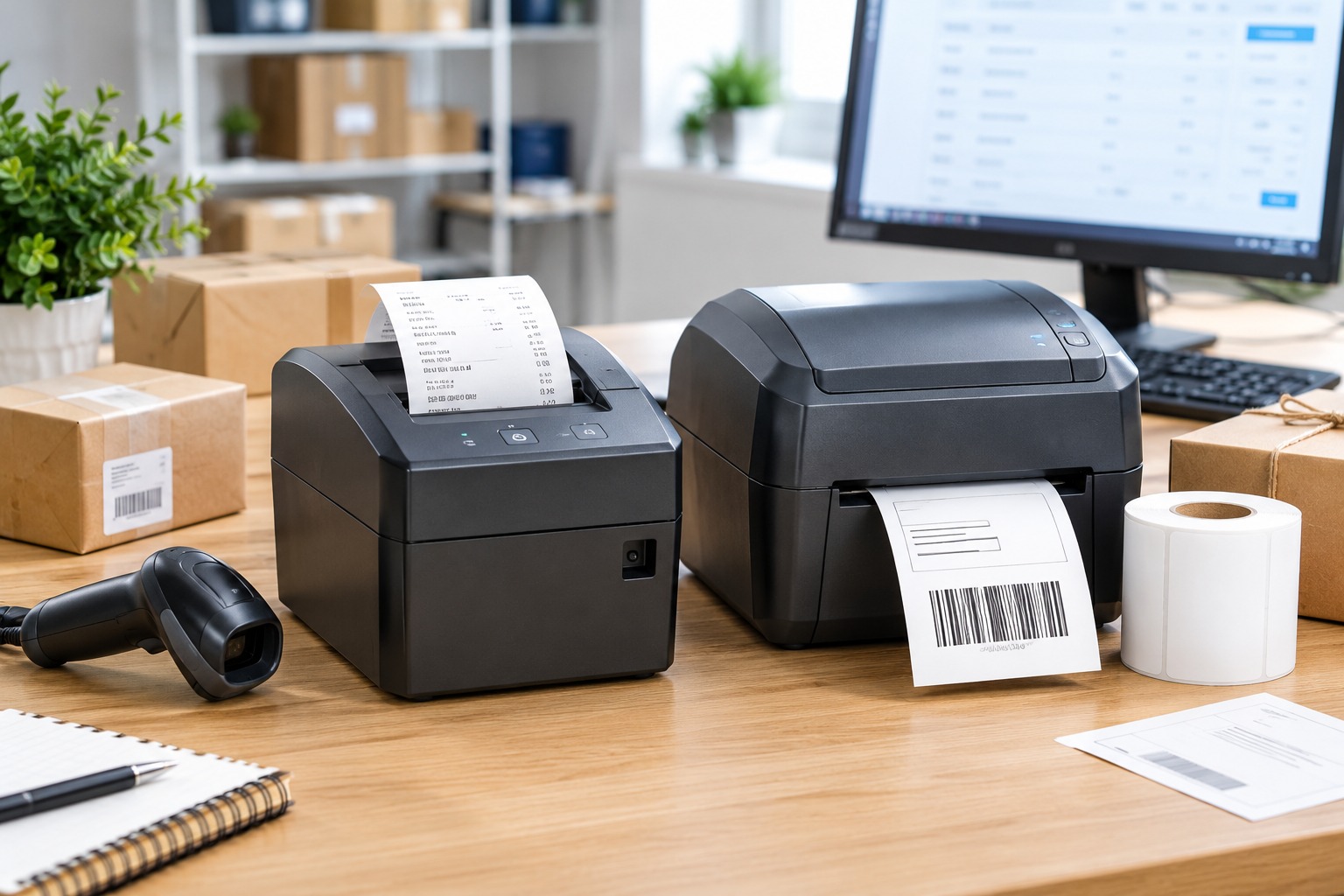
Best Receipt and Label Printers in 2026: Features, Benefits, and Buying Guide
Why Receipt and Label Printers Matter in 2026
Receipt and label printers are essential tools for retail stores, restaurants, warehouses, offices, and online businesses. Receipt printers help businesses produce transaction records quickly, while label printers create shipping labels, product identification tags, barcodes, price labels, and inventory stickers. Choosing the right equipment can improve daily efficiency, organize business operations, and reduce the time spent preparing orders.
In 2026, businesses can choose from several printing technologies, including direct thermal, thermal transfer, and impact printing. Direct thermal printers are popular for receipts and short-term labels because they do not require ink cartridges or toner. Thermal transfer printers use a ribbon to produce more durable labels, while impact printers can be useful in environments where multi-copy forms are required.
The best receipt and label printer depends on the type of business, expected printing volume, label dimensions, software compatibility, and available budget. This guide explores popular models, their main features, and their benefits to help businesses make informed purchasing decisions. Product descriptions are written independently, and the shopping links below lead to Amazon marketplace search pages rather than reproducing protected product photographs or marketing materials.
1. Epson TM-T20III: A Practical Receipt Printer for Retail Businesses
The Epson TM-T20III is a thermal receipt printer designed for retail checkout counters, small shops, cafés, and other businesses that need reliable point-of-sale printing. Its compact design makes it suitable for counters where space is limited, while its thermal printing technology eliminates the need for ink or toner.
Main Features
The Epson TM-T20III supports receipt printing on compatible thermal paper, including commonly used 80 mm rolls. Depending on the exact version, it offers interfaces such as USB and serial connectivity. Its printing speed and automatic paper-cutting capabilities can help employees process transactions efficiently.
The printer is designed for integration with compatible POS systems. Before purchasing, businesses should confirm the interface, operating-system support, power supply, and software compatibility of the specific version being offered.
Benefits for Small Businesses
The TM-T20III is a useful option for shops and cafés that print receipts throughout the working day. Thermal printing helps simplify maintenance because there are no ink cartridges to replace. Its desktop design also makes it relatively easy to position beside a cash register or POS terminal.
For businesses that already use compatible Epson hardware or software, choosing a supported model may simplify installation and ongoing operation. However, compatibility should always be verified with the POS provider before ordering.
Where to buy:
- Epson TM-T20III on Amazon Germany
- Epson TM-T20III on Amazon France
- Epson TM-T20III on Amazon Italy
- Epson TM-T20III on Amazon Spain
2. Star Micronics TSP143 Series: Receipt Printing for Busy Checkout Counters
The Star Micronics TSP143 family includes thermal receipt printers designed for retail businesses, restaurants, cafés, and service counters. Different generations and configurations are available, so buyers should select the exact model that matches their POS system.
Main Features
Depending on the version, TSP143 printers offer thermal printing, automatic paper cutting, and connectivity options such as USB or Ethernet. Some configurations are designed for networked environments, while others focus on direct wired connections.
Thermal printing helps businesses produce clear text and transaction details without conventional ink cartridges. Certain versions are also designed for convenient paper loading, helping staff replace rolls quickly when the printer runs out of paper.
Benefits for Businesses
The TSP143 series is worth considering for businesses that need a dedicated receipt printer at a fixed checkout station. Its thermal printing technology can reduce routine supply maintenance, and compatible network models may provide more flexible placement in a shop or restaurant.
The most important consideration is the exact interface. A USB model, an Ethernet model, and a wireless version may have different setup requirements. Businesses should check the POS manufacturer’s supported hardware list rather than assuming that every TSP143 model works with every checkout application.
Where to buy:
- Star Micronics TSP143 printers on Amazon Germany
- Star Micronics TSP143 printers on Amazon France
- Star Micronics TSP143 printers on Amazon Italy
- Star Micronics TSP143 printers on Amazon Spain
3. Epson TM-T88VII: A Receipt Printer for High-Volume Businesses
The Epson TM-T88VII is a professional thermal receipt printer intended for demanding retail and hospitality environments. It may be suitable for supermarkets, busy restaurants, hotels, and larger stores that need to print receipts frequently throughout the day.
Main Features
The TM-T88VII is designed for high-volume receipt printing and supports compatible thermal paper. Depending on the configuration, it offers connectivity options intended for integration with business POS systems. Its automatic cutter and thermal printing technology support routine checkout operations.
Businesses should verify the exact interface, supported operating systems, paper specifications, and available accessories before purchasing. Network requirements and software compatibility are particularly important when integrating the printer into an existing commercial setup.
Benefits for High-Volume Printing
A dedicated professional receipt printer can help maintain a consistent checkout workflow when many transactions occur each hour. Thermal printing avoids the recurring replacement of ink cartridges, while an automatic cutter helps employees handle printed receipts conveniently.
The TM-T88VII may be worth considering for businesses that prioritize printing performance and established POS integration. For smaller shops with modest transaction volumes, a less expensive printer may provide sufficient functionality.
Where to buy:
- Epson TM-T88VII on Amazon Germany
- Epson TM-T88VII on Amazon France
- Epson TM-T88VII on Amazon Italy
- Epson TM-T88VII on Amazon Spain
4. Brother QL-800: A Versatile Label Printer for Offices and Small Businesses
The Brother QL-800 is a desktop label printer designed for offices, retail businesses, administrative teams, and online sellers who need to produce professional labels. It can be used for address labels, product identification, file organization, and compatible barcode or QR-code labels.
Main Features
The QL-800 uses direct thermal printing, so it does not require ink or toner. It supports compatible Brother DK label rolls and can print labels in different sizes depending on the installed media. Its USB connection allows it to communicate with compatible computers, while the manufacturer’s software provides tools for designing and printing labels.
One notable feature of the QL-800 is its ability to print in black and red when used with compatible two-colour label rolls. This is useful for certain warning labels, promotional stickers, and labels that need visual emphasis. It is not a general-purpose full-colour printer, so buyers should check the supported media and printing limitations.
Benefits for Small Businesses
The Brother QL-800 is a practical option for businesses that frequently prepare address labels, product labels, file labels, or shipping-related identification. Its label-design software can help users organize text, barcodes, and other supported elements without creating every label from scratch.
Direct thermal printing also keeps routine maintenance relatively simple. However, businesses should consider the cost and availability of compatible label rolls, the maximum label width, and whether their preferred shipping platform supports the printer’s workflow.
Where to buy:
- Brother QL-800 on Amazon Germany
- Brother QL-800 on Amazon France
- Brother QL-800 on Amazon Italy
- Brother QL-800 on Amazon Spain
5. DYMO LabelWriter 550: An Option for Address and Identification Labels
The DYMO LabelWriter 550 is a desktop direct thermal label printer designed for offices, small businesses, and administrative work. It can be useful for printing address labels, filing labels, identification stickers, and other supported label formats.
Main Features
The LabelWriter 550 uses direct thermal technology, eliminating the need for ink or toner. It is designed to work with compatible DYMO labels and software that helps users create, organize, and print label layouts.
The model includes label-recognition functionality designed to identify supported DYMO label rolls and display information about the installed media. Buyers should carefully check media compatibility and the manufacturer’s current requirements before purchasing supplies.
Benefits for Office and Retail Use
The LabelWriter 550 can simplify repetitive labeling tasks for businesses that frequently print addresses, organize documents, or identify products and storage locations. Its compact desktop format is suitable for offices with limited space.
The main consideration is the cost and availability of compatible labels. Businesses should also confirm that the printer supports the label dimensions and software workflow they intend to use, particularly if labels must be generated by an online shop or inventory application.
Where to buy:
- DYMO LabelWriter 550 on Amazon Germany
- DYMO LabelWriter 550 on Amazon France
- DYMO LabelWriter 550 on Amazon Italy
- DYMO LabelWriter 550 on Amazon Spain
6. Zebra ZD421: A Label Printer for Inventory and Shipping Operations
The Zebra ZD421 is a desktop label printer family designed for business environments such as warehouses, retail stores, healthcare facilities, and shipping departments. Available configurations differ, so buyers should select a version with the appropriate print technology and connectivity.
Main Features
Depending on the model, the ZD421 family supports direct thermal or thermal transfer printing. Direct thermal printing is suitable for many short-term labels, while thermal transfer printing uses a ribbon to create labels that can offer greater resistance to fading and certain environmental conditions when the correct media is selected.
Available configurations may include USB, Ethernet, or wireless connectivity. Some versions also offer additional media-handling or management features. The precise specifications depend on the selected variant, so the model number and official product documentation should be checked before ordering.
Benefits for Commercial Use
The ZD421 can be a strong candidate for businesses that print inventory labels, barcode labels, product identification stickers, or shipping labels as part of regular operations. Its range of configurations makes it possible to choose a setup suited to a particular workflow.
Businesses that need more durable labels may prefer a thermal transfer configuration with suitable ribbons and media. Those printing short-term shipping labels may find direct thermal printing more convenient. The right choice depends on label lifespan, exposure to heat or sunlight, and the type of surfaces being labeled.
Where to buy:
- Zebra ZD421 on Amazon Germany
- Zebra ZD421 on Amazon France
- Zebra ZD421 on Amazon Italy
- Zebra ZD421 on Amazon Spain
7. MUNBYN Thermal Label Printers: Budget-Friendly Shipping Solutions
MUNBYN offers several thermal label printer models designed for online sellers, home-based businesses, small warehouses, and shipping departments. Features vary across the product range, so buyers should compare individual models instead of assuming that every device has the same specifications.
Main Features
Many MUNBYN shipping label printers use direct thermal printing and are designed for common shipping label formats, including 4-by-6-inch labels on compatible models. Depending on the device, connectivity may include USB or Bluetooth, and software support can vary between operating systems and mobile devices.
These printers generally do not need ink cartridges or toner. They use compatible thermal labels, making them suitable for businesses that regularly produce shipping labels and parcel identification stickers.
Benefits for Online Sellers
A thermal label printer can reduce the time spent preparing parcels for dispatch. Printing labels directly from a compatible shipping platform may help sellers process orders more consistently and avoid the need to print shipping labels on standard paper before attaching them to packages.
Budget-oriented models can be attractive to new online sellers who want to avoid a large initial investment. Before purchasing, confirm the exact label dimensions, supported devices, shipping platform compatibility, and whether the required cables or adapters are included.
Where to buy:
- MUNBYN thermal label printers on Amazon Germany
- MUNBYN thermal label printers on Amazon France
- MUNBYN thermal label printers on Amazon Italy
- MUNBYN thermal label printers on Amazon Spain
8. Portable Bluetooth Label Printers: Flexible Labeling for Small Businesses
Portable Bluetooth label printers are compact devices designed for users who need to print labels from a compatible smartphone or tablet. They can be useful for small shops, market stalls, home offices, storage rooms, and businesses that need to create labels away from a computer.
Main Features
Depending on the model, portable label printers may support Bluetooth connectivity, rechargeable batteries, and companion mobile applications. They typically use compatible thermal label rolls or cartridges and are designed for smaller labels than many desktop shipping printers.
Some models focus on text labels for shelves, storage boxes, and product identification, while others support selected barcode or QR-code formats. Not every portable model can print standard shipping labels, so buyers should check the maximum supported label width and the app’s capabilities.
Benefits for Small Businesses
Portable printers offer flexibility when labels need to be produced at different locations. Employees may use them to mark shelves, identify stock, organize storage containers, or create product labels without returning to a desktop computer.
Their compact size makes them convenient for mobile workflows, but label costs and app compatibility should be considered. Businesses that need large shipping labels or high daily print volumes may be better served by a dedicated desktop label printer.
Where to buy:
- Portable Bluetooth label printers on Amazon Germany
- Portable Bluetooth label printers on Amazon France
- Portable Bluetooth label printers on Amazon Italy
- Portable Bluetooth label printers on Amazon Spain
9. Receipt Printers vs. Label Printers: Understanding the Difference
Receipt printers and label printers may both use thermal technology, but they are designed for different tasks. Understanding these differences is essential when selecting equipment for a shop or online business.
Receipt printers are generally built to print transaction records on continuous thermal paper. They are commonly used at checkout counters and in restaurants. Many commercial models support automatic cutting and integration with POS software.
Label printers are designed to print on adhesive labels or other compatible label media. They are used for shipping addresses, barcodes, product information, price labels, and inventory identification. Their supported media widths and software functions differ from those of receipt printers.
A receipt printer is not automatically suitable for printing adhesive shipping labels, and a label printer is not necessarily compatible with POS receipt software. Businesses should select a printer based on the media format and application they need.
Some businesses require both devices: a receipt printer for customer transactions and a label printer for inventory or parcel preparation. Using separate equipment can provide more flexibility when each task requires a different paper size or printing workflow.
10. Direct Thermal vs. Thermal Transfer Printing
The printing technology affects operating costs, label durability, and the supplies a business must purchase.
Direct Thermal Printing
Direct thermal printers create images by applying heat to specially coated media. They generally do not require ink, toner, or a ribbon, which makes them convenient for receipts and many shipping labels.
The main limitation is that direct thermal media can fade when exposed to heat, sunlight, friction, or certain environmental conditions. It is therefore important to match the label material to its intended lifespan and storage environment.
Thermal Transfer Printing
Thermal transfer printers use heat to transfer ink from a ribbon onto the label material. With an appropriate combination of ribbon and media, this method can produce labels that are more resistant to fading, abrasion, and some environmental conditions.
Thermal transfer printing requires ribbon supplies in addition to labels, which adds another operating cost. It can be a suitable option for product identification, asset tracking, and inventory labels that need to remain readable for longer periods.
Businesses should compare the total cost of labels, ribbons, and maintenance rather than choosing a printer based only on its purchase price.
11. How to Choose the Best Receipt and Label Printer
The best printer for a business depends on its daily workflow, printing volume, software, and budget. Before buying, identify the exact task the printer must perform and the media it needs to support.
For receipt printing, check the POS system’s approved hardware list. Confirm the supported connection type, paper width, operating-system compatibility, and whether the printer supports the software’s receipt and cash-drawer functions.
For label printing, determine the label dimensions, roll type, print resolution, and whether direct thermal or thermal transfer technology is required. Businesses printing small barcodes or detailed product information should pay attention to print resolution and the quality of the chosen label media.
Connectivity is another important factor. USB may be suitable for a printer connected directly to one computer, while Ethernet can help integrate supported devices into a local network. Bluetooth and Wi-Fi may offer greater flexibility, but they require compatible hardware and a suitable setup.
It is also worth checking the price and availability of consumables. A low-cost printer may become expensive if its compatible labels are costly or difficult to source. Review warranty terms, manufacturer support, replacement parts, and seller details before placing an order.
12. Recommended Printers for Different Business Needs
Best for Retail Checkout Counters
The Epson TM-T20III is worth considering for shops that need a dedicated receipt printer with compatible POS integration. Businesses with higher transaction volumes can also compare professional models such as the Epson TM-T88VII, depending on their budget and software requirements.
Best for Offices and General Labeling
The Brother QL-800 is a useful option for offices and small businesses that regularly print address labels, file labels, and product identification stickers. Its supported media and software should be checked against the intended labeling workflow.
Best for Shipping and E-Commerce
A compatible Zebra ZD421 or MUNBYN thermal label printer may suit online sellers who regularly prepare parcels and inventory labels. The choice depends on print volume, label dimensions, connectivity, and whether more durable thermal transfer labels are required.
Best for Address Labels
The DYMO LabelWriter 550 can be considered by offices and small businesses that primarily print compatible address and identification labels. Buyers should check the current media requirements and ongoing label costs before making a decision.
Best for Mobile Labeling
A portable Bluetooth label printer may suit businesses that need to create small labels directly from a compatible mobile device. It is especially useful for shelf organization and product identification, although it may not replace a desktop shipping label printer.
Conclusion
The best receipt and label printers in 2026 help businesses manage checkout transactions, organize products, and prepare shipments efficiently. The Epson TM-T20III and Star Micronics TSP143 series are options to consider for receipt printing, while the Epson TM-T88VII may suit businesses with more demanding checkout requirements. For label printing, the Brother QL-800 and DYMO LabelWriter 550 are worth comparing for office and identification tasks, while the Zebra ZD421 and MUNBYN thermal label printers offer options for inventory and shipping workflows.
Before buying, confirm compatibility with your POS or shipping software, check the required paper or label dimensions, and compare the long-term cost of consumables. Selecting a printer that matches your business needs can improve efficiency, simplify daily operations, and support future growth.


