
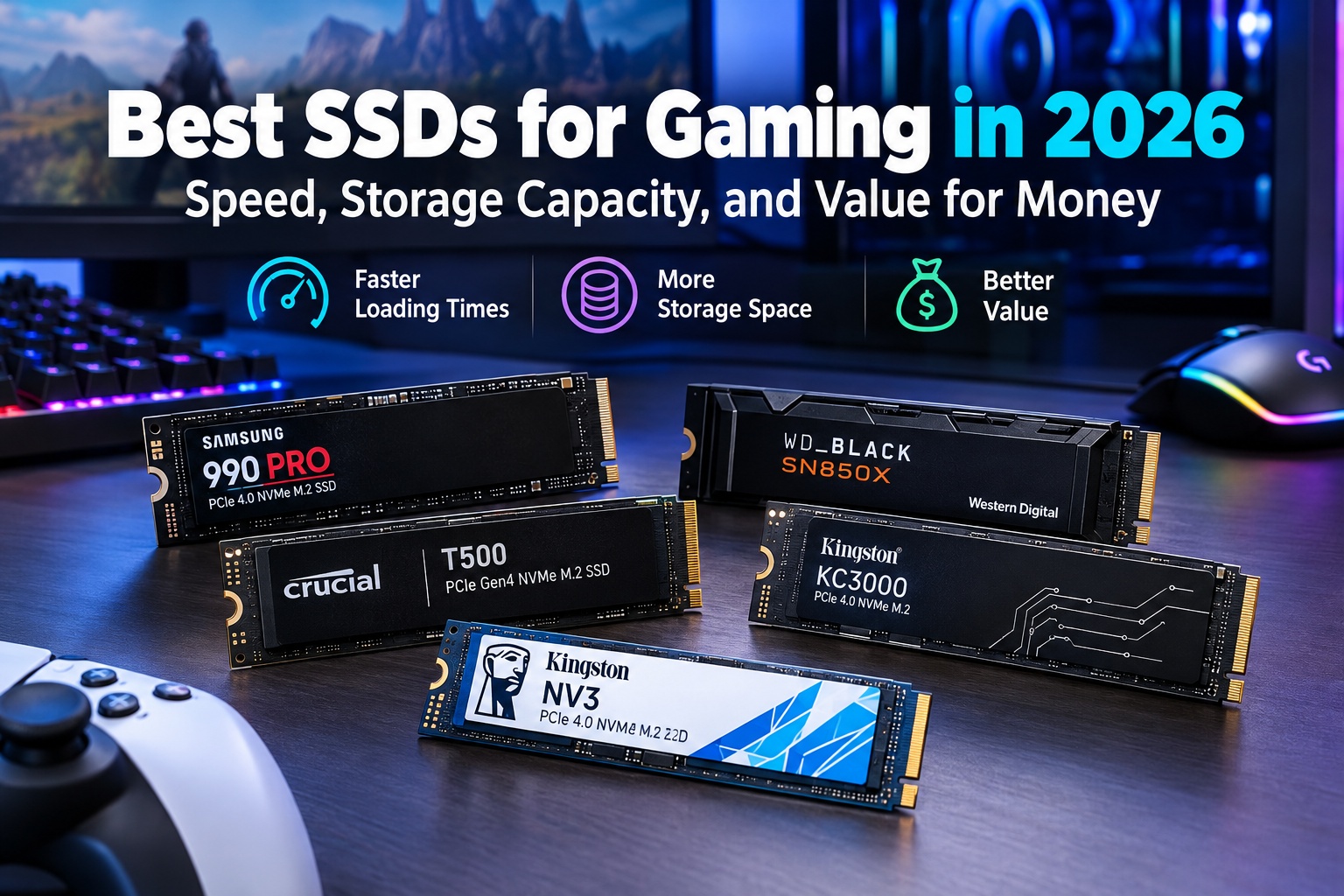
Best SSDs for Gaming in 2026: Speed, Storage Capacity, and Value for Money
Why Choosing the Right Gaming SSD Matters in 2026
Choosing one of the best SSDs for gaming in 2026 can significantly improve your gaming experience by reducing loading times, speeding up file transfers, and providing enough storage space for modern games. As game installations become larger and more demanding, upgrading from a traditional hard drive to a solid-state drive is one of the most practical improvements you can make to a gaming PC or compatible console.
Modern SSDs are available in several formats, including SATA SSDs, PCIe 4.0 NVMe SSDs, and the latest PCIe 5.0 NVMe models. Each category offers different performance levels, prices, and compatibility requirements. While PCIe 5.0 drives deliver impressive theoretical speeds, a high-quality PCIe 4.0 SSD remains an excellent choice for most gamers because it combines fast performance with a more reasonable cost.
In this guide, we compare some of the best gaming SSDs available in 2026, including the Samsung 990 PRO, WD_BLACK SN850X, Crucial T500, Kingston KC3000, and Kingston NV3. We examine their specifications, advantages, potential drawbacks, storage capacities, and suitability for different gaming needs.
The goal is to help you choose the best SSD for gaming based on speed, storage capacity, compatibility, and value for money, whether you are upgrading an existing computer or building a new gaming system.
1. Samsung 990 PRO: Best Premium SSD for Gaming
The Samsung 990 PRO is a high-performance PCIe 4.0 NVMe SSD designed for gamers and users who need fast storage for demanding applications. It is available in multiple capacities, including 1TB, 2TB, and 4TB, making it suitable for different budgets and game libraries.
With sequential read speeds of up to 7,450 MB/s and write speeds of up to 6,900 MB/s for applicable models, the Samsung 990 PRO delivers excellent storage performance. These specifications make it suitable for installing large games, transferring files, and handling demanding workloads alongside everyday computing.
One of its main advantages is its combination of high performance, efficient operation, and advanced storage technology. The drive uses Samsung V-NAND and an integrated DRAM cache to support responsive performance across a wide range of workloads. Samsung Magician software also provides tools for monitoring drive health, checking firmware updates, and managing storage settings.
The Samsung 990 PRO is particularly attractive for gamers who want a premium internal SSD without paying the additional cost associated with many PCIe 5.0 models. However, its maximum speeds depend on the computer’s supported interface, and the drive will not reach its full potential in a system limited to PCIe 3.0.
Buyers should also check whether they need the standard model or the version equipped with a heatsink. A heatsink can help manage temperatures during demanding workloads, while a motherboard’s integrated M.2 heatsink may be sufficient for many desktop systems.
Key Specifications:
- Interface: PCIe 4.0 x4 NVMe.
- Form factor: M.2 2280.
- Maximum sequential read speed: Up to 7,450 MB/s.
- Maximum sequential write speed: Up to 6,900 MB/s.
- Available capacities: 1TB, 2TB, and 4TB.
- Main advantages: High performance, DRAM cache, power-efficient operation, and useful management software.
- Best for: Premium gaming PCs and high-performance storage upgrades.
Potential drawback: The Samsung 990 PRO may cost more than competing PCIe 4.0 drives, particularly when demand is high or discounts are limited.
For buyers in Germany and other European Union countries, the following Amazon search links make it easier to compare available capacities, prices, and heatsink versions.
Amazon Germany: Samsung 990 PRO SSD
Amazon France: Samsung 990 PRO SSD
Amazon Italy: Samsung 990 PRO SSD
Amazon Spain: Samsung 990 PRO SSD
2. WD_BLACK SN850X: Best All-Round Gaming SSD
The WD_BLACK SN850X is another excellent choice for gamers looking for a fast and reliable PCIe 4.0 NVMe SSD. Designed with gaming performance in mind, it offers a strong combination of sequential transfer speeds, responsive storage, and multiple capacity options.
The drive delivers sequential read speeds of up to 7,300 MB/s, while the maximum write speed reaches 6,600 MB/s on the 2TB model. These speeds make it suitable for modern gaming PCs, large game installations, and applications that benefit from fast storage access.
One of the main advantages of the WD_BLACK SN850X is its gaming-focused design. Its high-speed interface helps reduce storage-related delays when launching games and loading assets. However, actual loading times depend on the game engine, processor, memory, and other system components.
The SN850X is available in several capacities, including 1TB, 2TB, and 4TB, with additional options available in some product configurations. This makes it possible to select a drive that fits both your budget and your long-term storage requirements.
Some versions include a heatsink, while others are sold without one. The heatsink-equipped version can be particularly useful in compatible systems that require additional thermal management.
For gamers who want an SSD that performs well in everyday computing as well as gaming, the WD_BLACK SN850X is a strong all-round option. It is also worth comparing with the Samsung 990 PRO because the two drives offer broadly similar high-end PCIe 4.0 performance.
Key Specifications:
- Interface: PCIe 4.0 x4 NVMe.
- Form factor: M.2 2280.
- Maximum sequential read speed: Up to 7,300 MB/s.
- Maximum sequential write speed: Up to 6,600 MB/s on the 2TB model.
- Available capacities: Multiple options, including 1TB, 2TB, and 4TB.
- Main advantages: High transfer speeds, gaming-oriented features, and optional heatsink versions.
- Best for: Gaming PCs, large game libraries, and high-performance storage upgrades.
Potential drawback: The drive’s price can fluctuate considerably, and the premium may not be worthwhile if a less expensive PCIe 4.0 SSD is available at a substantially lower price.
Amazon Germany: WD_BLACK SN850X SSD
Amazon France: WD_BLACK SN850X SSD
Amazon Italy: WD_BLACK SN850X SSD
Amazon Spain: WD_BLACK SN850X SSD
3. Crucial T500: Excellent Performance and Value
The Crucial T500 is a high-performance PCIe 4.0 NVMe SSD that offers an appealing balance of speed, capacity, and practicality. It is particularly suitable for gamers who want premium storage performance without automatically choosing the most expensive drive on the market.
The T500 offers sequential read speeds of up to 7,300 MB/s and write speeds of up to 6,800 MB/s for applicable models. This performance makes it suitable for demanding PC games, large file transfers, operating systems, and other applications that benefit from fast storage.
One of its key advantages is its combination of high transfer speeds and a compact M.2 design. Because it does not require a traditional SATA cable, it can be installed directly into a compatible motherboard’s M.2 slot, helping maintain a clean PC build.
The Crucial T500 also uses TLC NAND flash memory and an integrated DRAM cache. These features contribute to its performance characteristics, making it a compelling option for users who frequently install games, move large files, or run multiple applications.
Available capacities include 1TB, 2TB, and 4TB, depending on the product configuration and market. Buyers should compare prices carefully because the value proposition can change depending on capacity and current promotions.
The Crucial T500 is a particularly attractive option when its price falls below that of the Samsung 990 PRO or WD_BLACK SN850X. For many gamers, the practical difference between these high-end PCIe 4.0 drives will be smaller than the difference in their purchase prices.
Key Specifications:
- Interface: PCIe 4.0 x4 NVMe.
- Form factor: M.2 2280.
- Maximum sequential read speed: Up to 7,300 MB/s.
- Maximum sequential write speed: Up to 6,800 MB/s.
- Available capacities: 1TB, 2TB, and 4TB, depending on configuration.
- Main advantages: Fast transfer speeds, TLC NAND, DRAM cache, and compact installation.
- Best for: Gamers seeking high performance at a competitive price.
Potential drawback: The value of the Crucial T500 depends heavily on local pricing, and performance specifications vary by capacity. Buyers should confirm the exact model before purchasing.
Amazon Germany: Crucial T500 SSD
Amazon France: Crucial T500 SSD
Amazon Italy: Crucial T500 SSD
Amazon Spain: Crucial T500 SSD
4. Kingston KC3000: High-Speed Storage for Gaming and Productivity
The Kingston KC3000 is a high-performance PCIe 4.0 NVMe SSD designed for desktop computers, gaming systems, and demanding workloads. It is a good option for users who want fast storage for gaming alongside tasks such as video editing, content creation, and large file transfers.
The drive delivers sequential read speeds of up to 7,000 MB/s and write speeds of up to 7,000 MB/s, depending on the capacity. It uses 3D TLC NAND and an integrated DRAM cache, supporting performance across a wide range of storage-intensive tasks.
One of the KC3000’s main strengths is its combination of high sequential performance and multiple storage capacities. Depending on the market, it is available in 512GB, 1TB, 2TB, and 4TB versions.
The 2TB and 4TB models are particularly attractive for users who maintain large game libraries or frequently work with sizable media files. A larger drive can also provide more flexibility for future game installations and software updates.
The KC3000 uses an M.2 2280 form factor and does not require separate SATA cables. Its compact design makes it suitable for compatible desktops and laptops, although laptop buyers should check the available space, power requirements, and thermal conditions before installation.
For gamers who need both fast storage and substantial capacity, the Kingston KC3000 is worth comparing with the Samsung 990 PRO and WD_BLACK SN850X. The best choice depends on the current price, available capacity, and intended workload.
Key Specifications:
- Interface: PCIe 4.0 x4 NVMe.
- Form factor: M.2 2280.
- Maximum sequential read speed: Up to 7,000 MB/s.
- Maximum sequential write speed: Up to 7,000 MB/s.
- Available capacities: 512GB, 1TB, 2TB, and 4TB, depending on market availability.
- Main advantages: High transfer speeds, TLC NAND, DRAM cache, and multiple capacities.
- Best for: Gaming PCs, productivity systems, and large storage upgrades.
Potential drawback: The KC3000 may require adequate cooling during sustained workloads, and its value depends on whether it is priced competitively against newer alternatives.
Amazon Germany: Kingston KC3000 SSD
Amazon France: Kingston KC3000 SSD
Amazon Italy: Kingston KC3000 SSD
Amazon Spain: Kingston KC3000 SSD
5. Kingston NV3: A Budget-Friendly Gaming SSD
The Kingston NV3 is a more affordable PCIe 4.0 NVMe SSD aimed at users who want to upgrade their storage without spending as much as they would on a premium drive.
With sequential read speeds of up to 6,000 MB/s and write speeds of up to 5,000 MB/s on applicable higher-capacity models, the NV3 provides enough performance for many gaming PCs and everyday computing systems. Actual specifications vary by capacity, so it is important to check the product documentation for the exact version.
One of its biggest advantages is its compact M.2 2280 form factor. It installs directly into a compatible M.2 slot, making it convenient for new PC builds and storage upgrades.
The NV3 is available in capacities that include 500GB, 1TB, 2TB, and 4TB, depending on the market. A 1TB model can be a sensible starting point for gamers with smaller libraries, while a 2TB model offers more flexibility for users who regularly install large games.
Unlike some premium SSDs, the Kingston NV3 does not include a dedicated DRAM cache. Instead, it uses host memory buffer technology where supported. Its NAND configuration can also vary between production batches and capacities, so buyers should not assume that every NV3 version offers identical sustained-write performance.
For gaming, this does not automatically make the NV3 a poor choice. It can be a practical budget option for game storage, everyday applications, and general use. However, users who frequently transfer very large files or run demanding sustained workloads may benefit from a higher-end model.
Key Specifications:
- Interface: PCIe 4.0 x4 NVMe.
- Form factor: M.2 2280.
- Maximum sequential read speed: Up to 6,000 MB/s on applicable models.
- Maximum sequential write speed: Up to 5,000 MB/s on applicable models.
- Available capacities: Multiple options, including 500GB, 1TB, 2TB, and 4TB, depending on market.
- Main advantages: Affordable positioning, compact design, and good everyday performance.
- Best for: Budget-conscious gamers and secondary game storage.
Potential drawback: Sustained-write performance and internal components may differ by capacity and production version. It is less suitable than premium drives for workloads that involve frequent, prolonged large-file transfers.
Amazon Germany: Kingston NV3 SSD
Amazon France: Kingston NV3 SSD
Amazon Italy: Kingston NV3 SSD
Amazon Spain: Kingston NV3 SSD
6. Best SSDs for Gaming Compared
Comparing specifications side by side makes it easier to identify which SSD best suits your gaming setup. The following table summarizes the main differences between the five models discussed in this guide.
| SSD Model | Interface | Maximum Read Speed | Maximum Write Speed | Main Advantage | Best Use |
|---|---|---|---|---|---|
| Samsung 990 PRO | PCIe 4.0 NVMe | Up to 7,450 MB/s | Up to 6,900 MB/s | Premium performance and DRAM cache | High-end gaming PCs |
| WD_BLACK SN850X | PCIe 4.0 NVMe | Up to 7,300 MB/s | Up to 6,600 MB/s on 2TB | Gaming-focused performance | Gaming and general use |
| Crucial T500 | PCIe 4.0 NVMe | Up to 7,300 MB/s | Up to 6,800 MB/s | Strong performance and value | Performance-focused upgrades |
| Kingston KC3000 | PCIe 4.0 NVMe | Up to 7,000 MB/s | Up to 7,000 MB/s | Fast storage for gaming and productivity | Gaming and content creation |
| Kingston NV3 | PCIe 4.0 NVMe | Up to 6,000 MB/s on applicable models | Up to 5,000 MB/s on applicable models | Budget-friendly storage | Affordable gaming upgrades |
These figures represent manufacturer-rated maximum sequential speeds for applicable configurations rather than guaranteed real-world performance. Maximum speeds can differ by capacity, and actual results depend on the computer, workload, cooling, firmware, and available free space.
For gaming, sequential speed is only one consideration. Random access performance, game-engine optimization, CPU performance, and system memory can also affect loading times. A more expensive SSD does not necessarily produce a noticeable improvement in every game.
7. How Much SSD Storage Do You Need for Gaming?
Storage capacity is one of the most important factors when choosing a gaming SSD. Modern games can occupy tens or even hundreds of gigabytes, and additional downloadable content and updates can increase their size over time.
A 500GB SSD may be sufficient for casual gamers who play a small selection of games. However, after accounting for the operating system, essential applications, and available free space, the usable capacity for games can become limited.
A 1TB SSD is a reasonable starting point for many gamers. It provides enough room for an operating system, commonly used applications, and a selection of modern games. It can also be a practical option for users who want to improve their storage performance without making a large investment.
A 2TB SSD is often the most balanced choice for a gaming PC in 2026. It provides substantially more room for large game libraries, software, and future installations. It can also reduce the need to uninstall games whenever you want to try something new.
A 4TB SSD is ideal for gamers who maintain extensive libraries, install many demanding titles, or use the same computer for gaming and creative work. Although the initial purchase price is higher, the additional capacity can make it a convenient long-term investment when the cost per terabyte is competitive.
When comparing models, calculate the price per terabyte rather than focusing exclusively on the initial price. A 2TB drive may offer better value than a 1TB model if the price difference is relatively small.
It is also worth leaving some free space on your SSD. Available space gives the drive room to manage data efficiently and can help maintain consistent performance, particularly during updates and large file transfers.
8. PCIe 4.0 vs. PCIe 5.0: Which Is Better for Gaming?
PCIe 4.0 and PCIe 5.0 are two generations of the interface used by modern NVMe SSDs. PCIe 5.0 offers substantially greater theoretical bandwidth, but the additional speed does not automatically translate into dramatically shorter game loading times.
A high-quality PCIe 4.0 SSD can deliver sequential read speeds above 7,000 MB/s, which is already more than sufficient for many gaming workloads. The Samsung 990 PRO, WD_BLACK SN850X, and Crucial T500 are examples of drives that offer high-end PCIe 4.0 performance.
PCIe 5.0 SSDs can achieve significantly higher transfer speeds, making them attractive for specialized workloads involving large data transfers and demanding professional applications. However, they may cost more and can require careful thermal management.
For most gamers, a good PCIe 4.0 SSD offers a more balanced combination of performance, price, and compatibility. The money saved by avoiding an expensive PCIe 5.0 drive could be invested in a stronger graphics card, additional memory, or a larger SSD capacity.
Before purchasing any drive, check your motherboard’s specifications. Some systems support PCIe 4.0 but not PCIe 5.0 for storage, while others provide different capabilities depending on the M.2 slot used. A newer SSD may operate in an older compatible slot, but it will be limited by the interface’s supported performance.
9. Choosing the Best SSD for PS5 Gaming
PlayStation 5 owners can expand their console’s internal storage using a compatible M.2 NVMe SSD. However, not every SSD designed for a gaming PC is automatically suitable for installation in a PS5.
Sony’s published requirements for compatible M.2 expansion drives include PCIe Gen4 x4 NVMe support, an appropriate M.2 form factor, and a recommended sequential read speed of 5,500 MB/s or faster. Sony also recommends using a cooling structure, such as a heatsink, and specifies physical size requirements for the drive and its cooling assembly.
The Samsung 990 PRO and WD_BLACK SN850X are worth considering for PS5 expansion, particularly when choosing a model that includes a suitable heatsink. Compatible versions of other PCIe 4.0 drives may also be suitable if they meet the console’s requirements.
The Crucial T500 can also be considered, but buyers should verify the exact capacity, physical dimensions, and cooling configuration before installation.
A 1TB SSD offers a useful storage upgrade, while a 2TB model is more suitable for players who regularly install large games. A 4TB model can provide even more room, provided the particular drive meets Sony’s compatibility requirements.
It is important to distinguish between advertised sequential speeds and actual console performance. A faster drive on paper does not guarantee shorter loading times in every game.
For the most reliable result, consult Sony’s official guidance before purchasing.
Official compatibility information: PlayStation 5 M.2 SSD requirements and installation guide
10. NVMe vs. SATA SSDs: What Should Gamers Buy?
NVMe and SATA SSDs use different interfaces and offer different levels of performance. Understanding the difference can help you avoid paying for specifications that your computer cannot use.
SATA SSDs typically deliver sequential read speeds of approximately 500 to 560 MB/s, depending on the model. They are considerably faster than traditional mechanical hard drives for many tasks and remain useful for older computers, secondary storage, and budget upgrades.
NVMe SSDs use the PCIe interface and generally offer much higher transfer speeds. PCIe 4.0 NVMe drives can reach several thousand megabytes per second, making them particularly attractive for modern gaming PCs.
If your motherboard supports M.2 NVMe storage, a good PCIe 4.0 drive is usually the more attractive option for a new gaming system. It provides high performance without requiring SATA data and power cables.
However, an M.2 connector does not automatically guarantee NVMe support. Some M.2 slots support SATA drives, PCIe drives, or both. Checking the motherboard documentation is essential before making a purchase.
SATA SSDs can still be useful for storing games, media, and applications when a computer has no suitable NVMe slot or when an inexpensive secondary drive is needed. For a modern gaming PC, though, PCIe 4.0 NVMe storage offers a strong balance of speed and value.
11. What to Look for When Buying a Gaming SSD in 2026
Choosing the right SSD involves more than comparing maximum read and write speeds. Several technical and practical factors can affect the drive’s suitability for your system.
Storage Capacity: Consider how many games you intend to install and whether you also need room for applications, recordings, and other files. For many gamers, 2TB is a practical target, while 1TB remains a reasonable option for smaller budgets.
Interface Compatibility: Check whether your motherboard supports SATA, PCIe 3.0, PCIe 4.0, or PCIe 5.0 storage. Installing a drive with a faster interface will not automatically make an older system operate at that drive’s maximum rated speed.
Sequential Read and Write Speeds: These specifications describe how quickly a drive can transfer large blocks of data under suitable conditions. They are useful for comparing models but do not fully determine gaming performance.
NAND Flash Type: TLC and QLC are common NAND flash technologies. TLC drives are often attractive for gaming and general-purpose performance, while QLC drives can provide cost-effective high capacities. However, the overall design matters, and NAND type alone does not determine the quality of a drive.
DRAM Cache and HMB: Some SSDs include dedicated DRAM to help manage mapping information, while DRAM-less models may use host memory buffer technology. These approaches affect drive design and can influence performance under different workloads.
Endurance Rating: SSD endurance is commonly expressed in terabytes written, or TBW. This indicates the amount of data the manufacturer rates the drive to write during its specified service life. For typical gaming use, many consumer SSDs offer sufficient endurance, but checking the rating is worthwhile if you frequently write large amounts of data.
Warranty: Compare the manufacturer’s warranty period and any applicable endurance limits. A longer warranty can provide additional reassurance, but the exact terms depend on the product and manufacturer.
Thermal Management: Fast NVMe drives can become warm during intensive transfers. Check whether your motherboard includes an M.2 heatsink or whether the SSD version you are buying includes one. Ensure that the drive and heatsink fit inside your computer or console.
Price per Terabyte: Divide the purchase price by the drive’s capacity in terabytes to compare the relative cost of different models. Remember to compare equivalent configurations and check whether the price includes a heatsink.
Seller Reliability: When buying from Amazon Germany or another European marketplace, check the seller, product model, warranty information, delivery costs, and return policy. Marketplace listings may include products sold by different merchants, so confirm that the listing matches the SSD you intend to purchase.
12. How to Get the Best Value for Money on Amazon Germany and the EU
Buying a gaming SSD from Amazon Germany or another European marketplace can make it easier to compare products, capacities, and delivery options. However, the lowest advertised price is not always the best overall deal.
Start by comparing the same capacity across several models. For example, comparing the 2TB Samsung 990 PRO with the 2TB WD_BLACK SN850X and 2TB Crucial T500 provides a more useful picture than comparing drives with different capacities.
Next, check the price difference between standard and heatsink-equipped versions. A model with a heatsink may cost more, but it can be convenient if your motherboard or console setup requires a suitable cooling solution.
It is also worth comparing the price per terabyte between 1TB, 2TB, and 4TB versions. The 2TB model often offers an attractive balance between total cost and storage capacity, but promotions can change which version provides the best value.
Availability and pricing can change frequently across Germany, France, Italy, Spain, and other European Union markets. The Amazon search links in this article are designed to help readers find relevant product listings without relying on fixed prices that may become outdated.
Before placing an order, verify the exact model number, capacity, interface, heatsink configuration, seller information, and warranty conditions. Buyers should also review shipping costs and delivery restrictions for their location.
For a new gaming PC, a 2TB PCIe 4.0 SSD is a strong starting point if it fits the budget. For an older computer or a secondary game drive, a less expensive model may be more practical. The best purchase is the one that meets your storage requirements without paying for performance you cannot use.
13. Final Verdict: Which Gaming SSD Should You Buy in 2026?
The best SSD for gaming in 2026 depends on your budget, storage needs, and the hardware you already own. Fortunately, the current range of PCIe 4.0 NVMe drives offers several excellent options for gamers who want faster loading times, responsive storage, and room for modern game libraries.
The Samsung 990 PRO is a strong premium choice for buyers who want high performance, a dedicated DRAM cache, and useful drive-management software. It is particularly attractive when its price is competitive with other high-end PCIe 4.0 SSDs.
The WD_BLACK SN850X is an excellent all-round gaming SSD, offering high transfer speeds and several capacity options. It is especially worth considering when its price is lower than that of competing premium drives or when a heatsink-equipped version suits your installation.
The Crucial T500 is a compelling alternative for users seeking fast performance and good value. It is particularly attractive when discounted, making it a sensible option for gaming PCs that need a high-performance storage upgrade.
The Kingston KC3000 is another strong candidate for users who need fast storage for gaming, productivity, and large file transfers. Its multiple capacity options make it suitable for both gaming-focused builds and more demanding desktop systems.
For budget-conscious gamers, the Kingston NV3 offers a practical way to add NVMe storage without paying for a premium model. It is suitable for many everyday gaming workloads, although buyers should consider its DRAM-less design and potential differences in sustained-write performance.
For most gamers building or upgrading a modern PC, a 2TB PCIe 4.0 NVMe SSD is an excellent starting point. It offers a useful balance of speed, storage capacity, and long-term flexibility without requiring the additional expense of PCIe 5.0 technology.
Ultimately, compare current prices, verify compatibility, and choose the capacity that matches your gaming habits. A well-chosen SSD can make your system more responsive, simplify game management, and provide a reliable foundation for years of gaming.


