
Understanding Profit Margin in Ecommerce
How to Calculate Profit Margin for an Ecommerce Store Correctly
Understanding Profit Margin in Ecommerce
Calculating profit margin correctly is essential for running a profitable ecommerce business. Online store owners need to know how much money remains after paying for products, shipping, payment processing, advertising, and other business expenses. High sales revenue does not automatically mean high profits, and a product that sells quickly can still lose money if its costs are underestimated.
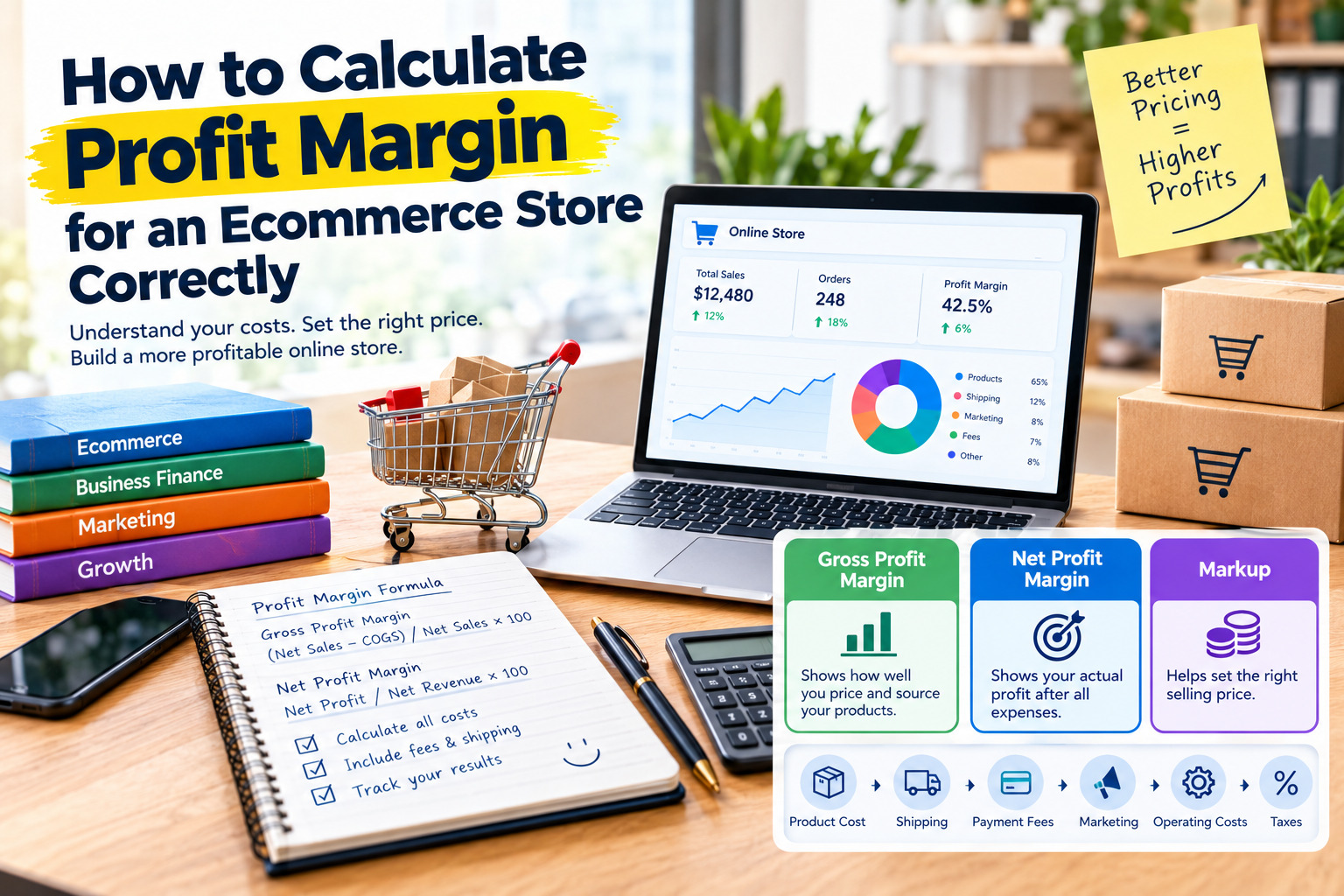
Profit margin expresses profit as a percentage of revenue. It helps ecommerce businesses evaluate product pricing, compare products, control expenses, and make better financial decisions. The most accurate approach is to calculate gross profit margin and net profit margin separately because each measures a different stage of profitability.
For a practical introduction to gross profit and gross margin, see Shopify’s guide to gross margin and gross profit.
1. Learn the Difference Between Profit, Profit Margin, and Markup
Before calculating your ecommerce store’s profitability, it is important to understand three financial terms that are often confused.
Profit is the amount of money remaining after subtracting the relevant costs from revenue. If you sell a product for $100 and its direct cost is $60, your gross profit is $40.
Profit margin measures that profit as a percentage of revenue. In this example, the gross profit margin is 40% because $40 represents 40% of the $100 selling price.
Markup measures how much the selling price exceeds the product cost, expressed as a percentage of that cost. If a product costs $60 and sells for $100, the markup is 66.67%, even though the gross profit margin is 40%.
Confusing markup with profit margin can lead to incorrect pricing decisions. A 40% markup does not produce a 40% gross profit margin, so store owners should use the appropriate formula for their financial goal.
For further guidance, use Shopify’s profit margin calculator and pricing resources.
2. Use the Correct Profit Margin Formula
The standard gross profit margin formula is:
Gross Profit Margin = (Net Sales − Cost of Goods Sold) ÷ Net Sales × 100
Net sales represent the revenue remaining after applicable discounts, refunds, and returns are deducted from gross sales. Cost of goods sold, commonly known as COGS, represents the direct costs associated with the products sold.
For example, suppose an ecommerce store records $10,000 in net sales and $4,000 in cost of goods sold. Its gross profit is $6,000. Dividing $6,000 by $10,000 and multiplying by 100 produces a gross profit margin of 60%.
This means the store retains $60 in gross profit for every $100 of net sales before paying other expenses such as advertising, payment processing, software subscriptions, and general operating costs. Those additional expenses must be considered before determining whether the business is genuinely profitable.
See Shopify’s explanation of the gross margin ratio formula.
3. Calculate Net Sales Instead of Using Gross Sales
One common ecommerce accounting mistake is calculating profit margin using the total value of orders before discounts and refunds. This can make profitability appear higher than it really is.
To calculate net sales, begin with gross product sales and subtract discounts, returns, refunds, and other applicable sales adjustments. Treat sales taxes separately when they are collected on behalf of a tax authority rather than earned as business revenue. Record shipping revenue consistently according to your accounting method, and make sure the corresponding shipping costs are accounted for separately.
For example, imagine a store receives $5,000 in product orders during a month. It provides $300 in discounts and issues $200 in refunds. Its net product sales are $4,500 before any separately accounted-for shipping revenue or other adjustments.
Using $5,000 instead of $4,500 in the margin calculation would overstate profitability. Consistent treatment of discounts, returns, taxes, and shipping charges makes comparisons between products and accounting periods more reliable.
For guidance on how discounts and refunds affect reported profitability, consult Shopify’s official profit reports documentation.
4. Calculate the Full Cost of Each Product
To calculate an accurate gross profit margin, you must identify the direct costs associated with the products you sell. The supplier’s purchase price is not always the complete cost of getting an item ready for sale.
Depending on your business model and accounting method, direct product costs may include:
- The wholesale purchase price or manufacturing cost.
- Freight and transportation to your warehouse.
- Import duties and other directly attributable acquisition costs.
- Product packaging required to prepare the item for sale.
- Direct production labor and materials, where applicable.
For example, a product purchased from a supplier for $25 may also require $3 in inbound shipping, $2 in import duties, and $1 for product packaging. If all these amounts qualify as direct product costs under the business’s accounting method, the total direct cost is $31 rather than $25.
The distinction matters because using only the supplier’s listed price can make a product look more profitable than it actually is. Apply the same cost allocation method consistently, and consult an accountant when tax rules or inventory accounting requirements affect how particular expenses should be classified.
For more information about the relationship between net sales, product costs, and gross margin, read Shopify’s gross margin guide.
5. Calculate Gross Profit Margin Step by Step
Once net sales and direct product costs are known, calculating gross profit margin is straightforward.
Consider an ecommerce store selling a product for $80. During the transaction, the customer receives a $5 discount, resulting in net product sales of $75. The product’s total direct cost is $35, including its purchase price and eligible direct costs.
First, calculate gross profit:
Gross Profit = $75 − $35 = $40
Next, calculate gross profit margin:
Gross Profit Margin = ($40 ÷ $75) × 100 = 53.33%
The store therefore earns $40 in gross profit on the transaction, representing a gross margin of approximately 53.33% of net product sales. The remaining $40 is available to cover other business expenses and contribute to net profit.
Notice that the margin is calculated using the $75 in net sales, not the original $80 list price. This is why discounts must be reflected accurately when assessing the profitability of an actual sale.
For an additional worked example and product-level reporting guidance, visit Shopify’s official profit reports documentation.
6. Include Payment Processing Fees and Transaction Costs
Gross profit margin alone does not reveal how much an ecommerce store earns after processing an order. Online payments can involve percentage-based fees, fixed transaction fees, international payment charges, currency conversion fees, or other costs depending on the provider and payment method.
For example, if an order generates $75 in net product sales and the payment processor charges $2.50, that fee reduces the amount remaining from the transaction. The exact charge depends on the provider’s current pricing and the store’s country, payment method, and account terms.
Other order-related expenses may include marketplace commissions, platform transaction fees, fulfillment charges, packaging not already included in product costs, and shipping subsidies paid by the store. Avoid counting an expense twice: if packaging or fulfillment is already included in your direct cost calculation, do not deduct it again when calculating the remaining profit.
Tracking these costs at the order level gives a more realistic picture of how much each sale contributes toward operating expenses and overall profitability.
Review Stripe’s official pricing page for an example of how payment processing fees vary by transaction type and service.
7. Calculate Advertising Costs Per Order
Advertising is another important expense for many ecommerce businesses. A product may have a strong gross margin but become unprofitable if paid advertising costs too much to acquire a customer.
One useful metric is customer acquisition cost, or CAC. In a simple ecommerce calculation, divide the relevant acquisition spending by the number of new customers acquired during the same period.
Customer Acquisition Cost = Customer Acquisition Spending ÷ New Customers Acquired
Suppose a store spends $300 on advertising and acquires 30 new customers. Its advertising cost per acquired customer is $10. If the store’s gross profit on a typical first order is $40, subtracting $10 in acquisition cost leaves $30 before payment fees, shipping subsidies, overhead, and other expenses.
This example is a simplified estimate. Advertising attribution, repeat purchases, customer lifetime value, and the difference between customers and orders can all affect the result. For accurate analysis, use a consistent measurement period and compare advertising costs with the profit generated by the customers acquired.
For practical guidance on tracking marketing performance, consult Google Analytics.
8. Calculate Contribution Profit for Each Order
Contribution profit provides a useful bridge between gross profit and overall business profit. It estimates how much revenue remains after subtracting the variable costs associated with fulfilling and acquiring an order.
A practical formula is:
Contribution Profit = Net Sales − Direct Product Costs − Variable Order Costs
Depending on the business, variable order costs may include payment processing, marketplace commissions, outbound shipping subsidies, order-specific packaging, and advertising acquisition costs. The exact categories should match the store’s accounting and reporting approach.
Using the previous example, assume the store receives $75 in net product sales and has $35 in direct product costs. Its gross profit is $40. If payment processing costs $2.50, the store subsidizes shipping by $4, and allocated acquisition spending is $10, its estimated contribution profit is:
$40 − $2.50 − $4 − $10 = $23.50
The contribution margin is:
Contribution Margin = ($23.50 ÷ $75) × 100 = 31.33%
The store retains $23.50 from this order to help cover fixed operating expenses and generate profit. This is not necessarily the final net profit because monthly software subscriptions, salaries, rent, taxes, and other expenses may still need to be accounted for.
Contribution profit is particularly helpful when comparing advertising campaigns, product bundles, free-shipping offers, and promotional discounts.
For additional accounting terminology and profitability measures, see QuickBooks’ KPI glossary.
9. Calculate Net Profit Margin for the Entire Store
Net profit margin measures the percentage of revenue that remains after all relevant business expenses have been deducted. Unlike gross margin, it reflects the wider financial performance of the ecommerce business.
The formula is:
Net Profit Margin = Net Profit ÷ Net Revenue × 100
To calculate net profit, start with the revenue recognized for the period and subtract cost of goods sold, operating expenses, payment and selling fees, marketing costs, shipping expenses, software subscriptions, salaries, and other applicable expenses. Interest and taxes must also be included when calculating net profit under the business’s accounting framework.
For example, suppose an ecommerce store reports $20,000 in net revenue for a month. Its total expenses for that period, including product costs, operating expenses, interest, and applicable taxes, amount to $18,000. Its net profit is $2,000.
The net profit margin is:
($2,000 ÷ $20,000) × 100 = 10%
This means the business retains $10 in net profit for every $100 in net revenue. It is a more complete measure of profitability than gross margin because it accounts for the wider costs of running the store.
For further information about gross profit, net profit, and their corresponding margins, consult QuickBooks’ profitability metrics glossary.
10. Understand the Difference Between Gross and Net Profit Margin
Gross and net profit margins answer different financial questions. Gross margin shows how efficiently a store purchases or produces the goods it sells. Net margin shows how much profit remains after the broader costs of operating the business have been deducted.
A store can have a high gross margin but a low net margin if it spends heavily on advertising, offers expensive shipping, pays high marketplace fees, or has substantial overhead. Conversely, controlling operating costs can improve net profitability without changing the gross margin on individual products.
For example, two stores may each have a gross margin of 50%. The first spends a large share of its revenue on advertising and fulfillment, while the second acquires customers more efficiently and manages its overhead carefully. Their final net margins may be very different despite having the same gross margin.
For this reason, ecommerce owners should monitor both metrics instead of relying on a single percentage. Product-level gross margin helps with pricing and purchasing decisions, while store-wide net margin helps evaluate whether the entire business model is sustainable.
See Shopify’s guide to gross margin and gross profit.
11. Calculate the Selling Price Needed to Reach a Target Margin
Ecommerce owners should calculate their required selling price before launching a product or changing a price. A common mistake is adding a desired percentage to the product cost and assuming the result represents the same percentage profit margin.
To calculate a target selling price based on gross margin, use:
Selling Price = Product Cost ÷ (1 − Target Gross Margin)
Express the target margin as a decimal. For example, if the direct product cost is $30 and the target gross margin is 40%, divide $30 by 0.60.
Selling Price = $30 ÷ 0.60 = $50
At a selling price of $50, the gross profit is $20, and the gross margin is 40%, assuming no discounts and no additional costs outside the stated product cost.
This formula calculates a target gross margin, not a guaranteed net profit margin. If you want the selling price to cover payment processing, marketplace commissions, advertising, and other variable costs, those expenses must also be incorporated into your pricing model.
For further pricing guidance, use Shopify’s profit margin calculator.
12. Track Profit Margins by Product and Order
Calculating one overall margin for the store can hide important differences between products. A popular item may generate substantial revenue but leave little profit, while a less popular product may produce a better return on each sale.
Record the selling price, discounts, refunds, direct product cost, payment fees, shipping costs, advertising allocation, and contribution profit for each product or order. Then compare products using both profit in currency and profit margin percentage.
For example, Product A may generate $15 in gross profit on a $25 sale, producing a 60% gross margin. Product B may generate $50 in gross profit on a $125 sale, producing a 40% gross margin. Product A has the higher percentage margin, but Product B generates more gross profit per unit.
Neither figure should be evaluated in isolation. Sales volume, inventory investment, return rates, advertising requirements, and operating costs also influence which products contribute most to the business.
Stores using Shopify can review official profit reports by product and product variant to understand how recorded product costs, discounts, and refunds affect reported margins.
13. Use a Spreadsheet to Monitor Ecommerce Profitability
A spreadsheet can help store owners calculate margins consistently and identify products that need a pricing or cost review. Create one row per product or order, depending on the level of detail required, and use consistent accounting periods and currency units.
Useful columns include product name, gross sales, discounts, refunds, net sales, direct product cost, gross profit, gross margin, payment fees, shipping expenses, advertising costs, contribution profit, and contribution margin. Store-wide reports should also include fixed operating expenses and other costs required to calculate net profit.
Use formulas to calculate gross profit as net sales minus direct product costs, and gross margin as gross profit divided by net sales. For contribution profit, subtract the relevant variable order costs from gross profit. For net profit margin, divide the period’s net profit by the appropriate net revenue.
Review the spreadsheet regularly and reconcile the totals with your ecommerce platform, payment processor, advertising accounts, and accounting records. Make sure the revenue and expenses cover the same period, and avoid treating sales tax collected for tax authorities as ordinary business revenue when it is not yours to keep.
For a simple starting point, use Google Sheets. Shopify merchants can also use Shopify’s profit reporting tools.
14. Avoid Common Ecommerce Profit Margin Mistakes
Accurate profit margin calculations depend on complete and consistent data. Several common mistakes can cause online store owners to overestimate their earnings.
One mistake is using gross sales instead of net sales, which ignores the effect of discounts and refunds. Another is recording only the supplier’s product price while overlooking eligible freight, import duties, and other direct costs. A third is confusing markup with margin, which can result in selling prices that fail to meet profitability targets.
Store owners may also forget payment processing fees, shipping subsidies, marketplace commissions, advertising expenses, subscription costs, and other overhead. In addition, some businesses count the same expense twice or compare revenue from one period with costs from another. These errors distort the final result.
The best approach is to establish clear expense categories, use the same formulas consistently, record product costs accurately, and reconcile reports with financial records. For taxes, inventory valuation, and complex cost allocation, consult a qualified accountant who understands the rules applicable to your business.
For a reference on how ecommerce reporting treats product costs, refunds, and discounts, consult Shopify’s official profit reports documentation.
15. Review Profit Margins Regularly and Improve Them
Profit margin is not a figure that should be calculated only when launching a store. Product costs, supplier prices, advertising performance, customer returns, shipping charges, and competitive conditions can change over time. Regular reviews help identify problems before they significantly affect the business.
Review product margins whenever supplier costs or selling prices change. Monitor contribution profit when testing advertising campaigns or offering free shipping. Calculate net profit margin monthly or for another consistent reporting period to understand the financial performance of the entire store.
If margins are declining, investigate the cause before increasing prices or cutting costs. Possible actions include negotiating better supplier terms, improving packaging efficiency, reducing unnecessary advertising spend, reviewing discount policies, improving fulfillment processes, and focusing on products that generate sustainable profit.
Avoid assuming that every store should target the same margin. Appropriate margins vary by product category, business model, customer acquisition strategy, fulfillment arrangements, and operating expenses. Compare your results over time and against relevant businesses in your own market rather than relying on a universal benchmark.
For a practical reference on interpreting gross margin and improving product profitability, read Shopify’s gross margin ratio guide.
Final Thoughts
Calculating profit margin correctly helps ecommerce businesses move beyond sales figures and understand what they actually earn. Start by calculating net sales, determine the full direct cost of the products sold, and use the gross profit margin formula to measure product-level profitability. Then account for payment processing, shipping, advertising, and other variable expenses to estimate contribution profit.
Finally, subtract the remaining operating expenses and other applicable costs to calculate net profit and net profit margin for the business. Tracking these measures separately provides a clearer view of pricing performance, product profitability, and long-term financial sustainability.
A successful ecommerce store does not simply aim to sell more products. It aims to generate sales at prices and costs that support reliable, sustainable profit.


