
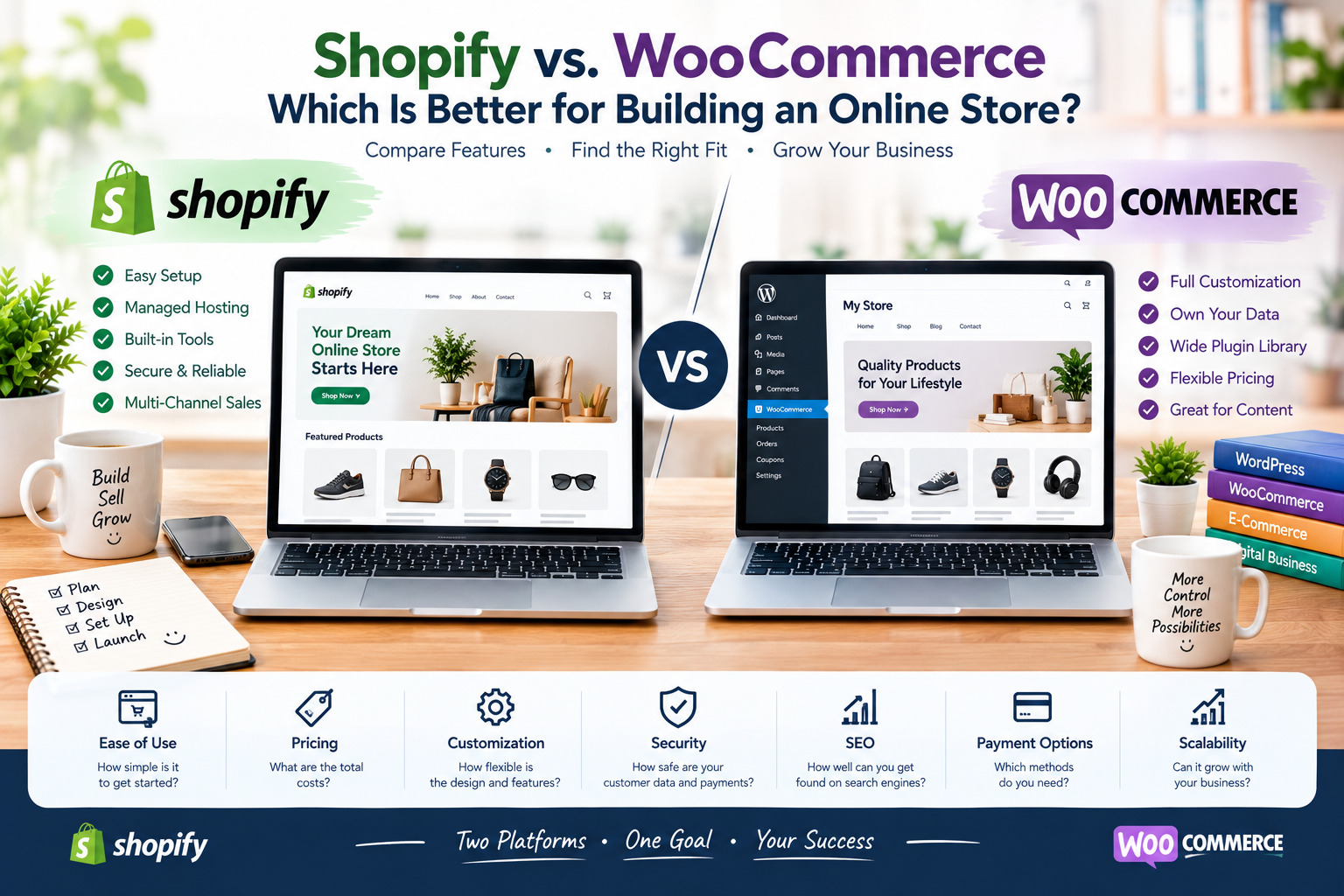
Shopify vs. WooCommerce: Which Is Better for Building an Online Store?
Choosing the right eCommerce platform is one of the most important decisions when starting an online business. Two of the most popular options are Shopify and WooCommerce. Both platforms allow you to build an online store, sell products, accept payments, and grow your business, but they work in different ways.
Shopify is an all-in-one eCommerce platform designed to simplify the process of building and managing an online store. WooCommerce, on the other hand, is an open-source eCommerce plugin for WordPress that provides greater flexibility and control over your website.
In this guide, we will compare Shopify vs. WooCommerce in terms of pricing, ease of use, customization, payment methods, SEO, security, scalability, and overall value to help you choose the best platform for your business.
What Is Shopify?
Shopify is a hosted eCommerce platform that allows entrepreneurs to create and manage online stores without needing advanced technical skills. It provides hosting, store management tools, payment integrations, themes, and a range of business features in one place.
Shopify is particularly suitable for beginners, small businesses, and established brands that want to focus on selling products rather than managing website infrastructure.
Key Features of Shopify
- Easy store setup: Create an online store without extensive coding knowledge.
- Managed hosting: Shopify handles hosting and much of the technical infrastructure.
- Professional themes: Choose from free and paid designs for your storefront.
- Payment processing: Accept payments through supported payment providers.
- Inventory management: Track products, stock levels, and orders.
- Marketing tools: Integrate email marketing, social media channels, and advertising tools.
- App marketplace: Extend your store with additional features and integrations.
- Security and maintenance: Shopify manages core platform updates and much of the underlying security infrastructure.
Advantages of Shopify
- Beginner-friendly: Its interface makes it relatively easy to build and manage an online store.
- All-in-one solution: Hosting, security, and store management are integrated into one platform.
- Fast launch: You can start selling without setting up a separate hosting environment.
- Scalable infrastructure: Shopify offers plans and features for businesses at different stages of growth.
- Reliable support: Access to official support resources and documentation.
Disadvantages of Shopify
- Recurring subscription fees: You must pay for a plan to maintain your store.
- Additional costs: Premium themes, paid apps, and certain transaction fees can increase expenses.
- Limited backend control: You cannot manage the underlying server infrastructure as you would with a self-hosted website.
- Platform dependence: Your store relies on Shopify’s ecosystem and terms.
- Customization limitations: Advanced modifications may require technical expertise or specialized apps.
Official website: https://www.shopify.com/
Shopify pricing: https://www.shopify.com/pricing
What Is WooCommerce?
WooCommerce is an open-source eCommerce plugin designed for WordPress. It transforms a WordPress website into an online store, allowing you to sell physical products, digital downloads, subscriptions, and other types of products through compatible extensions.
Unlike Shopify, WooCommerce does not require you to use a specific hosting provider. You can choose your hosting company, customize your website, and decide which plugins and services to integrate.
WooCommerce is an excellent option for businesses that want greater control over their website and are comfortable managing, or paying someone to manage, the technical aspects of an online store.
Key Features of WooCommerce
- Open-source software: Access and modify the platform’s code.
- WordPress integration: Combine eCommerce functionality with blogging and content marketing.
- Flexible customization: Customize layouts, product pages, checkout experiences, and other store elements.
- Extensive plugin ecosystem: Add features using WordPress plugins and WooCommerce extensions.
- Payment flexibility: Integrate supported payment gateways based on your business needs.
- Product management: Manage physical products, digital products, variations, and inventory.
- SEO flexibility: Use WordPress SEO plugins and content tools to optimize your website.
- Hosting freedom: Select your own hosting provider and upgrade your infrastructure as needed.
Advantages of WooCommerce
- Greater control: You have more freedom over your website, hosting, and technical configuration.
- Flexible customization: Adapt your store to specific business requirements.
- No mandatory WooCommerce subscription: The core plugin is free, although other expenses still apply.
- Strong content marketing capabilities: WordPress provides extensive blogging and publishing tools.
- Large extension ecosystem: Add features through plugins, themes, and integrations.
- Data ownership and portability: You generally have more direct control over your website files and database, subject to your hosting and service arrangements.
Disadvantages of WooCommerce
- Hosting costs: You must arrange and pay for suitable website hosting.
- Technical maintenance: Updates, backups, compatibility, and performance require attention.
- Security responsibilities: You need to manage website security, software updates, access controls, and backups.
- Plugin compatibility issues: Extensions from different developers may conflict.
- Variable performance: Store speed depends on hosting quality, configuration, themes, and plugins.
- Potential development costs: Advanced customization may require a developer.
Official website: https://woocommerce.com/
WooCommerce pricing: https://woocommerce.com/pricing/
WooCommerce features: https://woocommerce.com/woocommerce-features/
Shopify vs. WooCommerce: Main Differences
The following table highlights the most important differences between the two platforms.
| Feature | Shopify | WooCommerce |
|---|---|---|
| Platform type | Hosted eCommerce platform | Open-source WordPress plugin |
| Initial setup | Generally easier | Requires WordPress and hosting setup |
| Pricing | Subscription-based | Core plugin is free; other costs vary |
| Hosting | Included | Purchased separately |
| Customization | Themes, apps, and supported customizations | Extensive control through themes, plugins, and code |
| Technical maintenance | Mostly managed by Shopify | Primarily managed by the store owner or service provider |
| Security | Core infrastructure managed by Shopify | Depends on hosting, configuration, updates, and security practices |
| SEO | Built-in SEO features and app integrations | Extensive control through WordPress and SEO plugins |
| Payment options | Shopify Payments where available and supported third-party providers | Multiple gateways through compatible extensions |
| Scalability | Managed infrastructure and business plans | Depends on hosting, optimization, and architecture |
| Content marketing | Blogging and content features | Extensive WordPress publishing capabilities |
| Best for | Beginners and businesses seeking convenience | Businesses seeking flexibility and control |
1. Pricing: Which Platform Is More Affordable?
Pricing is an important factor when choosing between Shopify and WooCommerce. However, the cheapest platform depends on the size of your store, the features you need, and how much technical work you can manage yourself.
Shopify Pricing
Shopify uses a subscription model. The cost depends on your selected plan, billing terms, region, and any additional services you purchase.
Potential expenses include:
- Monthly or annual subscription fees.
- Paid themes and applications.
- Payment processing fees.
- Possible third-party transaction fees, depending on your plan and payment setup.
- Additional services for marketing, shipping, and store management.
Shopify makes budgeting relatively straightforward because hosting and many core store functions are included.
WooCommerce Pricing
WooCommerce’s core plugin is free, but running a professional online store involves other expenses.
Potential costs include:
- WordPress hosting.
- Domain registration.
- Premium themes.
- Paid plugins and extensions.
- Payment processing fees.
- Security and backup services.
- Developer assistance and maintenance.
A small WooCommerce store may be inexpensive if you use affordable hosting and free extensions. However, a complex store with premium plugins and professional maintenance can become costly.
Winner: Shopify for predictable, integrated infrastructure costs; WooCommerce for flexibility in choosing and controlling your expenses.
Compare the current options on the official pricing pages:
- Shopify: https://www.shopify.com/pricing
- WooCommerce: https://woocommerce.com/pricing/
2. Ease of Use: Which Is Better for Beginners?
Shopify is generally easier for beginners because most of the technical infrastructure is managed for you.
You can choose a theme, add products, configure payment methods, set up shipping, and publish your store through a guided interface.
WooCommerce requires more initial decisions. You must choose hosting, install WordPress, configure WooCommerce, select a theme, and manage the relevant plugins and settings.
Once everything is configured, WooCommerce can be straightforward to use for routine product and order management. However, troubleshooting technical issues may require additional knowledge.
Winner: Shopify.
Shopify is usually the better choice for people who want to launch quickly without dealing with hosting, server configuration, and technical maintenance.
3. Customization: Which Platform Offers More Freedom?
Customization is one of the biggest differences between Shopify and WooCommerce.
Shopify provides themes, applications, and supported customization options. These tools make it possible to build attractive storefronts without extensive development work. Nevertheless, certain advanced modifications may require specialized apps or knowledge of Shopify’s development environment.
WooCommerce provides greater technical freedom because it runs on WordPress and supports a large ecosystem of themes, plugins, and custom code.
You can modify product pages, integrate specialized business systems, customize checkout flows, and build features tailored to your business, subject to compatibility and technical constraints.
This flexibility also means that you may need to spend more time testing and maintaining your website.
Winner: WooCommerce.
WooCommerce is better suited to businesses that require extensive customization or want direct control over their website’s technical structure.
4. Payment Methods and Checkout
Both platforms support online payments, but the available options depend on your country, business type, payment provider, and account eligibility.
Shopify Payments
Shopify Payments is available in supported countries and allows eligible merchants to accept payments through Shopify’s integrated payment system.
Depending on your location and configuration, Shopify also supports third-party payment providers.
Before choosing Shopify, verify that your preferred payment gateway is available in your country and supports your business model.
WooCommerce Payments
WooCommerce supports a range of payment gateways through official and third-party extensions.
Depending on availability, you can integrate providers such as PayPal, Stripe, bank payment methods, and regional payment gateways.
This flexibility can be especially useful for merchants operating in countries where certain payment services are unavailable or where local payment methods are essential.
However, you are responsible for configuring the appropriate extensions and checking their compatibility.
Winner: It depends on your location and payment requirements.
Shopify offers convenience through its integrated ecosystem, while WooCommerce provides flexibility in choosing compatible payment gateways.
5. SEO: Which Platform Is Better for Google Rankings?
Search engine optimization (SEO) helps your products and pages appear in search results when potential customers look for relevant information or products.
Both Shopify and WooCommerce can support effective SEO strategies. Neither platform automatically guarantees higher Google rankings.
Shopify SEO Features
Shopify provides several built-in SEO capabilities, including:
- Editable page titles and meta descriptions.
- Customizable product descriptions and URLs within platform constraints.
- Automatic XML sitemap generation.
- SSL security through its hosted infrastructure.
- Mobile-responsive themes.
- Integration with analytics and marketing tools.
Shopify is suitable for merchants who want access to essential SEO tools without managing a complex technical setup.
WooCommerce SEO Features
WooCommerce benefits from WordPress’s content management capabilities and its extensive SEO plugin ecosystem.
Depending on your configuration, you can use tools to manage:
- Page titles and meta descriptions.
- XML sitemaps.
- Structured data.
- Canonical URLs.
- Internal linking.
- Blog content and topical clusters.
- Image optimization and page performance.
WooCommerce also gives you more technical control over many aspects of website optimization, although that control comes with additional responsibilities.
Which Platform Is Better for SEO?
WooCommerce may be preferable for businesses that need extensive technical SEO control and rely heavily on content marketing.
Shopify remains a strong choice for businesses that want practical SEO features in a managed environment.
In either case, rankings depend on factors such as content quality, search intent, competition, website performance, backlinks, user experience, and technical implementation.
Winner: WooCommerce for flexibility; both platforms can perform well when properly optimized.
6. Security and Maintenance
Security is essential for every online store because websites handle customer information, orders, and potentially sensitive business data.
Shopify Security
Shopify manages the core hosting infrastructure and many platform-level security responsibilities. This reduces the amount of server maintenance required from store owners.
You still need to protect administrator accounts, use strong passwords, enable available authentication protections, review app permissions, and follow safe business practices.
WooCommerce Security
WooCommerce security depends on the WordPress installation, hosting environment, themes, plugins, and maintenance procedures.
Store owners should:
- Keep WordPress, WooCommerce, themes, and plugins updated.
- Use trusted extensions and themes.
- Maintain regular backups.
- Use strong passwords and appropriate access permissions.
- Install a suitable SSL certificate.
- Monitor vulnerabilities and suspicious activity.
- Choose reliable hosting with appropriate security features.
A properly maintained WooCommerce store can be secure, but the owner has more responsibility for managing its components.
Winner: Shopify for simplicity and reduced maintenance.
WooCommerce may be the better option for businesses that want more control and have the resources to manage website security properly.
7. Scalability: Which Platform Can Grow With Your Business?
Scalability matters when your business expands, your product catalog grows, or you begin processing more orders.
Shopify Scalability
Shopify offers managed infrastructure and plans designed to support businesses at different stages of growth.
You can add applications, expand sales channels, and use available features to support a growing business without managing the underlying hosting environment yourself.
Your costs may increase as you require higher-tier plans, additional applications, or more advanced services.
WooCommerce Scalability
WooCommerce can support businesses of different sizes, but its performance depends on hosting quality, database optimization, caching, plugin efficiency, and website architecture.
As traffic and order volume increase, you may need to upgrade hosting, optimize your database, improve caching, or hire a developer.
This creates more flexibility but also requires more technical management.
Winner: Shopify for managed scaling; WooCommerce for businesses that want control over their infrastructure and optimization strategy.
8. Which Platform Is Better for Different Types of Businesses?
The right platform depends on your business model, budget, technical skills, and long-term goals.
Choose Shopify If You:
- Are launching your first online store.
- Want to start selling as quickly as possible.
- Prefer a managed platform with integrated hosting.
- Do not want to handle regular server maintenance.
- Want to manage products and orders through one system.
- Prefer predictable platform subscriptions.
Choose WooCommerce If You:
- Already have a WordPress website.
- Want greater control over website design and functionality.
- Need specialized plugins or custom features.
- Plan to invest in content marketing and blogging.
- Want to choose your own hosting provider.
- Have the technical skills or budget to manage maintenance.
What About Dropshipping and Digital Products?
Both platforms can support dropshipping and digital product sales, but the best choice depends on your suppliers, integrations, payment methods, and business requirements.
Shopify may be easier for merchants who want a streamlined setup with integrated applications.
WooCommerce may be more attractive to businesses that need custom workflows, specialized integrations, or greater control over the customer experience.
Before committing, confirm that the applications and payment services you need are available in your country.
9. Total Cost of Ownership: Look Beyond the Starting Price
Comparing only subscription fees can lead to the wrong decision. You should consider the total cost of running your store over time.
For Shopify, calculate:
- Subscription costs.
- Payment processing and applicable transaction fees.
- Premium apps.
- Theme expenses.
- Additional services and integrations.
For WooCommerce, calculate:
- Hosting and domain costs.
- Premium plugins and themes.
- Payment processing fees.
- Backups and security services.
- Developer and maintenance costs.
- Hosting upgrades as traffic increases.
You should also consider the value of your own time. A platform that appears cheaper may cost more in the long run if it requires frequent troubleshooting or extensive technical work.
Practical recommendation: Estimate your costs for the first 12 months, including the tools you genuinely need, before making your decision.
Final Verdict: Shopify vs. WooCommerce
Shopify and WooCommerce are both capable eCommerce solutions, but they are designed for different priorities.
Shopify is the better choice for merchants who value simplicity, integrated hosting, and minimal technical maintenance. It allows you to focus on products, marketing, customers, and sales rather than managing website infrastructure.
WooCommerce is the better choice for merchants who value flexibility, customization, and greater control over their website. It is particularly attractive to WordPress users and businesses with specific technical or content marketing requirements.
Choose Shopify if you want convenience and a managed eCommerce experience. Choose WooCommerce if you want flexibility and control over your online store.
Ultimately, the best platform is the one that matches your budget, technical capabilities, payment requirements, and long-term business strategy.


