
Best CRM Software in 2026: Top Customer Relationship Management Tools for Businesses
Why CRM Software Is Essential for Modern Businesses
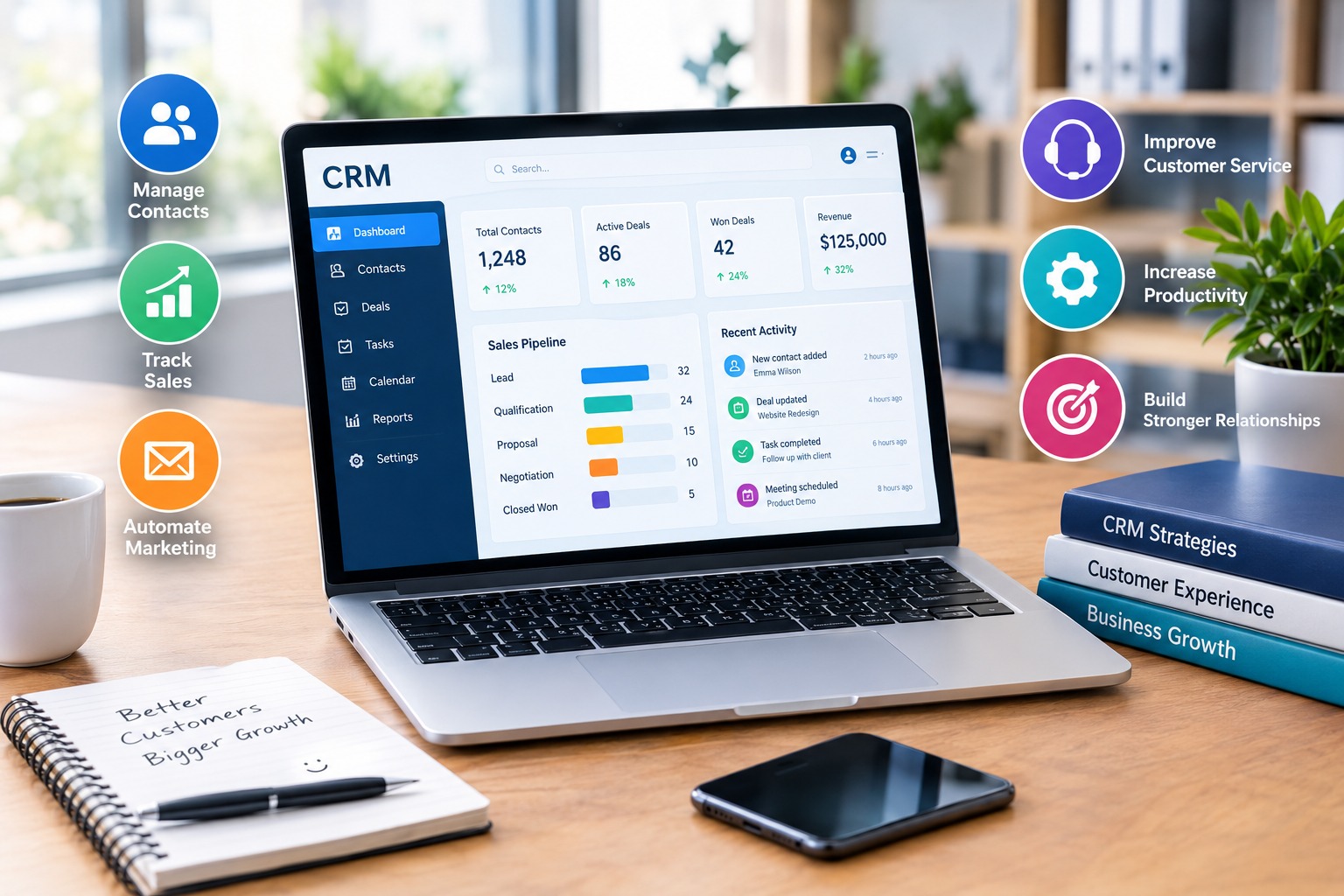
Customer relationship management software, commonly known as CRM software, helps businesses organize customer information, manage sales opportunities, track communications, and improve relationships with existing and potential customers. In 2026, CRM platforms are important tools for startups, ecommerce stores, marketing agencies, service providers, and large enterprises looking to improve productivity and customer retention.
The best CRM software allows companies to centralize customer records instead of relying on scattered spreadsheets, disconnected applications, and manual notes. Sales teams can monitor leads, schedule follow-ups, manage deals, and analyze performance from a single platform. Marketing teams can use customer information to organize campaigns, while customer service departments can access relevant interaction histories to provide more consistent support.
Modern CRM systems also offer automation, reporting, third-party integrations, mobile access, and artificial intelligence features. However, not every business needs an advanced enterprise platform. Small businesses may benefit more from an affordable, easy-to-use CRM, while larger organizations may require extensive customization, complex reporting, and advanced permission controls.
This guide explores some of the best CRM software solutions in 2026, including their main features, advantages, limitations, and ideal business applications. It also explains how to choose the right platform for your company’s needs.
1. HubSpot CRM: Best for Businesses Seeking an All-in-One Platform
HubSpot CRM is a popular customer relationship management solution designed to help businesses organize contacts, track sales opportunities, manage customer interactions, and coordinate marketing activities.
One of its main advantages is its accessible interface, which makes it suitable for businesses introducing CRM software for the first time. Teams can maintain contact records, track deals through sales pipelines, schedule meetings, and record interactions with prospects and customers.
HubSpot also offers a broader ecosystem of sales, marketing, customer service, and content management tools. Businesses can connect relevant functions as their operations grow, although available features and automation capabilities depend on the selected products and subscription plans.
Another advantage is the availability of free CRM tools, subject to the provider’s current usage limits and conditions. This can help small businesses test CRM workflows before committing to a paid subscription.
HubSpot is particularly useful for businesses that want customer relationship management and marketing activities to work together. However, companies requiring advanced automation, detailed reporting, or extensive customization should compare paid plan limitations and the total subscription cost before making a decision.
Key Features and Benefits:
- Centralized contact and company records.
- Sales pipeline and deal tracking.
- Contact activity and communication histories.
- Meeting scheduling and task management.
- Marketing and customer service integrations.
- Reporting and selected automation features.
- Free tools for businesses starting with CRM software.
- A scalable ecosystem for growing teams.
Potential Limitation: Some advanced features and higher usage limits require paid subscriptions, and costs can increase as businesses add products, users, or additional capabilities.
Official Website: https://www.hubspot.com/products/crm
2. Salesforce Sales Cloud: Best for Large Businesses and Complex Sales Operations
Salesforce Sales Cloud is a comprehensive CRM platform designed for organizations that need sophisticated sales management, configurable business processes, detailed reporting, and integrations with other enterprise systems.
Its capabilities include lead management, contact management, opportunity tracking, account management, forecasting, and sales performance analysis. Businesses can configure workflows and data structures to reflect their specific sales processes.
Salesforce also provides a broad ecosystem of applications and integrations. This flexibility can be valuable for organizations with multiple departments, complex approval procedures, or specialized customer management requirements.
Automation and AI-supported features can help teams analyze customer information, prioritize opportunities, and reduce repetitive administrative tasks, depending on the products and subscriptions selected.
However, Salesforce may require more planning and configuration than simpler CRM platforms. Businesses should consider implementation costs, administrator requirements, staff training, integration expenses, and subscription fees when calculating the total cost of ownership.
Salesforce is generally best suited to medium-sized and large organizations that need flexibility and have the resources to manage a sophisticated CRM environment.
Key Features and Benefits:
- Advanced lead and opportunity management.
- Configurable sales processes and workflows.
- Detailed sales reporting and forecasting.
- Integration options for business applications.
- Automation for selected sales activities.
- Customizable data fields and business processes.
- AI-supported capabilities in eligible products.
- Scalability for complex organizational requirements.
Potential Limitation: Implementation, customization, and ongoing administration can be demanding, particularly for smaller companies without dedicated technical support.
Official Website: https://www.salesforce.com/sales/
3. Zoho CRM: Best for Small Businesses Seeking Flexible Features
Zoho CRM provides customer management, sales tracking, automation, and reporting tools for businesses of different sizes. It can be particularly attractive to small and medium-sized companies seeking a broad range of capabilities without immediately adopting an enterprise-level system.
The platform supports lead management, contact organization, deal tracking, workflow automation, and sales analytics. Businesses can use these features to organize customer information and establish more consistent processes for following up on opportunities.
Zoho CRM also belongs to a wider business software ecosystem. Depending on the company’s requirements, it can be integrated with other applications for email, customer support, accounting, marketing, and collaboration.
Customization options allow businesses to adapt selected fields, layouts, workflows, and reports to their operational needs. Certain editions also provide AI-assisted functions and additional automation capabilities.
The platform offers different subscription tiers, and the features available vary by edition. Businesses should compare the current plan limits, integration requirements, and automation tools before selecting a subscription.
Zoho CRM is a practical option for companies that want flexibility and the ability to connect customer management with other business operations.
Key Features and Benefits:
- Lead, contact, account, and deal management.
- Sales pipeline tracking.
- Configurable workflows and automation.
- Custom fields and reporting options.
- Integration with other business applications.
- Mobile access for sales representatives.
- AI-assisted features in eligible plans.
- Different subscription options for various business sizes.
Potential Limitation: The range of configuration options can take time to learn, and businesses may need to invest in setup and staff training to use the platform effectively.
Official Website: https://www.zoho.com/crm/
4. Pipedrive: Best for Sales Pipeline Management
Pipedrive is a CRM platform built around managing sales activities and helping teams understand where each opportunity stands in the sales process.
Its visual sales pipeline allows users to organize deals into stages, monitor progress, and identify opportunities that require attention. Sales representatives can schedule activities, record interactions, manage contacts, and keep track of upcoming tasks.
Pipedrive is especially useful for businesses that rely on a structured sales process. Instead of managing opportunities through separate spreadsheets or individual notes, teams can use a shared interface to monitor deals and coordinate follow-ups.
Automation features can help reduce repetitive tasks, while reporting tools provide information about sales performance and pipeline activity. Additional integrations can connect Pipedrive with email, marketing applications, accounting systems, and other business tools.
The platform focuses strongly on sales management rather than serving as a complete replacement for every marketing or customer service application. Companies with broader requirements may need to integrate additional software.
Pipedrive is a strong option for small and medium-sized sales teams that prioritize usability, pipeline visibility, and organized follow-up activities.
Key Features and Benefits:
- Visual sales pipeline management.
- Lead and deal tracking.
- Contact and activity management.
- Reminders and follow-up scheduling.
- Sales performance reports.
- Automation for selected repetitive activities.
- Integration with external business applications.
- An interface designed around sales workflows.
Potential Limitation: Some advanced automation, reporting, and integration capabilities depend on the selected subscription, and additional tools may be needed for extensive marketing or customer support operations.
Official Website: https://www.pipedrive.com/
5. Freshsales: Best for Sales Teams Managing Multiple Communication Channels
Freshsales is a CRM solution designed to help businesses manage leads, contacts, sales activities, and customer conversations.
Depending on the subscription and configuration, the platform can bring together customer information, email communication, telephone-related functions, and other sales interactions. This can help representatives understand previous conversations before contacting a prospect or existing customer.
Freshsales also offers sales pipeline management, activity tracking, workflow automation, and reporting tools. Selected plans include AI-assisted capabilities that can help teams prioritize leads and organize sales activities.
For businesses that handle numerous incoming inquiries, having customer details and sales activities organized in one place can reduce administrative work and improve follow-up consistency.
The platform may be particularly useful for smaller sales teams that want customer records and communication-related tools within the same environment. However, the exact availability of built-in communication features, automation, and AI tools should be verified for the chosen plan and country.
Key Features and Benefits:
- Contact and lead management.
- Visual sales pipeline.
- Sales activity tracking.
- Email and communication management.
- Workflow automation in eligible plans.
- Reporting and performance monitoring.
- AI-assisted sales features in selected subscriptions.
- Integration with other Freshworks products and external applications.
Potential Limitation: Feature availability varies by plan, and businesses should confirm communication functionality, regional availability, and any additional usage charges before subscribing.
Official Website: https://www.freshworks.com/crm/sales/
6. Microsoft Dynamics 365 Sales: Best for Businesses Using Microsoft Tools
Microsoft Dynamics 365 Sales is a CRM platform designed for organizations that need structured sales management and integration with the wider Microsoft business ecosystem.
The platform supports lead and opportunity management, customer records, sales forecasting, activity tracking, and reporting. Its integration options can be particularly useful for organizations that already depend on Microsoft applications for email, collaboration, analytics, and business operations.
Dynamics 365 Sales can help teams establish consistent sales processes, monitor opportunities, and share customer information across departments. Advanced configuration and integration capabilities make it suitable for businesses with more complex requirements.
Depending on the license and configuration, organizations may also access AI-supported insights and productivity features designed to assist sales representatives.
Because Dynamics 365 can be part of a broader enterprise technology environment, implementation should account for licensing, integration requirements, data migration, and employee training.
It is a suitable choice for companies seeking a CRM system that can work closely with Microsoft products and existing business processes.
Key Features and Benefits:
- Lead, account, contact, and opportunity management.
- Sales forecasting and reporting.
- Integration with Microsoft business applications.
- Configurable workflows and sales processes.
- Activity tracking and customer history.
- AI-supported capabilities in eligible configurations.
- Customization options for organizational requirements.
- Support for complex sales operations.
Potential Limitation: Licensing and configuration can become complicated, and some organizations may need specialist support for implementation and ongoing administration.
Official Website: https://www.microsoft.com/en-us/dynamics-365/products/sales
7. monday CRM: Best for Teams That Want Visual Workflows
monday CRM is a CRM solution built around visual boards, configurable workflows, and collaborative work management.
Its interface allows teams to organize leads, customer records, deals, tasks, and sales activities using customizable views. This approach can be useful for businesses that prefer a visual overview of their work rather than a traditional CRM layout.
Teams can configure boards and workflows to reflect their sales processes, assign responsibilities, monitor progress, and automate selected repetitive actions. Integration options help connect CRM activities with other business applications.
The platform may appeal to companies that already use monday.com for project management or team collaboration. Bringing sales activities and related tasks into a familiar environment can help reduce the need to switch between separate tools.
However, businesses should distinguish between core CRM functionality and general work management features when comparing subscriptions. They should also check user minimums, automation limits, and available integrations before purchasing a plan.
Key Features and Benefits:
- Visual management of leads and deals.
- Customizable boards and sales pipelines.
- Task assignment and activity tracking.
- Workflow automation in eligible plans.
- Collaboration features for sales teams.
- Reporting and dashboard options.
- Integration with external applications.
- Flexible views for different business processes.
Potential Limitation: Pricing, minimum seat requirements, and feature limits can affect affordability, particularly for very small teams.
Official Website: https://monday.com/crm
8. Bigin by Zoho: Best for Freelancers and Very Small Businesses
Bigin by Zoho is a CRM product designed for small businesses that need a straightforward way to organize contacts, manage sales pipelines, and track customer interactions.
Unlike more complex enterprise systems, Bigin focuses on core customer management workflows. Users can organize contacts, track deals, schedule follow-ups, and maintain visibility into their sales activities without necessarily implementing a large software platform.
The interface is intended to help smaller teams move away from spreadsheets and disconnected notes. Pipeline views make it easier to understand the status of opportunities, while task management and communication records help users maintain consistent follow-up routines.
Bigin also offers integrations with selected business applications, and some capabilities may connect with the broader Zoho ecosystem. Available features and usage limits depend on the subscription.
For freelancers, consultants, small agencies, and new businesses, a simpler CRM can be advantageous because it reduces the time required for setup and administration.
Key Features and Benefits:
- Contact and company management.
- Simple sales pipeline tracking.
- Deal and task management.
- Customer interaction records.
- Follow-up reminders.
- Integration with selected business tools.
- Options designed for smaller teams.
- A comparatively straightforward approach to CRM adoption.
Potential Limitation: Businesses with advanced reporting, extensive customization, or complex enterprise requirements may eventually need a more comprehensive CRM platform.
Official Website: https://www.bigin.com/
9. Bitrix24: Best for Businesses Seeking CRM and Collaboration Tools
Bitrix24 combines customer relationship management with a broader set of collaboration and business management tools.
Its CRM features support contact management, lead tracking, deal pipelines, customer communication records, and sales activities. Depending on the plan, businesses may also access automation, reporting, task management, and other operational features.
The platform can be attractive to organizations that want to bring sales management and internal collaboration into a shared environment. Employees can coordinate work, assign tasks, and monitor business activities without necessarily relying on completely separate systems for every function.
Bitrix24 offers different plans and deployment options, but availability, technical requirements, and feature limits vary. Businesses should evaluate the interface, data storage arrangements, administrative controls, and integration requirements before implementation.
For organizations that need more than contact management alone, Bitrix24 may provide a useful combination of CRM and collaboration functionality.
Key Features and Benefits:
- Contact and lead management.
- Sales pipelines and deal tracking.
- Task management and team collaboration.
- Automation features in eligible plans.
- Communication and activity tracking.
- Reporting and business workflow tools.
- Integration options for selected applications.
- A broader platform for coordinating business activities.
Potential Limitation: Its broad feature set can make the interface more complex, and businesses should verify that the selected plan meets their needs for data management, privacy, and administration.
Official Website: https://www.bitrix24.com/
10. Insightly: Best for Businesses Connecting Sales and Project Delivery
Insightly provides customer relationship management features alongside tools that can help businesses organize projects and manage work after a sale.
The platform supports contact management, lead tracking, opportunity management, and sales reporting. Its project-related capabilities can help suitable businesses maintain continuity between the sales process and subsequent customer work.
For consulting firms, agencies, and service providers, this connection can be useful because customer relationships often continue beyond the point when a deal is closed. Teams can retain customer information while organizing the delivery activities associated with a project.
Insightly also provides integration options and configurable functions, with capabilities depending on the selected product and subscription.
Businesses considering this platform should review whether its project management features match their actual workflows and whether additional tools or licenses will be required.
Key Features and Benefits:
- Contact and lead management.
- Opportunity tracking and sales pipelines.
- Customer activity records.
- Sales reporting and dashboards.
- Project-related workflow capabilities.
- Integration with selected business applications.
- Tools for connecting sales and service delivery.
- Configurable functions for different business processes.
Potential Limitation: Advanced functions may require higher-tier subscriptions, and businesses should evaluate the overall cost and complexity before implementation.
Official Website: https://www.insightly.com/
Best CRM Software Comparison for 2026
Choosing between CRM platforms is easier when their main strengths are considered alongside the needs of the business.
HubSpot CRM is worth considering for businesses that want customer management combined with marketing and service tools. Salesforce Sales Cloud is more appropriate for organizations requiring extensive customization and complex sales processes.
Zoho CRM offers a broad collection of customer management capabilities and integrations, while Pipedrive focuses on visual sales pipeline management. Freshsales may suit sales teams that want customer records and communication-related features in one environment.
Microsoft Dynamics 365 Sales is particularly relevant to businesses using Microsoft technologies, while monday CRM emphasizes visual workflows and team collaboration. Bigin by Zoho is designed for simpler CRM requirements, Bitrix24 combines CRM with collaboration features, and Insightly can connect sales management with project delivery.
The best choice depends on the number of users, required integrations, reporting needs, automation requirements, available budget, and the complexity of the sales process.
How to Choose the Best CRM Software for Your Business
Selecting the right CRM software requires more than comparing feature lists. The system should support your business processes, remain affordable as the company grows, and be practical for employees to use consistently.
Identify Your Business Requirements
Start by identifying the problems you want to solve. You may need a central contact database, a visual sales pipeline, marketing campaign management, customer support records, or more accurate sales forecasting.
Write down the essential features before comparing providers. This will help prevent you from paying for advanced capabilities that your business does not need.
Consider Ease of Use
A CRM platform is only useful when employees keep customer records accurate and up to date. Choose an interface that matches the team’s experience and workflow.
Before committing to a subscription, test the software with a small group of users. Check how easily they can add contacts, update deals, record communications, and schedule follow-ups.
Compare the Total Cost
CRM subscription prices can vary according to the number of users, feature tiers, billing frequency, and additional services. Some providers offer free plans, while others rely on paid subscriptions or time-limited trials.
Calculate the full cost, including implementation, training, integrations, data migration, additional storage, and any required add-ons. Confirm whether the displayed price includes applicable taxes and whether the billing currency suits your business.
Evaluate Integrations
Your CRM may need to connect with email, ecommerce platforms, accounting software, marketing tools, customer support systems, and communication applications.
Check whether the required integrations are available in your intended subscription and whether they require additional fees or third-party services.
Review Automation and Reporting
Automation can reduce repetitive work, such as assigning leads, creating follow-up tasks, and updating records. Reporting helps managers understand pipeline performance, sales activity, and customer trends.
Choose a system that provides the reports and automation you genuinely need, rather than selecting a platform solely because it advertises artificial intelligence or advanced analytics.
Check Data Protection and Security
Customer databases can contain personal information, business contact details, purchase histories, and communication records. Companies operating in the European Union should evaluate the provider’s data processing terms, security controls, data location options, retention settings, and support for relevant data protection obligations.
A CRM platform does not automatically make a business compliant with the General Data Protection Regulation (GDPR). Compliance also depends on how the company collects, stores, accesses, uses, and deletes customer information.
Think About Future Growth
A CRM should support the business as its customer base and team expand. Consider whether the platform can accommodate additional users, more complex sales processes, extra reporting requirements, and new integrations.
At the same time, avoid choosing an overly complicated enterprise system when a simpler tool can meet your current needs.
Benefits of Using CRM Software
CRM software can improve business operations by centralizing customer information and making it easier for employees to coordinate their work.
Better Customer Organization: A shared database helps teams maintain consistent records of customers, prospects, previous interactions, and sales opportunities.
More Consistent Follow-Ups: Reminders, tasks, and automation can reduce the likelihood of overlooking important sales activities.
Improved Sales Visibility: Pipeline dashboards and reports help managers monitor opportunities, understand progress, and identify deals that require attention.
More Personalized Customer Communication: Access to relevant customer history can help employees respond more appropriately to individual needs and previous interactions.
Reduced Administrative Work: Automation can simplify repetitive tasks, although its effectiveness depends on correct configuration and reliable data.
Improved Team Collaboration: Shared records make it easier for authorized employees to access relevant information and coordinate customer-related activities.
More Informed Decisions: CRM reports can provide useful insights into sales performance and customer behavior when the underlying data is accurate and interpreted appropriately.
Common CRM Mistakes Businesses Should Avoid
One common mistake is choosing a CRM based solely on popularity. A widely used platform may still be unsuitable if it does not match the company’s workflow, budget, or integration requirements.
Another mistake is attempting to implement every available feature immediately. Starting with essential contact records, sales stages, and follow-up processes can make adoption easier and reveal which additional capabilities are genuinely valuable.
Poor data quality is another challenge. Duplicate contacts, outdated information, and inconsistent sales records can reduce the usefulness of reports and automation. Businesses should establish clear procedures for entering, updating, and maintaining customer information.
Companies should also avoid overlooking employee training. Even a capable CRM may produce disappointing results if users do not understand how to maintain records or follow the agreed workflow.
Finally, review subscription limits and renewal terms before purchasing. The cost of a CRM can change as the business adds users, requires more automation, or upgrades to advanced reporting and integrations.
Where to Learn More About CRM Software and Related Business Tools
CRM software is generally purchased directly from the provider or through an authorized business software partner rather than through Amazon. Most major CRM platforms offer online product information, subscription details, demonstrations, or trial options.
For businesses in Germany and elsewhere in Europe, the following official websites are useful starting points:
- HubSpot CRM: https://www.hubspot.com/products/crm
- Salesforce Sales Cloud: https://www.salesforce.com/sales/
- Zoho CRM: https://www.zoho.com/crm/
- Pipedrive: https://www.pipedrive.com/
- Freshsales: https://www.freshworks.com/crm/sales/
- Microsoft Dynamics 365 Sales: https://www.microsoft.com/en-us/dynamics-365/products/sales
- monday CRM: https://monday.com/crm
- Bigin by Zoho: https://www.bigin.com/
- Bitrix24: https://www.bitrix24.com/
- Insightly: https://www.insightly.com/
Subscription availability, prices, taxes, billing conditions, and included features can vary by country and plan. Always consult the provider’s current terms before making a purchasing decision.
For readers who prefer learning resources in book format, Amazon Germany and other European Amazon marketplaces may offer books about customer relationship management, sales operations, CRM implementation, and customer experience. These resources can provide additional background, but they are not substitutes for checking current software features and licensing terms.
Conclusion
The best CRM software in 2026 depends on the size of your business, your sales process, your budget, and the way your team manages customer relationships. HubSpot CRM offers an accessible starting point for businesses seeking connected customer management and marketing tools, while Salesforce Sales Cloud provides extensive customization for more complex organizations.
Zoho CRM is a flexible option for businesses looking for a broad feature set, and Pipedrive is well suited to teams that prioritize sales pipeline visibility. Freshsales provides customer and sales management tools with communication-related capabilities, while Microsoft Dynamics 365 Sales can be attractive to organizations using Microsoft’s business ecosystem.
Other solutions, including monday CRM, Bigin by Zoho, Bitrix24, and Insightly, offer different approaches to workflow management, small-business CRM, collaboration, and project delivery.
Before selecting a platform, compare the essential features, total cost, integration options, ease of use, automation capabilities, and data protection requirements. The right CRM system can help your business organize customer information, improve follow-up processes, support better decision-making, and build stronger customer relationships over time.


