
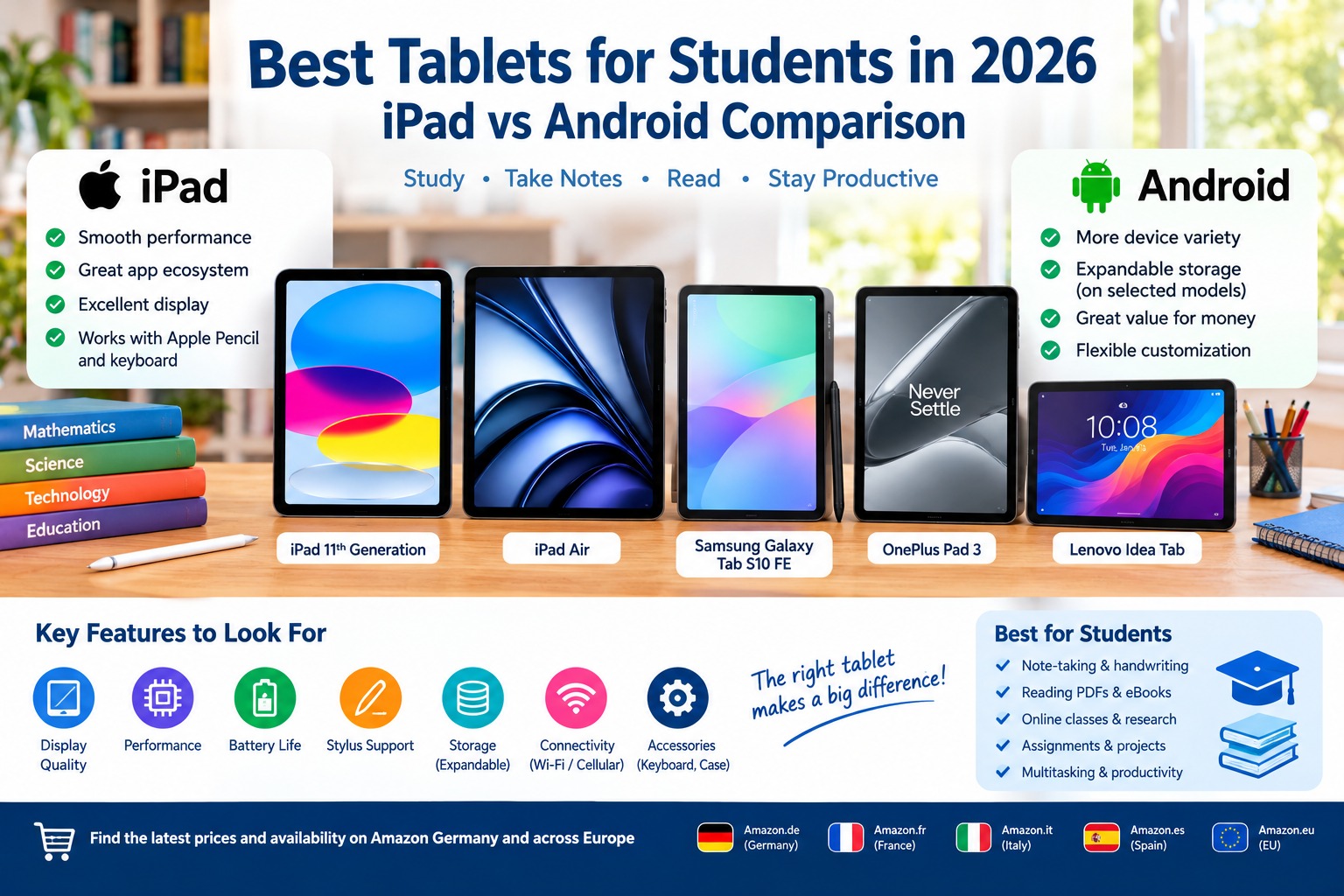
What Are the Best Tablets for Students in 2026?
1. Apple iPad 11th Generation: Best Overall Tablet for Students
The Apple iPad 11th generation, released in 2025, is a strong choice for students who want a reliable tablet for everyday academic work. It combines a responsive touchscreen, a capable Apple A16 processor, and access to Apple’s extensive collection of educational and productivity applications. Its balance of performance and usability makes it suitable for high school students, university students, and learners who need a versatile device.
Key Features of the Apple iPad 11th Generation
The iPad features an 11-inch-class Liquid Retina display with a resolution of 2360 × 1640 pixels. The Apple A16 chip provides enough performance for common student activities, including web browsing, document editing, video calls, digital textbooks, and many creative applications. Storage options include 128GB, 256GB, and 512GB, depending on the configuration.
The tablet supports compatible Apple Pencil models and external keyboards, allowing students to take handwritten notes, annotate PDFs, create diagrams, and type longer assignments. Its 12MP rear camera and 12MP front camera are useful for scanning documents, attending online classes, and participating in video meetings.
Students should check the exact Apple Pencil and keyboard compatibility before purchasing accessories, as not every accessory works with every iPad model.
Main Advantages
One of the biggest advantages of the iPad is its combination of reliable performance and a large selection of educational applications. Students can use it for note-taking, research, language learning, presentations, digital art, and online courses.
Its straightforward interface is suitable for users who want a device that works well without extensive customization. The iPad is also a practical option for students who already use an iPhone or Mac because compatible Apple devices can share files and work together through Apple’s ecosystem.
Potential Disadvantages
The iPad does not provide expandable microSD storage, so students should consider their storage requirements before purchasing. Apple Pencil and keyboard accessories can also increase the total cost.
Students who need desktop-style multitasking, extensive file-system customization, or lower-cost hardware may find some Android tablets more suitable.
Best for: General schoolwork, university assignments, digital textbooks, handwritten notes, educational apps, and everyday productivity.
Amazon Germany: Apple iPad 11th Generation on Amazon Germany
Amazon France: Apple iPad 11th Generation on Amazon France
Amazon Italy: Apple iPad 11th Generation on Amazon Italy
Amazon Spain: Apple iPad 11th Generation on Amazon Spain
Official product information: Apple iPad
2. Apple iPad Air 11-Inch: Best Premium Tablet for University Students
The Apple iPad Air is an excellent option for students who need more processing power for demanding applications, creative projects, and intensive multitasking. It sits between the standard iPad and the more expensive iPad Pro range, offering strong performance in a thin and portable design.
The iPad Air is particularly appealing to university students studying graphic design, engineering, architecture, media production, and other subjects that involve more demanding software.
Key Features of the Apple iPad Air
The 11-inch iPad Air generation available in 2026 features Apple’s M-series processor, with the exact chip depending on the model. The M3-powered iPad Air introduced in 2025 remains a capable option, although students should compare it with newer configurations available in their region.
Its high-resolution display is suitable for reading academic papers, viewing presentations, editing images, and working with multiple applications. The device supports compatible Apple Pencil accessories and keyboard cases, allowing it to function as a digital notebook or a lightweight productivity setup.
Depending on the configuration, students can choose different storage capacities and Wi-Fi or cellular connectivity. Cellular models can access mobile networks when a suitable plan is available, which may be useful when studying away from campus Wi-Fi.
Main Advantages
The iPad Air offers a powerful combination of portability and performance. Its M-series chip is suitable for demanding creative work, multitasking, and applications that benefit from additional processing power.
Students can annotate lecture slides, draw diagrams, edit videos, prepare presentations, and use compatible external keyboards. The device is also attractive to learners who want to keep their tablet for several academic years.
Potential Disadvantages
The iPad Air generally costs more than the standard iPad and many mid-range Android tablets. A compatible keyboard, stylus, protective case, and other accessories can add substantially to the total purchase price.
Students who mainly read PDFs, browse the internet, and write basic assignments may not need its extra performance.
Best for: University students, creative coursework, engineering applications, digital illustration, multitasking, and long-term productivity.
Amazon Germany: Apple iPad Air on Amazon Germany
Amazon France: Apple iPad Air on Amazon France
Amazon Italy: Apple iPad Air on Amazon Italy
Amazon Spain: Apple iPad Air on Amazon Spain
Official product information: Apple iPad range
3. Samsung Galaxy Tab S10 FE: Best Android Tablet for Students
The Samsung Galaxy Tab S10 FE is one of the strongest Android options for students who want a tablet designed for note-taking, reading, research, and everyday productivity. It combines a large display, Samsung’s Android-based software, S Pen support, and useful multitasking features.
Unlike many tablets that require a separate digital pen purchase, the Galaxy Tab S10 FE includes an S Pen in the product package. This makes it especially appealing to students who want to begin writing and annotating documents digitally without immediately purchasing an additional stylus.
Key Features of the Samsung Galaxy Tab S10 FE
The Galaxy Tab S10 FE features a 10.9-inch display with a resolution of 2304 × 1440 pixels. It uses Samsung’s Exynos 1580 processor and is available in different memory and storage configurations, depending on the market.
Its S Pen support allows students to write handwritten notes, mark up PDFs, draw diagrams, and annotate lecture slides. The tablet also supports microSD expansion, with Samsung specifying compatibility with cards up to 2TB, making it useful for students who keep large collections of documents, videos, and study materials.
The tablet features an 8,000mAh battery and a 13MP rear camera. Samsung also lists IP68 water and dust resistance for the Galaxy Tab S10 FE series, adding protection against certain environmental conditions. Actual battery life varies according to brightness, applications, network use, and other factors.
Main Advantages
The included S Pen is one of the most important advantages for students. It makes the tablet suitable for handwritten notes, mathematical formulas, mind maps, and annotations without necessarily requiring a separate pen purchase.
Samsung’s multitasking features can also help students work with notes, browsers, documents, and educational applications. Expandable storage is another advantage for learners who need additional room for course materials.
The Galaxy Tab S10 FE is a particularly attractive option for students who want Android flexibility without moving to a high-priced flagship tablet.
Potential Disadvantages
Although its performance is suitable for everyday academic work, the Galaxy Tab S10 FE is not intended to match the most expensive tablets in every demanding creative or computing task.
Students should also compare the display, processor, and memory specifications of the FE model with higher-end Galaxy Tab devices if they plan to use demanding applications.
Best for: Handwritten notes, PDF annotation, Android productivity, multitasking, digital textbooks, and expandable storage.
Amazon Germany: Samsung Galaxy Tab S10 FE on Amazon Germany
Amazon France: Samsung Galaxy Tab S10 FE on Amazon France
Amazon Italy: Samsung Galaxy Tab S10 FE on Amazon Italy
Amazon Spain: Samsung Galaxy Tab S10 FE on Amazon Spain
Official product information: Samsung Galaxy Tab S10 FE
4. OnePlus Pad 3: Best Android Tablet for Performance and Multitasking
The OnePlus Pad 3 is a powerful Android tablet designed for users who want a large display and strong processing performance. It is suitable for students who frequently switch between applications, read academic documents, attend online classes, and work on creative or technical projects.
Its large screen is especially useful for reading research papers, viewing presentations, and displaying two compatible applications side by side. Students who prefer a spacious workspace may find it more comfortable than smaller tablets.
Key Features of the OnePlus Pad 3
The OnePlus Pad 3 features a 13.2-inch display with a resolution of 2400 × 3392 pixels and a refresh rate of up to 144Hz. It is powered by Qualcomm’s Snapdragon 8 Elite processor and offers storage configurations that vary by market.
Its large display is useful for viewing multiple pages of a document, reviewing lecture slides, and using compatible multitasking tools. The tablet also features a large battery, while supported keyboard and stylus accessories can extend its usefulness for academic work.
The device does not provide a microSD card slot, so students should choose a storage configuration that meets their expected needs. Accessory availability and compatibility should also be checked in the local market.
Main Advantages
The OnePlus Pad 3 offers strong performance for demanding applications and a large display that supports productive multitasking. Its powerful processor makes it suitable for users who need more than basic browsing and document reading.
The large screen can make it easier to work with several documents, take notes while watching a lecture, or review a presentation alongside reference material.
For students who want a high-performance Android tablet, it is a compelling alternative to premium iPad models.
Potential Disadvantages
The OnePlus Pad 3 may cost more than basic student tablets, and its large size makes it less compact than smaller alternatives.
The lack of expandable storage means buyers need to select the appropriate internal storage from the start. Students should also compare the price of compatible keyboard and stylus accessories before calculating the total cost.
Best for: Demanding applications, multitasking, large-screen study, creative projects, and students who prefer Android.
Amazon Germany: OnePlus Pad 3 on Amazon Germany
Amazon France: OnePlus Pad 3 on Amazon France
Amazon Italy: OnePlus Pad 3 on Amazon Italy
Amazon Spain: OnePlus Pad 3 on Amazon Spain
5. Lenovo Idea Tab: Best Budget-Friendly Android Tablet for Students
The Lenovo Idea Tab is worth considering for students who want an affordable Android tablet for everyday educational activities. Depending on the configuration available in the local market, the Idea Tab family can provide a practical combination of a large screen, a battery suitable for daily use, and support for productivity accessories.
For students who mainly browse educational websites, read PDFs, watch recorded lessons, and write assignments, a budget-friendly tablet can provide the essential functions without the cost of a premium device.
Key Features of the Lenovo Idea Tab
Specifications differ between Lenovo Idea Tab variants, so buyers should check the exact model number before purchasing. Depending on the configuration, the range offers a touchscreen display, Android software, internal storage, and support for selected pen or keyboard accessories.
The large-screen format available on relevant models is useful for reading digital textbooks, reviewing course slides, and viewing online lessons. Android also provides access to many common educational and productivity applications through the Google Play Store on supported models.
Some configurations may include a compatible stylus or offer one as an accessory. Students should confirm what is included in the specific package rather than assuming that every listing comes with a digital pen.
Main Advantages
The main advantage of the Lenovo Idea Tab is its potential value for students who need essential study functions at a more accessible price.
It can be suitable for digital textbooks, web research, video classes, document viewing, and basic note-taking. Android’s broad app selection also gives students flexibility in choosing their preferred study tools.
For learners who do not require flagship performance, choosing a budget-oriented model can leave more money available for a protective case, headphones, or other school supplies.
Potential Disadvantages
Budget tablets may have less processing power, lower memory configurations, or more limited displays than premium models. Performance can also vary significantly between different versions of a product family.
Students should confirm the available software updates, storage capacity, stylus compatibility, and keyboard support before purchasing. A low price is not necessarily the best value if the device lacks features required for a particular course.
Best for: Budget-conscious students, digital textbooks, online learning, basic assignments, and everyday academic use.
Amazon Germany: Lenovo Idea Tab on Amazon Germany
Amazon France: Lenovo Idea Tab on Amazon France
Amazon Italy: Lenovo Idea Tab on Amazon Italy
Amazon Spain: Lenovo Idea Tab on Amazon Spain
iPad vs Android Tablets in 2026: Which Operating System Is Better for Students?
Choosing between an iPad and an Android tablet is not only about hardware. The operating system affects the available applications, file management, accessory compatibility, multitasking, and how easily a tablet works with a student’s existing devices.
Performance and Everyday Use
Apple’s standard iPad is powerful enough for most schoolwork, while the iPad Air offers more processing performance for demanding creative applications. Premium Android tablets such as the OnePlus Pad 3 also provide powerful processors and large displays.
For basic tasks such as reading PDFs, attending online classes, writing assignments, and using educational websites, students do not necessarily need the most expensive processor. A well-chosen mid-range device may be more than sufficient.
Note-Taking and Digital Pens
Both platforms offer digital note-taking applications and compatible styluses.
Apple Pencil support makes compatible iPads useful for handwriting, drawing, and PDF annotation. Samsung’s Galaxy Tab S10 FE includes an S Pen, making it an attractive option for students who want digital handwriting without buying a separate pen.
Before buying an accessory, verify compatibility with the exact tablet model. A stylus designed for one tablet may not work correctly with another.
Apps and Educational Software
The iPad benefits from a broad selection of educational, productivity, and creative applications optimized for Apple’s tablets. Android also offers a wide range of educational applications, document editors, research tools, and note-taking services through Google Play on supported devices.
Students should check whether the applications required by their school or university are available on their chosen platform. If a particular course relies on specialized software, compatibility should take priority over general brand preferences.
File Management and Storage
Android tablets can offer flexible file management, and selected models provide microSD expansion. The Samsung Galaxy Tab S10 FE, for example, supports microSD cards, making it easier to increase storage for supported files.
iPads do not offer microSD expansion, so buyers should choose their internal storage carefully. External storage and cloud services may provide additional options, but their compatibility and convenience depend on the intended workflow.
Battery Life and Portability
Battery performance varies by model, screen brightness, network use, and workload. Students who attend long classes or travel frequently should compare independent battery tests and manufacturer specifications rather than relying only on battery capacity.
Smaller tablets are generally easier to carry between classes, while larger models provide more room for reading documents and using split-screen applications.
Price and Overall Value
The standard iPad can be a strong option for students who want reliable performance and access to Apple’s app ecosystem. Android tablets offer a wider range of configurations, including budget-friendly devices and premium models with large displays.
The best value depends on the total cost, including the tablet, stylus, keyboard, protective case, storage, and any required connectivity plan.
Comparison Table: Best Tablets for Students in 2026
The following table summarizes the main differences between the tablets featured in this guide.
| Tablet | Operating System | Main Strength | Best For | Storage Considerations |
|---|---|---|---|---|
| Apple iPad 11th Generation | iPadOS | Balanced performance and educational apps | Most students | No microSD expansion |
| Apple iPad Air 11-Inch | iPadOS | Strong performance and creative applications | University and creative work | No microSD expansion |
| Samsung Galaxy Tab S10 FE | Android | Included S Pen and expandable storage | Note-taking and study | microSD support |
| OnePlus Pad 3 | Android | Large display and powerful processor | Multitasking and demanding tasks | No microSD slot |
| Lenovo Idea Tab | Android | Budget-friendly everyday functionality | Basic student work | Depends on exact model |
Configurations and features can vary by country and product version. Always verify the precise model and package contents before ordering.
Best Tablet for Different Types of Students
The ideal student tablet depends on the subjects you study, the applications you use, and your available budget.
Best Tablet for High School Students
The standard Apple iPad and budget-friendly Android tablets are good starting points for high school students. They can handle digital textbooks, educational websites, online lessons, document editing, and revision applications.
Students who prefer handwritten notes should also compare the cost of a compatible stylus and case. A tablet that supports handwriting can make it easier to annotate worksheets and organize study materials.
Best Tablet for University Students
University students who work with research papers, presentations, and several applications at once may prefer the iPad Air, Samsung Galaxy Tab S10 FE, or OnePlus Pad 3.
The best choice depends on the software required by the course. Students in creative fields may benefit from stronger processing performance, while students who mainly read academic papers and write assignments may not need a premium device.
Best Tablet for Taking Handwritten Notes
The Samsung Galaxy Tab S10 FE is a particularly convenient option because it includes S Pen support and comes with the pen in the package.
Compatible iPads also provide a strong handwriting experience with Apple Pencil accessories. However, students should account for the additional cost of the stylus when comparing the total purchase price.
Best Tablet for Reading PDFs and Digital Books
Students who spend many hours reading research papers, textbooks, and lecture slides should prioritize a clear display, comfortable screen size, good battery life, and convenient document navigation.
An 11-inch tablet is a versatile size for most academic materials. Larger tablets can make split-screen reading and note-taking more comfortable, although they may be heavier to carry.
Best Tablet for a Limited Budget
A budget Android tablet can be the right choice if your main tasks involve reading, browsing, video lessons, and basic assignments.
Compare storage, memory, software update support, display quality, and accessory costs. Paying slightly more for adequate storage and reliable software support may provide better long-term value than selecting the cheapest model available.
Best Tablet Accessories for Students in 2026
A few well-chosen accessories can make a tablet more useful for school or university. The right combination depends on how you intend to study.
1. Stylus Pens for Digital Note-Taking
A compatible stylus allows students to write handwritten notes, draw diagrams, annotate PDFs, and highlight important passages. It is particularly useful for mathematics, physics, engineering, and other subjects that require formulas or drawings.
Check whether the pen is included with the tablet or must be purchased separately.
Amazon Germany: Stylus pens for tablets
Amazon France: Digital pens for tablets
Amazon Italy: Stylus pens for digital notes
Amazon Spain: Digital pens for tablets
2. Keyboard Cases for Writing Assignments
A keyboard case can make a tablet more comfortable for writing essays, preparing presentations, and entering longer documents. Some keyboards also provide a stand, helping students position the display at a convenient angle.
Before purchasing, confirm that the keyboard fits the exact tablet model and supports the required connection method.
Amazon Germany: Tablet keyboard cases
Amazon France: Tablet keyboard cases
Amazon Italy: Tablet keyboard cases
Amazon Spain: Tablet keyboard cases
3. Protective Cases and Screen Protectors
A protective case helps protect a tablet during everyday transport between home, school, and university. A screen protector may also reduce the risk of scratches, depending on its design and the way the device is used.
Choose accessories made for the precise tablet model to ensure that buttons, cameras, speakers, and charging ports remain accessible.
Amazon Germany: Protective tablet cases
Amazon France: Protective tablet cases
Amazon Italy: Protective tablet cases
Amazon Spain: Protective tablet cases
These links lead to Amazon search results rather than guaranteed listings for a specific seller or configuration. Prices, availability, delivery options, and product compatibility can change.
How to Choose the Best Student Tablet in 2026
Before purchasing a tablet, consider how you will use it throughout the academic year.
Set a Realistic Budget
Calculate the total cost of the tablet and any accessories you need. A lower-priced tablet may be the best option for reading and basic assignments, while a more powerful device may be worthwhile for demanding creative or technical work.
Do not pay for premium features unless you expect to use them.
Choose the Right Screen Size
A screen around 11 inches offers a useful balance between portability and comfortable reading. Larger displays can be better for split-screen multitasking, drawing, and working with detailed documents.
If you travel between classes frequently, consider the device’s weight and how easily it fits into your bag.
Check Storage Capacity
Students who download many textbooks, videos, and large project files may need more internal storage. If you choose an Android tablet with microSD support, verify the maximum supported capacity and whether your intended files can be stored on the card.
For iPads and Android tablets without expandable storage, consider your long-term requirements before choosing a configuration.
Verify Software Support
Software and security updates are important when you plan to use a tablet for several years. Check the manufacturer’s support policy for the exact model and consider whether it is likely to meet the requirements of your educational applications.
Compare Connectivity Options
Wi-Fi-only tablets are suitable for many students who have reliable access to campus or home networks. Cellular models can provide internet access away from Wi-Fi, but they may require an additional data plan.
If you mainly study at home or in a university library, a Wi-Fi model may offer better value.
Check Accessory Compatibility
Do not assume that every stylus or keyboard works with every tablet. Verify the supported models, included accessories, and local availability before placing an order.
The total cost of the tablet and its accessories is often more important than the tablet’s advertised price alone.
Are Tablets Better Than Laptops for Students?
Tablets are excellent for reading textbooks, annotating PDFs, handwritten notes, video lessons, research, and many everyday assignments. They are portable and can be especially convenient for students who spend a lot of time reading or writing notes by hand.
However, laptops remain more suitable for certain workflows, including specialized desktop software, extensive programming, complex spreadsheets, and assignments that require several full desktop applications at once.
A tablet with a keyboard can handle many productivity tasks, but it does not automatically replace every laptop function. Students should check the software requirements of their course before choosing a tablet as their primary computer.
For many learners, a tablet works best as a companion device. For others, especially those whose coursework relies on browser-based tools and mobile applications, a tablet with a compatible keyboard may be sufficient.
Conclusion: What Is the Best Tablet for Students in 2026?
The best tablets for students in 2026 offer a combination of performance, portability, display quality, battery life, and educational features. The Apple iPad 11th generation is a strong all-round choice for students who want reliable performance and access to a wide range of educational applications, while the iPad Air is better suited to users who need additional processing power for creative work and demanding applications.
Among Android devices, the Samsung Galaxy Tab S10 FE stands out for its included S Pen, expandable storage, and practical note-taking features. The OnePlus Pad 3 is a powerful option for students who want a large screen and strong multitasking performance, while the Lenovo Idea Tab is worth considering for students who prioritize affordability and everyday study functions.
Ultimately, the choice between an iPad and an Android tablet depends on your budget, preferred applications, storage requirements, and learning style. Compare the full cost of the device and its accessories, verify compatibility with your coursework, and check the latest Amazon Germany and European listings before purchasing.
A well-chosen tablet can help students organize their notes, access educational resources, read digital textbooks, and complete assignments more conveniently throughout the academic year.


