
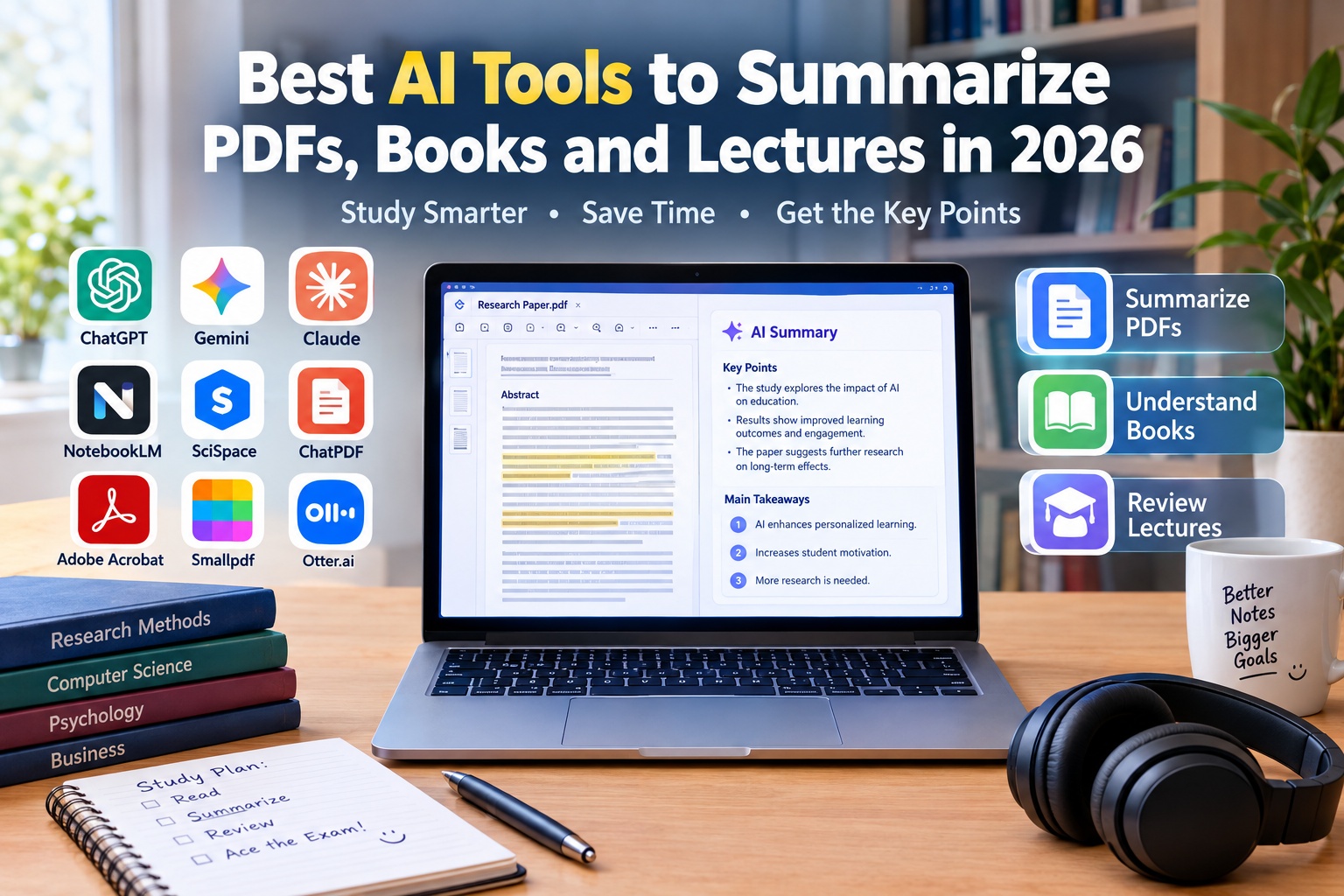
The Best AI Summarization Tools for Students and Researchers
1. Google NotebookLM: Best AI Tool for Summarizing Books and Multiple PDFs
Google NotebookLM is an AI-powered research and study assistant designed to help users understand information from their own source materials. It is particularly useful for students and researchers who need to analyze lecture notes, digital textbooks, research papers, and multiple PDF documents.
Rather than simply generating a general explanation, NotebookLM allows users to work with supplied sources and ask questions about their contents. This makes it a strong choice for preparing study guides and reviewing large collections of educational materials.
Key Features of Google NotebookLM
NotebookLM can summarize documents, answer questions about supplied sources, identify important concepts, and help organize information from multiple materials. Depending on current feature availability, it can also generate study guides, frequently asked questions, and audio overviews.
For example, a university student studying economics can add several lecture PDFs and relevant reading materials, then ask for a summary of each chapter and an explanation of the main economic concepts.
The platform can also help users compare information across different sources, making it useful for research projects that require more than one document.
Main Advantages
One of NotebookLM’s biggest advantages is its source-focused approach. Users can ask questions about their uploaded materials and check the supporting passages to better understand where the information comes from.
It is especially useful for reviewing lengthy documents, identifying major themes, and transforming complicated reading materials into more manageable study resources.
Its audio overview feature can also provide an alternative way to review certain materials, depending on current availability and supported formats.
A free version is available, although features and usage limits may change.
Potential Disadvantages
NotebookLM depends on the quality of the source materials. If a PDF contains errors, missing pages, or unclear text, the resulting summary may also be incomplete.
Users should verify important facts against the original documents rather than treating AI-generated summaries as replacements for reading and critical analysis.
Best for: Summarizing multiple PDFs, studying books, reviewing lecture notes, preparing for exams, and conducting source-based research.
Official website: Google NotebookLM
2. ChatGPT: Best All-Round AI Tool for Summarizing Documents
ChatGPT is a versatile AI assistant that can help users summarize documents, explain complicated passages, extract key points, and reorganize information into clear, readable formats.
It is suitable for students who want a general-purpose tool for studying books, reviewing lecture notes, understanding research papers, and preparing written summaries.
Key Features of ChatGPT
Depending on the current plan and available features, ChatGPT can analyze uploaded documents, summarize text, answer questions, explain technical terminology, and reorganize information into bullet points or structured sections.
Users can request summaries of different lengths, from a short overview to a detailed chapter-by-chapter explanation. They can also ask follow-up questions about specific sections.
For example, a student can upload a compatible PDF about biology and request a summary of the main concepts, important definitions, and processes that should be reviewed before an examination.
ChatGPT can also transform notes into revision questions, flashcards, outlines, and practice exercises, depending on the task and available capabilities.
Main Advantages
ChatGPT’s greatest strength is its flexibility. It can summarize documents while also explaining difficult ideas in simpler language.
Users can specify the intended audience, language, format, and level of detail. This is especially helpful for students who need to understand academic material written in a language they are still learning.
The ability to ask follow-up questions makes it useful for exploring a document rather than receiving only one summary.
A free version is available, but file uploads and other capabilities may have usage limits.
Potential Disadvantages
ChatGPT may overlook details, misunderstand tables, or produce explanations that are not fully supported by the uploaded document.
For academic research, users should verify quotations, statistics, page references, and important claims against the original material.
Long documents may also need to be divided into sections if they exceed the applicable file or usage limits.
Best for: General PDF summaries, textbook explanations, lecture-note summaries, rewriting notes, and creating study questions.
Official website: ChatGPT
Plans and pricing: ChatGPT Plans
3. Claude: Best AI Tool for Long and Complex Documents
Claude is an AI assistant developed by Anthropic. It is particularly useful for analyzing lengthy reading materials, summarizing complicated arguments, and organizing detailed information into coherent explanations.
Students and researchers working with long reports, academic chapters, technical documents, or several pages of lecture notes may find Claude useful when they need more than a brief overview.
Key Features of Claude
Depending on the available model and subscription, Claude can analyze supported files, summarize long passages, explain technical concepts, and identify relationships between ideas.
Users can ask for chapter summaries, lists of key arguments, explanations of unfamiliar terms, or comparisons between sections of a document.
For example, a student researching environmental science could provide a lengthy report and ask Claude to identify its main findings, summarize the methodology, and explain the conclusions in simpler language.
It can also help reorganize unstructured notes into headings and sections that are easier to revise.
Main Advantages
Claude is a useful option for people who need detailed explanations of complex written material. Its conversational interface makes it possible to explore a document through follow-up questions.
It can help distinguish the main argument from supporting details and create summaries suitable for revision or preliminary research.
Its writing assistance is another advantage for students who want to turn rough notes into a clearer outline.
A free plan is available, although file limits, usage allowances, and advanced capabilities depend on current terms.
Potential Disadvantages
Claude can still make mistakes, misinterpret technical passages, or overlook important qualifications in a document.
Users should check numerical data, scientific claims, and conclusions against the original source. The available file size and document-processing capabilities may also vary by model and subscription.
Best for: Long reports, detailed textbook chapters, complex research papers, technical documents, and structured summaries.
Official website: Claude
Plans and pricing: Claude Plans
4. SciSpace: Best AI Tool for Summarizing Academic Research Papers
SciSpace is an AI-powered research platform designed to help users read and understand scientific papers and other academic materials. It is particularly useful for university students, researchers, and anyone who needs to interpret technical academic writing.
Scientific papers often contain specialized terminology, complex methods, tables, and detailed findings. SciSpace helps users explore these elements without relying exclusively on a quick general summary.
Key Features of SciSpace
SciSpace provides tools for interacting with PDFs, summarizing research papers, asking questions about document contents, and receiving explanations linked to relevant sections.
Its PDF chat features can help users understand technical passages, explore the main findings of a paper, and ask follow-up questions about particular concepts.
Depending on the available features, users may also be able to discover related research and organize information for academic projects.
For example, a university student studying renewable energy can use SciSpace to summarize a scientific paper, identify its research question, and understand the main results before reading the full study.
Main Advantages
SciSpace is particularly useful for academic reading because it focuses on research papers and scientific information.
Its document-questioning features can help readers understand unfamiliar terminology and locate relevant information within a paper.
It can also make the initial stages of a literature review more manageable by helping users identify which documents deserve closer examination.
A free access option is available, although some features may require a paid plan.
Potential Disadvantages
An AI-generated summary cannot replace a careful reading of a scientific paper, especially when the methodology, limitations, and interpretation of results are important.
Users should check whether the study’s findings support the claims made in a summary and distinguish between the authors’ conclusions and the AI’s interpretation.
Some advanced research functions may also be restricted by subscription or usage limits.
Best for: Scientific papers, academic research, technical terminology, literature reviews, and research summaries.
Official website: SciSpace
Chat with PDFs: SciSpace Chat PDF
5. ChatPDF: Best for Quickly Summarizing a Single PDF
ChatPDF is an AI-powered tool designed to help users interact with PDF documents through natural-language questions. It is a practical choice when you want to understand one document without setting up a complicated research workspace.
The platform is useful for students who need to summarize a chapter, find a definition, or ask questions about a specific reading assignment.
Key Features of ChatPDF
ChatPDF allows users to upload supported PDF documents, ask questions about their contents, and request summaries or explanations.
Instead of manually searching through every page, users can ask for the central argument, the main findings, or an explanation of a particular section.
For example, a student preparing for a history examination can upload a chapter and request a summary of its main events, important dates, and major historical figures.
Depending on the tool’s current features, responses may include references to relevant parts of the uploaded document.
Main Advantages
ChatPDF is straightforward to use and focuses on a specific task: understanding PDF documents through questions and summaries.
It can be particularly helpful when users need a quick overview of one file or want to locate information without reading the entire document immediately.
Its conversational interface also makes it easy to ask for a simpler explanation when the first answer is unclear.
A free option is available, although the number of documents and other usage limits may apply.
Potential Disadvantages
ChatPDF is less suitable as a complete academic workspace for managing all notes, assignments, and research projects.
Users should also check whether citations point to the correct passage and verify important statements against the original PDF.
Scanned documents and image-based PDFs may require additional text recognition before their contents can be processed accurately.
Best for: Quick PDF summaries, textbook chapters, individual reading assignments, and document-based questions.
Official website: ChatPDF
6. Adobe Acrobat AI Assistant: Best for Summarizing and Reviewing PDFs
Adobe Acrobat AI Assistant combines document-management features with AI-powered tools that help users understand and review PDF files.
It is particularly useful for people who already work with PDFs regularly and want to summarize documents without moving everything into a separate research application.
Key Features of Adobe Acrobat AI Assistant
Adobe Acrobat includes AI features that can generate document summaries, answer questions about PDF contents, and identify important information.
Its responses can include references that link back to relevant sections of a document, helping users verify the information provided.
Adobe also offers PDF Spaces for working with multiple documents and related materials in one workspace. Available capabilities depend on the product, account, and subscription.
For example, a student reviewing a long research report can request a summary of its main sections and then use follow-up questions to explore specific findings.
The wider Acrobat platform also includes tools for working with, organizing, and editing PDF files.
Main Advantages
One of Acrobat’s main advantages is its integration with established PDF workflows. Users can read, review, and manage documents while using AI to understand their contents.
Source-linked answers can make it easier to check important statements against the original text.
It is also useful for people who need more than summarization, such as those who regularly organize or edit PDF documents.
Adobe provides limited access to some AI features for eligible users, while broader access may require a subscription or add-on.
Potential Disadvantages
The complete feature set may cost more than a simple PDF summarization tool, especially if an additional subscription is required.
Users who only need occasional summaries may find that a free document assistant is sufficient.
As with other AI tools, generated summaries can omit details, so important information should be checked against the source document.
Best for: PDF summaries, document review, source-linked answers, PDF organization, and users who already use Acrobat.
Official website: Adobe Acrobat
AI Assistant information: Adobe Acrobat AI Assistant
7. Smallpdf AI PDF Summarizer: Best for Simple Online PDF Tasks
Smallpdf is an online PDF platform that provides tools for working with PDF documents. Its AI-powered features can help users summarize documents and understand their main points without installing a full desktop application.
It is suitable for users who want a simple browser-based workflow for occasional document summaries.
Key Features of Smallpdf
Smallpdf provides online PDF tools, with AI capabilities that may include document summarization and question-based assistance, depending on current availability.
Users can work with compatible documents through a web browser and use the platform’s wider PDF utilities for tasks such as conversion and compression.
For example, a student with a lengthy reading assignment can use an available AI summarization feature to create an overview before reviewing the original material in detail.
Main Advantages
Smallpdf’s main advantage is convenience. Its browser-based approach makes it accessible without requiring a complicated setup.
It may also be useful for users who regularly need both PDF management and basic summarization features.
A free access option is available for some tools, although usage restrictions and premium features may vary.
Potential Disadvantages
AI features, document limits, and usage allowances can differ between free and paid access.
Users who need to compare multiple academic sources or build a long-term research library may prefer a platform specifically designed for source-based research.
Before uploading confidential documents, review the service’s current privacy information and document-handling terms.
Best for: Simple PDF summaries, quick document tasks, online PDF utilities, and occasional use.
Official website: Smallpdf
8. Otter.ai: Best AI Tool for Summarizing Recorded Lectures
Otter.ai focuses on transcription and AI-powered summaries of spoken conversations. It is useful for students who need to review authorized lecture recordings, interviews, meetings, or classroom discussions.
Unlike PDF-focused tools, Otter.ai is designed around spoken information, making it particularly relevant when important material is delivered verbally.
Key Features of Otter.ai
Otter.ai can transcribe supported audio, create searchable text, and generate summaries of spoken discussions. Depending on the plan and available features, it may also identify speakers and help users locate important sections of a transcript.
For example, a student with permission to record a lecture can use a transcript to review the teacher’s explanation and identify the main concepts discussed.
The transcript can then be reviewed and organized into study notes, summaries, and revision questions.
Main Advantages
Otter.ai can reduce the amount of manual transcription required when reviewing spoken material.
Searchable transcripts make it easier to locate a specific explanation without replaying an entire recording. AI-generated summaries can also help students identify the main discussion points.
A free plan is available, but transcription time, file imports, and other capabilities may be limited.
Potential Disadvantages
Transcription accuracy depends on audio quality, background noise, speaker accents, and the complexity of the terminology.
Otter.ai is primarily designed for audio-based workflows rather than summarizing a large collection of books and PDFs.
Students should obtain the required permission before recording lectures or conversations and follow their school’s policies. When recording is not permitted, use approved course notes and materials instead.
Best for: Authorized lecture transcription, audio summaries, searchable transcripts, and reviewing spoken explanations.
Official website: Otter.ai
Plans and features: Otter.ai Pricing
Comparison Table: Best AI Tools for Summarizing PDFs, Books, and Lectures in 2026
The following table compares the main strengths of the eight tools included in this guide.
| AI Tool | Best Use | Main Features | Free Access |
|---|---|---|---|
| Google NotebookLM | Multiple PDFs and study materials | Source-based answers, summaries, audio overviews | Available, subject to current limits |
| ChatGPT | General document summarization | Summaries, explanations, follow-up questions | Available with limits |
| Claude | Long and complex documents | Detailed summaries, document analysis, explanations | Available with limits |
| SciSpace | Academic research papers | PDF chat, research explanations, source-based answers | Free access with possible limits |
| ChatPDF | Single PDF summaries | Document questions, quick summaries | Available with limits |
| Adobe Acrobat AI Assistant | PDF review and management | AI summaries, source-linked answers, PDF tools | Limited AI access may be available |
| Smallpdf | Simple online PDF tasks | PDF utilities and AI-powered features | Available with limits |
| Otter.ai | Recorded lectures | Transcription, searchable text, audio summaries | Available with limits |
Features, file limits, language support, and subscription terms can change. Check each provider’s official website before choosing a paid plan.
Which AI Summarization Tool Is Best for Different Needs?
The best AI summarizer depends on the type of material you need to understand and the way you prefer to study.
Best AI Tool for Summarizing PDF Files
Google NotebookLM, ChatGPT, Claude, and ChatPDF are useful options for working with PDF documents.
NotebookLM is particularly suitable for studying from multiple supplied sources, while ChatGPT offers a flexible way to summarize and explain document contents. Claude is worth considering for detailed and complex reading materials, and ChatPDF provides a straightforward way to ask questions about an individual PDF.
The best option depends on document length, the available file-processing features, and whether you need source references.
Best AI Tool for Summarizing Books
For digital books and long reading materials, consider Google NotebookLM, ChatGPT, or Claude.
NotebookLM can help organize information from supported source materials. ChatGPT can explain difficult passages and generate chapter summaries, while Claude can help organize complex arguments and identify relationships between ideas.
Always check the application’s file limits and ensure that you have the right to upload and process the book. Copyrighted books should be used in accordance with applicable laws and the platform’s terms.
Best AI Tool for Summarizing Academic Research
SciSpace is a useful choice for students and researchers who regularly read scientific papers.
It can help explain academic terminology, summarize research findings, and explore the contents of a paper. NotebookLM can also be useful when a project involves multiple source documents.
AI-generated summaries should be treated as a starting point. Research methods, sample sizes, limitations, and conclusions deserve particular attention when evaluating scientific evidence.
Best AI Tool for Summarizing Lectures
Otter.ai is designed for spoken content and can help students review authorized recordings through transcripts and summaries.
If a lecture is available as a PDF, slide deck, or written transcript, NotebookLM or ChatGPT may be more suitable.
For the most reliable study notes, combine the lecture transcript with the teacher’s slides and your own observations.
Best Free AI Summarization Tool
For students who want to begin without paying, Google NotebookLM is a strong starting point for source-based study, while ChatGPT and Claude offer broader document assistance through their free plans.
SciSpace and ChatPDF are also worth exploring for academic PDFs and individual document questions.
Free access does not always mean unlimited use. Check file restrictions, daily allowances, and supported features before relying on a tool for an important assignment.
Best Amazon Germany and European Products for AI-Assisted Studying
Most AI summarization services are accessed through their official websites or applications rather than purchased as physical products on Amazon. However, compatible devices and accessories can make it easier to read PDFs, annotate textbooks, review lecture materials, and listen to authorized recordings.
The following Amazon search pages can help you explore related products. Availability, prices, shipping, and device compatibility vary by country and seller.
1. Tablets for Reading and Summarizing PDFs
A tablet can make it easier to read digital books, annotate lecture slides, highlight research papers, and access AI summarization applications.
Before purchasing, check the operating system, screen size, battery life, storage, and compatibility with your preferred applications.
- Amazon Germany: Tablets for PDF Reading and Study
- Amazon France: Tablets for Studying and Reading PDFs
- Amazon Italy: Tablets for Digital Study
- Amazon Spain: Tablets for Reading and Studying
2. Stylus Pens for Annotating Books and Lecture Slides
A compatible stylus can make it easier to highlight important passages, write notes beside textbook sections, and annotate PDF documents on a touchscreen.
Check whether the stylus supports your particular tablet before purchasing, because compatibility differs between devices.
- Amazon Germany: Stylus Pens for Tablets
- Amazon France: Digital Pens for Tablets
- Amazon Italy: Stylus Pens for Digital Notes
- Amazon Spain: Digital Pens for Studying
3. Headphones for Reviewing Audio Summaries
Headphones can make it more convenient to listen to AI-generated audio overviews, accessible lecture recordings, and educational content in quiet study environments.
Consider comfort, battery life, device compatibility, and whether wired or wireless headphones better suit your needs.
- Amazon Germany: Headphones for Study and Audio Learning
- Amazon France: Headphones for Studying
- Amazon Italy: Headphones for Learning and Study
- Amazon Spain: Headphones for Study Sessions
These are product search pages rather than guaranteed listings for specific products. AI service subscriptions, including ChatGPT, Claude, and NotebookLM-related services, should be checked through their official websites for current pricing and availability.
How to Choose the Best AI Tool for Summarizing PDFs and Books
Choosing the right AI summarization tool requires more than comparing the number of features. You should consider the type of document, the required level of detail, source verification, language support, and privacy.
Consider Document Length and Format
Some tools are especially useful for individual PDFs, while others support research workflows involving multiple sources.
Before uploading a large book or report, check the maximum file size, page limits, supported file formats, and account restrictions.
Scanned PDFs may require optical character recognition, or OCR, to convert page images into searchable text. If a document contains tables, equations, diagrams, or handwritten notes, check whether the tool can process those elements accurately.
Check Source References
For academic work, a summary is more useful when you can verify its claims against the original material.
Tools that provide source references or links to relevant sections can make checking information easier. However, citations should still be opened and examined to ensure they support the claims being made.
Never rely entirely on a generated summary when accuracy is essential.
Compare Free and Paid Plans
Many AI tools offer free access, but file uploads, advanced models, daily questions, and transcription features may be restricted.
Start with a free version and test it using a representative document. If you regularly reach a usage limit or need a specific advanced feature, compare subscription plans before paying.
Avoid subscribing to several applications that provide essentially the same features unless you have a clear reason to use each one.
Check Language Support
Language support is important for students who work with Arabic, English, French, or other languages.
Before summarizing an entire book or lecture, test the tool with a short sample. Check whether it preserves technical terminology, names, dates, and the meaning of important passages.
If the summary is written in a different language from the source, compare the translation and summary against the original to identify missing details.
Protect Your Privacy
Uploading documents to an AI service may involve processing them on external servers.
Before uploading course materials, unpublished research, private notes, or confidential files, review the provider’s privacy policy and data-handling options.
Do not upload private recordings without the required permission, and ensure that you have the right to share any copyrighted or confidential materials with the service.
How to Get Better Results from AI Summarization Tools
Using a clear prompt can improve the usefulness of an AI-generated summary. Instead of simply asking an application to summarize a document, explain what you need to learn from it.
Ask for a Structured Summary
For a textbook chapter or academic paper, request the main argument, key concepts, important definitions, supporting evidence, and conclusions.
You can also ask the tool to organize the information under the document’s original headings so that it is easier to compare the summary with the source.
Request Different Levels of Detail
A short overview is useful for understanding a document’s general purpose, while a detailed summary is better for revision and research.
Ask for a brief overview first, then request a more detailed explanation of sections you find difficult.
This approach can help you focus on the most important information without losing essential context.
Generate Questions for Revision
After summarizing a document, ask the AI tool to create practice questions based on the source.
For example, you can request ten questions about the main concepts, followed by answers that refer to the relevant sections of the document.
Try answering the questions independently before checking the answers. This helps you use AI as a learning aid rather than simply collecting summaries.
Verify Important Information
AI-generated summaries can omit qualifications, confuse similar concepts, or misinterpret tables and numerical results.
Check important claims against the original text, especially when working with scientific studies, historical documents, technical manuals, or material that will be used in an academic assignment.
A reliable workflow combines AI-assisted summarization with independent reading and verification.
Are AI Summarization Tools Worth Using in 2026?
AI summarization tools can be valuable for students, researchers, and professionals who need to work with large amounts of written or spoken information.
They can help users identify key ideas, understand complex terminology, organize lecture notes, and prepare for exams. Tools such as NotebookLM and ChatGPT support general document-based learning, while SciSpace focuses on academic research and Otter.ai is designed for spoken content.
However, summarization is not the same as complete understanding. Important details may be omitted, and generated explanations can contain errors. The original document remains essential whenever accuracy, context, and detailed interpretation matter.
For many users, the best approach is to start with a free tool, test its performance on real materials, and choose a paid plan only when its additional features justify the cost.
Conclusion: What Are the Best AI Tools to Summarize PDFs, Books, and Lectures in 2026?
The best AI tools to summarize PDFs, books, and lectures in 2026 make it easier to organize information, understand complicated documents, and prepare for examinations or research projects.
Google NotebookLM is an excellent option for studying multiple source documents, while ChatGPT provides flexible summaries and explanations. Claude is useful for detailed and complex reading materials, and SciSpace is particularly suitable for academic research papers.
ChatPDF offers a straightforward way to ask questions about individual PDFs, Adobe Acrobat AI Assistant combines summarization with PDF management, and Smallpdf provides convenient online document tools. Otter.ai is a useful option for transcribing and summarizing authorized lecture recordings.
The right tool depends on the documents you use, the depth of analysis you need, and your budget. Start with a free option, verify important information against original sources, and protect your privacy when uploading files.
Used responsibly, AI summarization tools can help students and researchers study more efficiently, manage large collections of information, and focus their time on understanding the ideas that matter most.


